Rust Base Upkeep Explained: Costs, Decay & Tips
Building in Rust is not a purchase. Every wall, floor, and door you place adds to a running upkeep bill, and the game takes a cut of it out of your tool cupboard every day, whether you log in or not. Most new players discover this the hard way, usually by returning after a couple of days to find half the base gone. The mechanic is not hidden; it is just never explained anywhere in the game.
Understanding the numbers ahead of time changes how you build, and it is the difference between a base you can sustain and one that eats everything you farm.
How the Charge Is Calculated?
Each structural piece has a build cost, and the daily upkeep is roughly ten per cent of the total build cost of everything inside the cupboard’s radius. Place more, pay more, every single day.
The costs themselves are legible once you know them. A wooden block runs 200 wood, a stone block 300 stone, a sheet metal block 200 metal fragments, and an armoured block 25 high quality metal.
Doors are priced separately, which matters because players almost always place more of them than they meant to. Twenty high-quality metal and five gears buy an armoured door, while a plain wooden one is 300 wood and a sheet metal door 150 fragments.
Why Everybody Ends Up Using a Rust Building Calculator?
A system with clear per-piece costs and a percentage-based recurring charge is easy to state but hard to keep in your head. Once a base passes a few hundred pieces, the daily bill stops being anything you can estimate by feel.
Rustly’s base cost calculator is one of the community answers to that. You enter how many blocks and doors sit at each tier, and it returns the total wood, stone, metal fragments, and high-quality metal required, along with the daily upkeep figure.
That turns a vague worry into a planning number. If the calculator says your design costs a certain amount of high-quality metal a day, you know before you start whether your current farming routine can support it.
The same site carries the rest of the reference layer around the game, including a wipe timer, monument pages, item costs, and a raid calculator, all taken from game values rather than estimated by hand. It is an independent fan project with no connection to Facepunch.
What Happens If You Do Not Pay?
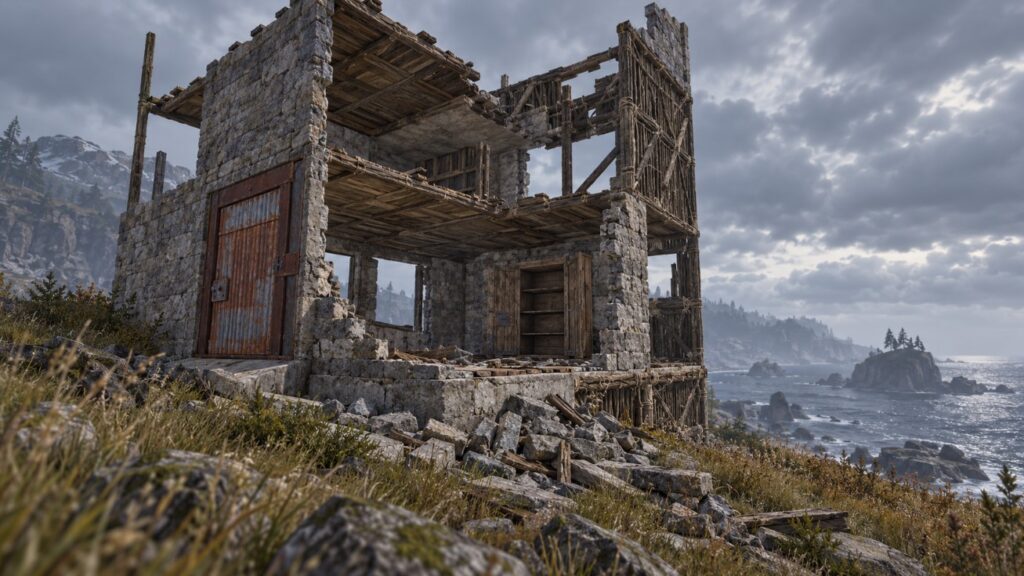
Upkeep only bites because non-payment has a defined consequence. When the cupboard runs dry, the structure begins to decay, and the clock depends entirely on the material you built with.
Twig lasts about an hour, wood three, stone five, metal eight, and armoured twelve. That tiering does quite work, because cheap materials punish absence quickly while expensive ones buy you a weekend away.
There is one detail worth remembering. A cupboard destroyed while it still holds resources spends up to a day of upkeep on the way out, so a raided base does not necessarily vanish the moment the raiders leave.
Designing for a Bill You Can Afford
The first practical rule is to stop upgrading everything. Upgrading an internal wall nobody will ever shoot at costs you resources twice, once to place it and again every day afterwards.
The second is to watch external footprint rather than internal complexity. Wide bases with long walls carry an upkeep cost out of proportion to the loot they protect, which is why compact designs remain popular several years into the game.
Honeycomb layers are the usual exception people argue about. They add real defensive depth, but every one of those cells is a piece the cupboard has to pay for, so they belong on the parts of the base worth defending rather than everywhere.
The third is to keep the cupboard genuinely stocked rather than topped up in a panic. Overfilling it is not wasteful, since anything unspent stays there.
Fitting It Around Wipe Cycles
Most servers wipe on a weekly or fortnightly cycle, which changes the calculation entirely. A base that would be unsustainable over a month is perfectly reasonable for six days, and there is no point engineering for a timescale the server will never reach.
Facepunch ships an update every month, and building costs do occasionally shift with it. The Rust news hub on Steam is where those changes get posted, and any calculator worth using reads the new values rather than reprinting old ones.
Moving Forward
Upkeep is one of the few systems in Rust that punishes you for not thinking rather than for not shooting well. Working out the daily cost before you place the first foundation is a genuinely useful ten minutes.
Run your planned design through a calculator, compare the daily bill against what you actually farm in a session, and adjust the material tiers rather than the size. The rest of our game guides cover the more forgiving end of the survival genre.