Active Neo Tennis Codes (September 2026) No preamble, no scrolling past three paragraphs of waffle to find what you came for. You want the codes, so here they are – every working Neo Tennis code as of September 1, 2026, checked, pulled, and cross-checked across the trackers that actually test them. Check the active Neo Tennis codes now. Code Reward Q4WG4WPEBSX 3 Lucky Spins (newest) T4PP67H6DZ7 5 Lucky Spins PEGEPJGC8DB 3 Lucky Spins 5YEWGSJSE34 3 Lucky Spins H7KR3B953ZN 3 Lucky Spins HC2YTYDK325 3 Lucky Spins 6288P8BS5TG 1,500 Money XDC5X5GSDY6 1,000 Money That’s eight live codes in the Roblox game right now, and the count’s been healthy all month. A couple of aggregator sites throw around bigger “active” numbers, but these eight are the ones with confirmed rewards attached, so they’re the batch I’d trust. Grab T4PP67H6DZ7 first – five spins is the fattest single drop in the list. Then mop up the rest. Now, if you’re brand new and wondering what a “Lucky Spin” even does for a tennis game, stick around. The why behind these rewards is where things get interesting. Wait, What Is Neo Tennis Again? Quick refresher for anyone who wandered in. Neo Tennis is a Roblox sports game from developer Century Athletes, and it’s built around fast 1v1 and 2v2 matches where you rally, serve, and generally try to become the number one player on the court. Standard tennis fantasy so far, right? Here’s the twist that makes it tick. Your athletic stats aren’t the main event – your court style is. This version of tennis leans hard into unique abilities, so the special style your character runs matters way more than raw reflexes. Two players of equal skill can have wildly different outcomes purely based on whose style is nastier. It’s less “who’s the better athlete” and more “who drew the better toolkit.” And there’s a genuinely refreshing bit here worth calling out: no pay-to-win nonsense, no premium battle pass gating the good stuff behind your wallet. Everyone’s on a level playing field, earning their gear through play. That’s rarer than it should be on Roblox, and it’s exactly why the codes carry real weight – they’re a fair boost, not a shortcut past a paywall that shouldn’t exist. So when a code hands you spins, it’s handing you a shot at a better style. Which leads neatly to the next question. Spins vs Money: What Each Reward Is Really For Every Neo Tennis code drops one of two things – Lucky Spins or Money. They do completely different jobs, so knowing which is which stops you from wasting either. Here’s the split: Reward What It’s For Smart Move Lucky Spins Rolling for court styles, rackets, and balls Save them up, then roll in a batch Money In-game currency for shop items and gear Spend on rackets and balls that suit your style The spins are the exciting ones – they’re your ticket to the style lottery. Money’s the steadier reward; it lets you kit out around whatever style you land, buying the rackets and balls that round out your build. Neither is wasted, but they scratch different itches. Six of the eight current codes give spins, which tells you where the developer wants your attention: on rolling. Here’s a small tactical nudge. Don’t blow your spins one at a time the second they land. Stack them from all the codes first, then do a proper rolling session. It doesn’t change your odds mathematically, but psychologically it’s a far better time – and it stops you from half-committing to a style before you’ve seen what else you might’ve pulled. The Style System, and Why Your Spins Decide Everything Let me linger on styles for a second, because this is the beating heart of the game and the whole reason spins are gold. Your build in Neo Tennis is a combination of three things: your style, your racket, and your ball. Get the right mix and you’ll be out-rallying players who technically have quicker fingers than you. The style is the centerpiece – it dictates your special abilities on court, the flashy stuff that wins rallies you had no business winning. Rackets and balls then tune and complement whatever style you’re running. Spins are how you fish for the standout styles. The best ones are rare, so more spins simply means more chances at something that’ll make opponents groan when they see it across the net. That’s the loop: redeem codes, bank spins, roll for a killer style, then spend your Money on the racket and ball that make it sing. A great style with mismatched gear is a waste; a coherent build is what climbs you from casual matches into ranked play. So no, these codes won’t magically make you a tennis prodigy. But they will stack the deck toward a build that punches above your skill level, which in a game like this is basically the same thing. Getting to the Code Box Redemption in Neo Tennis is a little more hands-on than most Roblox games – there’s no menu button. Instead you physically walk your character over to a spot in the lobby. It throws off first-timers, so here’s the exact route. How to Redeem Neo Tennis Codes Step by Step? Follow these, and you’ll be spinning within a minute: Launch Neo Tennis on Roblox and wait until you can move around the lobby. Find the Code area – look for the Discord symbol with “CODE” written above it in purple text, sitting to the left of the Pro Server. Press or hold the E key next to it to pop open the purple code box. Type or paste your code into the “Type code here” field. Click Check, and if the code’s live, your rewards land instantly. A couple of things worth knowing. There’s no tutorial to finish and no minimum level, so you can redeem the moment you spawn in – no grinding required first, which is a nice change
Attack on Titan Revolution Codes (September 2026)
Latest Attack on Titan Revolution Codes (September 2026) Let’s cut straight to it, because this game’s codes have a very specific job. Nearly all Attack on Titan Revolution codes you’ll ever redeem hands you Spins. Not gold, not gear directly – Spins. And once you understand why Spins are the whole ballgame here, the rest of this guide clicks into place. Attack on Titan Revolution is a Roblox game built on the anime and manga everyone knows. You spawn into a lobby, chat with other players, buy bits and bobs from merchants, then head to the fountain in the middle of the map to pick a mission. From there it’s you, your ODM gear, and a whole lot of Titans to zip around and slice up. Aim for the necks – that’s the sweet spot. Clear Titans, bank gold and gems, get stronger. Simple loop, genuinely satisfying flow. But here’s the catch. Your real power spike doesn’t come from gold. It comes from rolling good Families – think Yeager, think Ackerman – and Memories, which grant you the flashy boosts and special skills that separate a fresh recruit from a squad leader. And how do you roll? Spins. Lots of them. The good pulls are rare, so the more Spins you’ve got, the better your shot at landing something worth bragging about. That’s the entire reason Attack on Titan Revolution codes matter so much. They’re a free top-up on the one resource that actually shapes your build. So let’s get you stocked. The Attack on Titan Revolution Codes That Are Live Right Now Good timing, recruit. As of the September 1, 2026 check, there’s a small but chunky batch of working codes, and they’re loaded with more than just Spins this time around. The headliner is UPDATE5SOON – a fresh drop that’s teasing the game’s next big update in its very name – but the other two are arguably better value thanks to the extra keys and potions bundled in. Every Working Attack on Titan Revolution Code Here’s the confirmed active list, cross-checked across the major trackers. Copy them straight from here, because these strings are fussy about exact spelling. Code Reward UPDATE5SOON 250 Spins WEBSITE 200 Spins, 5 Emperor Keys, 2x Luck / Gold / XP Potions (30 min each) LIKES1M350K 300 Spins, 10 Emperor Keys, 2x Luck / Gold / XP Potions (1 hour each) Quick note on the count: a couple of trackers list four or five “active” codes, but these three are the ones confirmed working across multiple sources on the same day. The others tend to be milestone codes that flicker in and out fast, so if you spot an extra one floating around, try it – no harm done – but don’t be shocked if it’s already dead. LIKES1M350K is the pick of the bunch, no contest. Three hundred Spins plus ten Emperor Keys plus a full hour of tripled-up boosts? That’s a proper haul for thirty seconds of typing. Redeem all three regardless, though – free Spins are free Spins, and you’ll burn through them faster than you’d think once the rolling bug bites. What Do Those Rewards Actually Mean? If you’re new and half those reward names sound like gibberish, no worries. Here’s the plain-English breakdown of what each drop does for you, so you know what you’re sitting on before you spend it. Reward What It Does Spins Rolls for Families and Memories – the gacha at the heart of your build. Emperor Keys A rarer currency for premium rolls and special content. Hang onto them. 2x Luck Potion Improves your odds on Spins for its duration. Pop it before rolling. 2x Gold Potion Doubles the gold you earn from missions for the timer. 2x XP Potion Doubles your XP, pushing you up the ranks quicker. See how they play off each other? That’s the clever bit. The potions in the WEBSITE and LIKES1M350K codes aren’t random filler – they’re designed to stack with your Spins. Which brings us to the single smartest move you can make with any code haul. Rolling for Yeager and Ackerman: Where Your Spins Go Here’s the pro move, and it’s dead simple once someone spells it out. Don’t just dump your Spins the second you get them. Instead, crack open that 2x Luck Potion first, then roll. Why? Because the Luck Potion tilts the odds in your favor for its whole duration. So the ideal sequence goes like this: Redeem all your codes to stack up a big pile of Spins. Activate a 2x Luck Potion. Blitz through your Spins while the potion’s clock is ticking. Watch your chances of a rare Family or Memory climb. The Families are the trophies. Landing a Yeager or an Ackerman roll gives you access to standout skills and boosts that genuinely change how you play – and getting them isn’t easy, which is exactly why the luck timing matters. Rolling a hundred Spins with no potion active is fine. Rolling them all under a fat luck boost? That’s how you fish for the good stuff without spending a penny. The LIKES1M350K code alone gives you a full hour of luck, which is plenty of runway for a serious rolling session. So yeah – patience for about ten seconds beats blowing your Spins the moment they land. Trust me on this one. Claiming Your Free Spins Right, you’ve got your codes ready. Redeeming them is quick, but there’s one gotcha that catches out brand-new players, so read the level bit carefully. How to Redeem Attack on Titan Revolution Codes Follow these steps and you’ll be rolling in no time: Launch Attack on Titan Revolution in the Roblox app. Select the Codes option from the main menu. Type or paste a code into the Enter Code box, usually sitting at the bottom right. Hit Redeem, and your rewards drop straight into your inventory. Now the gotcha: you can’t redeem codes the moment you load in for the first time.
Pokémon Go Codes (September 2026)
Active and Latest Pokémon Go Codes (September 2026) Okay, real talk before we get to the freebies. Pokémon Go codes don’t work like codes in most other games, and if you’ve come here expecting to paste a string into the app and grab a legendary, I’ve got to reset your expectations a little. First oddity: you can’t redeem them in the app anymore. Niantic pulled the in-game code box back in February 2024, so now everyone – Android and iPhone alike – has to go through the official web store to claim anything. That trips up a lot of returning trainers who go hunting for the old text field at the bottom of the Shop and find it’s just gone. Second oddity: most of these codes aren’t handing out raw power. They lean heavily into fashion collaborations and event research rather than stacks of Rare Candy or PokéCoins. Niantic loves a brand tie-in – we’ve seen The North Face, Fendi, LEGO, and Major League Baseball all show up – so a big chunk of what’s live right now is avatar clothing. Cosmetic, sure, but hey, free drip is free drip. Third thing to know: every code works exactly once per account, and they burn out fast. So the move is simple – see a code, redeem it that same day. Don’t sit on them. Right, with the ground rules covered, let’s get into what’s actually claimable this month. All Active Codes, Sorted by What You’re After Rather than dumping one giant list on you, I’ve split the active Pokémon Go codes by what they give you. That way, if you only care about kitting out your avatar, or you’re purely after items, you can jump to the bit that matters. As of the start of September 2026, there are five text codes live plus a handful of broadcast drops, and the current season is Forever Forward. Pokémon Go Codes for Avatar Fashion If you’re the type who spends ten minutes in the wardrobe before ever throwing a Poké Ball, this table’s for you. Three of the active Pokémon Go codes are pure cosmetics – collab clothing you won’t get any other way. Code Reward Expires SANFRANCISCO2026 2026 Worlds green avatar T-shirt September 11, 2026 MLBxPOKEMONGO2026 MLB-branded avatar T-shirt No set date (around Sept 30) FENDIxFRGMTxPOKEMON Fendi x FRGMT avatar hoodie No set date That SANFRANCISCO2026 one has a hard deadline, so treat it as a priority. It ties into the 2026 Pokémon World Championships and vanishes on September 11 at 20:00 UTC. Miss that window and the green Worlds tee is gone. The MLB tee celebrates the returning baseball crossover, and the Fendi x FRGMT hoodie is the luxury flex of the bunch – a designer collab most trainers won’t bother grabbing, which honestly makes wearing it a bit of a badge. Your call on whether high fashion belongs on a Pokémon trainer, but the code’s free either way. Pokémon Go Codes for Free Items and Research Prefer stuff you can actually throw at a wild Pokémon? These Pokémon Go codes hand over consumables and kick off Timed Research instead of clothing. Both are LEGO tie-ins, part of the ongoing partnership with the LEGO Group. Code Reward Expires LEGOxPOKEMONGOxBERRIES 10 Poké Balls, 5 Pinap, 5 Razz, 5 Nanab Berries No set date (around Sept 30) LEGOxPOKEMONGOxCAP LEGO Pokémon Cap research: berries, 1,000 XP, 1,000 Stardust No set date (around Sept 30) Small heads-up on the cap code. Its reward changes depending on where you live. Trainers in participating countries – mostly places with LEGO Stores taking part – get the full package: three of each berry type, 1,000 XP, 1,000 Stardust, and the 2026 LEGO Pokémon Cap for their avatar. Everyone else gets a Lucky Egg instead. So don’t panic if your reward looks lighter than a friend’s; it’s regional, not a bug. Either way it costs nothing, so claim it. The Tournament Drops You’ve Got Until September 11 to Grab Here’s a category that isn’t quite a promo code but absolutely counts as free loot, and it comes with a ticking clock. Alongside the codes above, there are broadcast rewards tied to the 2026 World Championships, and all of them expire on September 11. If you watched the Worlds stream, or you catch the drops before the cutoff, you can claim a set of Timed Research bundles: A 30-minute broadcast reward granting Team Building: Great League Bonus Timed Research, with encounters for Lickitung, Totodile, and Paldean Wooper. A 60-minute broadcast reward handing over the 2025 World Champion’s Timed Research, which includes an Elite Charged TM among other goodies. A special PokémonXP Panel broadcast reward that starts Timed Research for a costumed PokémonXP Pikachu. That costumed Pikachu is the standout – event Pikachu variants are catnip for collectors, and this one commemorates the 10-year anniversary panel. All three share the same September 11 deadline, so lump them in with SANFRANCISCO2026 as your must-do-now pile. Everything else can wait a bit; these can’t. How to Actually Redeem Them (It’s Not In the App Anymore!) Since the in-app option is dead, redemption now happens through your browser. It sounds fiddlier than it is – you’ll get the hang of it after one go. Here’s the exact flow: Open a web browser and head to the official Niantic Offer Redemption page, part of the Pokémon Go web store. Sign in using the same account you play on. Google, Apple, Facebook, Pokémon Trainer Club, and Niantic Kids all work. Type or paste the code into the entry field. They’re case-sensitive, so match the capitalization exactly. Hit the redeem button. If it lands, you’ll see a confirmation that the items are heading to your inventory. Open Pokémon Go, and your rewards will be waiting – usually flagged by a notification. One gotcha worth flagging for iPhone folks: if you hit login trouble, try a regular mobile browser rather than any in-app login prompt. It clears up most sign-in headaches. And for Android players wondering
Upcoming Gacha Games 2026: The Ones to Watch
Upcoming Gacha Games Worth Watching in 2026 and Beyond Let’s be honest for a second: your wallet is not safe in 2026. Ever since Genshin Impact cracked the genre wide open back in 2020, and Wuthering Waves doubled down in 2024, the open-world gacha space has been on an absolute tear. And this year? It’s stacked. We’ve already had Arknights: Endfield and Neverness to Everness land, and the back half of the calendar is loaded with heavy hitters. So grab your saved-up premium currency and let’s sort through it. Rather than dump a flat list on you, I’ve grouped the biggest upcoming gacha games by the trends they belong to, so you can spot which wave is coming for your free time first. Here’s the lay of the land. Three big currents are shaping what’s next: sprawling urban open-worlds, a sudden explosion of creature-collectors, and – surprisingly – cozy life-sims muscling into the space. HoYoverse alone is swinging into two brand-new genres at once, which tells you how much the market’s shifting. Before we break it all down, here’s a quick calendar of the standouts and where they land right now. Keep in mind gacha timelines are famously slippery, so treat windows as best-current-guesses rather than gospel: Game Window Platforms Petit Planet Winter 2026 PC, iOS, Android Azur Promilia Late 2026 PC, PS5, iOS, Android Honkai: Nexus Anima Late 2026 / 2027 PC, iOS, Android Ananta January 15, 2027 PC, PS5, iOS, Android Silver Palace Late 2026 / 2027 PC, iOS, Android Right, that’s the map. Now let’s actually explore it, wave by wave. The Urban Open-World Wave If there’s one flavor dominating the pipeline, it’s the neon-soaked city playground. These games swap Genshin’s fantasy fields for bustling modern metropolises, and they’re gunning hard for that Spider-Man-meets-anime fantasy. Leading the charge is Ananta, the game formerly known as Project Mugen, from NetEase’s Naked Rain studio. It’s a free-to-play urban open-world action RPG set in the paranormal-filled Nova City, where you play a new captain of a special task force hunting hidden threats. The freedom on display looks wild – parkour-swinging between skyscrapers, hopping into vehicles, stylish combat, PvP, and deep customization for your outfits, cars, and homes. It’s shaping up as one of the most ambitious swings in the genre, and it currently has the firmest date of the bunch: a global launch slated for January 15, 2027, across PC, PS5, iOS, and Android. That’s a proper cross-platform rollout, PlayStation included. Riding the same wave is Wangyue, a Chinese studio’s urban-fantasy open-world ARPG set in a modern city laced with supernatural elements. Its recent second closed beta showed off fluid action combat, environmental interaction that lets you stack and build objects in a creative, Zelda-ish way, vehicle traversal, and companion mechanics. It sits in the same neighborhood as Ananta but leans into a distinctly Chinese urban aesthetic. There’s no firm global date yet – late 2026 or early 2027 feels realistic based on its testing momentum. One to keep a close eye on if dense city exploration is your jam. The Creature-Collector Boom Here’s the trend nobody quite saw coming this fast: everyone suddenly wants to be your monster-catching game of choice. Two big names are leading it, and they couldn’t come from more different pedigrees. The headline grabber is Honkai: Nexus Anima, HoYoverse’s first-ever creature-collector. It’s a bold left turn for the studio, blending auto-battler-style strategic fights called Nexus Battles with RPG depth and light open-world exploration, all wrapped in that glossy HoYoverse production sheen. You bond with creatures called Anima, each tied to paired concepts like light and dark, and recruit them through familiar gacha banners with pity. Its Evolution Test closed beta ran from July 9 to 27, 2026, and the game just made its show-floor debut as a playable demo at Gamescom 2026 in Cologne. There’s no locked global date, but late 2026 or 2027 is the widely expected window. For Honkai fans craving something fresher than another turn-based or action entry, this is a genuine genre swing, not a reskin. Coming at the trend from the Azur Lane side is Azur Promilia, developed by Manjuu Games. This one’s a vibrant open-world fantasy RPG set on the continent of Promilia, where you arrive as a prophesied Star-Arriving One. The hook is bonding with over 180 fantastical creatures called Kibo, forming Starlinks that assist you in combat, exploration, farming, and even housing. Combat is real-time action with guarding, dodging, and class and elemental combos layered in. It’s got a stacked publishing lineup – Yostar in Japan, Nexon in Korea, Manjuu in China – with a Korea launch confirmed for 2026 and a global window expected late in the year. Manjuu’s reputation for player-friendly design has a lot of collectors cautiously excited. The Cozy Corner: Life-Sim Gacha Not every big release wants you shooting or summoning. Some just want you to relax, and this is the most unexpected wave of all. The star here is Petit Planet, HoYoverse’s first life-simulation game and its second genre experiment on this list. You step into the shoes of a Planet Tender, responsible for developing and maintaining your very own planet – gathering resources, crafting furniture, and reshaping the environment to build a personalized home. Beyond your home world, you can travel the Starsea to visit different Islets, each with its own landscapes, ecosystems, and encounters, while a social hub called the Galactic Bazaar lets you hang out with other players. HoYoverse confirmed a Winter 2026 global launch alongside a fresh trailer at Gamescom 2026 Opening Night Live, with a hands-on PC demo running on the show floor. Its tagline says it all: “See you where the stars bloom.” Cozy gaming fans, this one’s for you. Wildcards and Ones to Watch Beyond the three big waves, a handful of intriguing projects are simmering. Some are further out, some are still shadowy, but all are worth a mental bookmark: Silver Palace, a moody 1920s-Shanghai urban RPG from Elementa Games, wrapped a closed
GTA 6 vs GTA 5 Gameplay: Every Big Upgrade
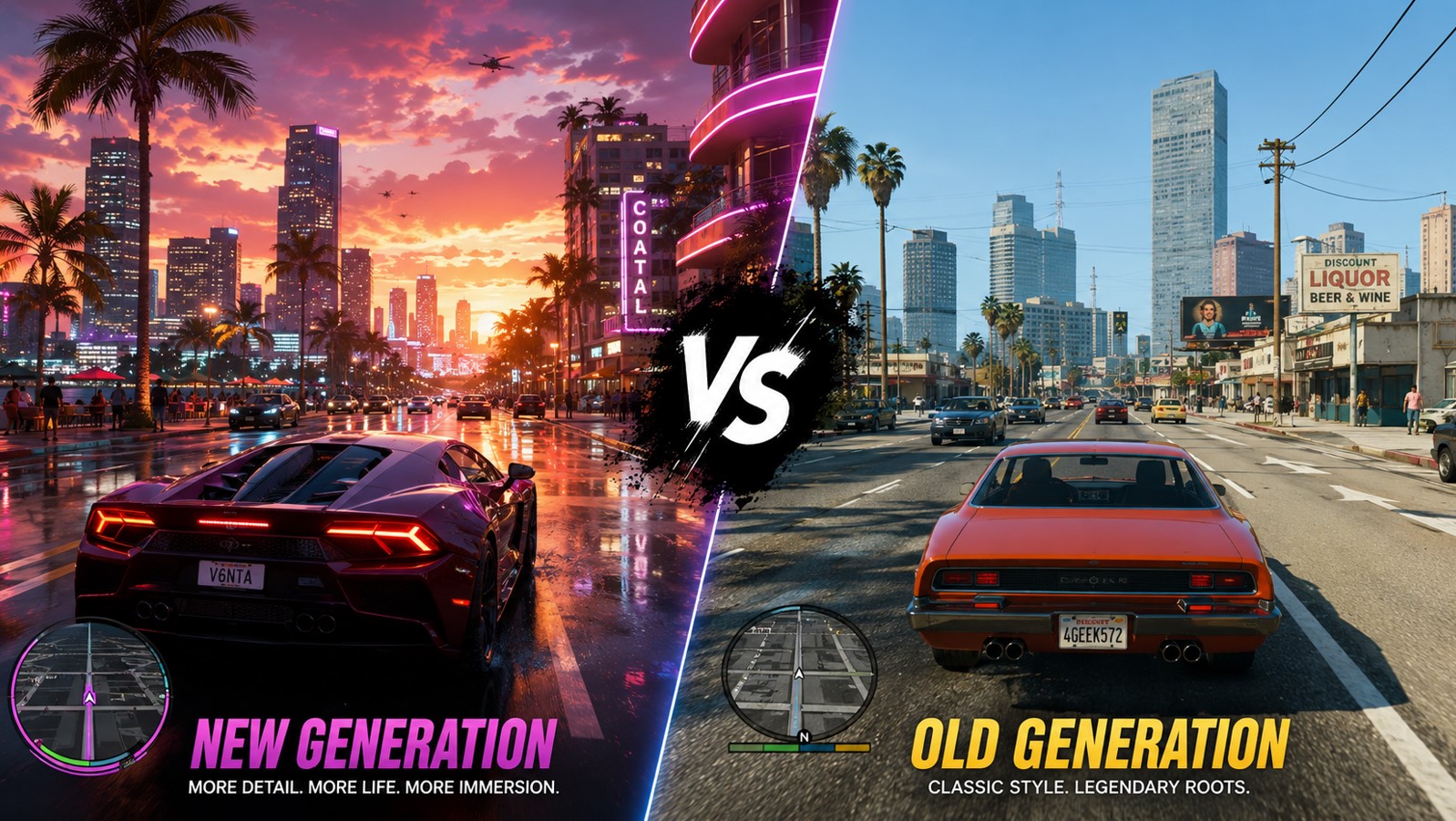
GTA 6 vs GTA 5 Gameplay: The Leap Everyone Waited For Thirteen years. That’s the gap between GTA 5 hitting shelves and GTA 6 finally showing us real, moving gameplay in its Netflix Extended Look. And now that we’ve seen 26 minutes of the thing running on a base PS5, the questions stop being “how will it look” and become “how much has actually changed.” Spoiler: a lot. So instead of dry spec sheets, let’s do something fun. Let’s walk through a normal GTA session, beat by beat, and at every step compare how GTA 6 handles it versus how GTA 5 did back in the day. Boot up, step outside, and let’s see what a decade of Rockstar tinkering really got us while comparing GTA 6 vs GTA 5 gameplay. Before the Extended Look premiered on August 27, most of this comparison would’ve been guesswork stitched together from leaks. Not anymore. Rockstar finally pulled back the curtain with official footage, backed by hands-on previews from outlets flown out to Rockstar North. What we’ve got now is confirmed, not rumored. And the picture it paints is a game that respects its predecessor while quietly rebuilding almost every system underneath. Here’s the thing, though – this isn’t a reinvention. It’s an evolution. The bones of GTA are all still here. It’s the muscle, the reflexes, and the little details that got the glow-up. Let’s follow a play session and you’ll see exactly what I mean. Stepping Out: The World Around You Picture walking out of your safehouse. In GTA 5, San Andreas felt alive for 2013, sure. But step into Leonida and the difference smacks you in the face. The map is estimated at nearly twice the size of GTA 5’s, and it’s stuffed with over 700 enterable interiors – not painted-on doors, actual rooms you can walk into. The streets hit differently too. Previews kept hammering one point: Vice City is dramatically busier than San Andreas ever was. The crowd tech means beaches packed with individual NPCs, sidewalks that feel genuinely lived-in, traffic that bustles. Where GTA 5 gave you a convincing city, GTA 6 gives you a teeming one. And thanks to that RDR2-style interact mechanic, you can pet a dog on your way past and pick up a little positive karma. Small touch. Big charm. Behind the Wheel: Driving and Jacking Cars Next you spot a car worth taking. In GTA 5, that meant walking up, smashing the window, and hopping in. GTA 6 adds a wrinkle – there’s now an option to pull out a slim jim and pop the lock quietly, no broken glass required. For fancier rides, an Immobilizer Bypass hints at a whole hotwiring mini-game for boosting luxury cars. Once you’re moving, the handling itself has been overhauled. GTA 6 leans into realism, with tire deformation and suspension that reacts to the road surface, a clear step up from GTA 5’s looser, arcade-ier feel. There are reportedly over 200 vehicles spanning cars, bikes, choppers, planes, and boats, and their interiors are fully modeled – working speedometers, mirrors, and pedals you can watch move, viewable in first or third person. GTA 5 never sweated that level of cockpit detail. If high-speed thrills are your thing, there are proper race tracks for cars and bikes waiting too. The GTA 6 vs GTA 5 Gameplay Shootout Now things get spicy. A job goes sideways, guns come out, and this is where the years really show. Previewers described GTA 6’s combat as a massive improvement over GTA 5, closer to Red Dead Redemption 2 with a dash of Max Payne 3. Over-the-shoulder shooting returns, but now with weighty, impactful gunplay: detailed hit reactions, destructible objects, blood effects, and slow-motion close-up killshots that punctuate big moments. The toolkit expanded hard, as well. You can go prone and crawl, slap on zip ties, and grab enemies as human shields. Run dry mid-firefight? Swipe a downed foe’s weapon straight off the ground. And when you’re not steering the other protagonist, an improved companion AI takes over, seeking cover and returning fire on its own. GTA 5’s crew members never pulled their weight like that. Then there’s the weapon wheel, which got a philosophy change. Here’s how the two stack up: Feature GTA 5 GTA 6 Weapon wheel Massive, holds everything Minimal, redesigned, fast Carry limit Basically unlimited Two rifles, two pistols Extra weapons On your person Stored in vehicle trunk Grab enemy guns No Yes, mid-combat Combat feel Serviceable, dated RDR2-style, weighty That carry limit is the big shift. No more waltzing around with a rocket launcher, a railgun, and a minigun somehow tucked in your back pocket. GTA 6 wants you making real choices about your loadout, storing the rest in your trunk like RDR2 did. Realism over cartoon convenience. Heat: The Six-Star Wanted System Naturally, all that chaos brings the cops. And oh boy, has this system grown teeth. First, the headline: GTA 6 brings back the six-star wanted level. For some reason GTA 5 dropped it to five, so this is a nostalgic return for longtime fans. But the star count is the least of it. In GTA 5, police simply spawned nearby and charged at you. GTA 6’s response is far smarter and creepier. The system now tracks your appearance, your clothing, and the exact vehicle you committed the crime in. So ditching that flashy sports car or swapping outfits can genuinely throw the cops off your scent. Officers set up roadblocks, comb the area where the crime was reported, and even pull footage from CCTV cameras to hunt you down. There’s nuance at the low end too. At two stars, police attempt non-lethal responses rather than instantly blasting you, and there are surrender options that flat-out didn’t exist in GTA 5. Responses are also deliberately delayed a beat, giving you a window to react and plan your escape. It’s a cat-and-mouse system now, not a shooting gallery. Your health, meanwhile, appears to be split across
Tides of Annihilation Release Date: What We Know
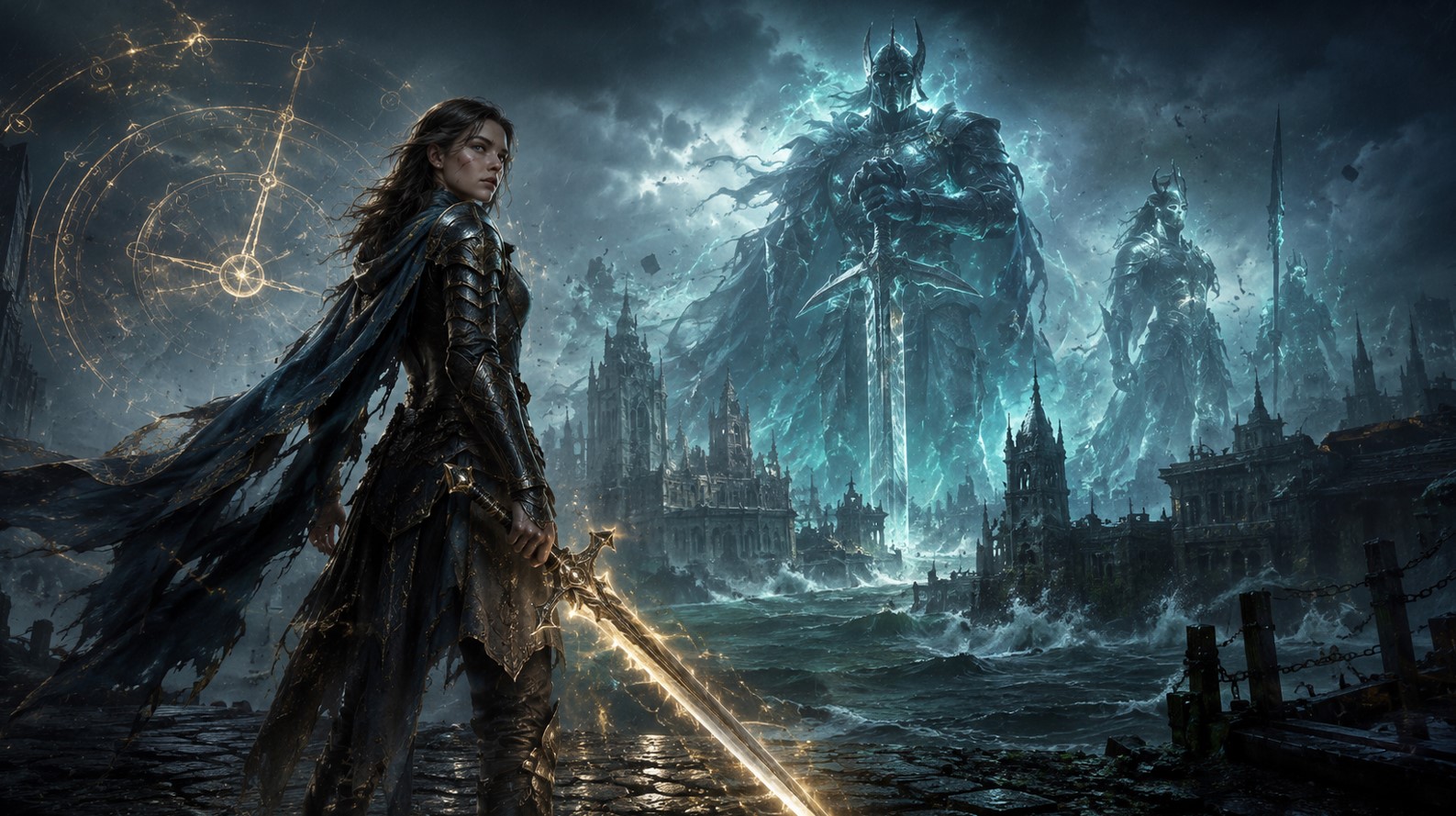
Tides of Annihilation Release Date: Here’s the Honest Truth Every so often a game comes out of nowhere and steals a whole showcase. That’s exactly what happened when a little-known Chinese studio dropped Tides of Annihilation at Sony’s State of Play, and jaws hit the floor. A gorgeous, brutal, Arthurian-flavored action game set in a shattered London? Yes please. The catch, of course, is the question that’s been driving fans up the wall ever since: when can we actually play the thing? Let’s walk through the whole journey and land on the most honest answer anyone can give right now. Buckle up, because the road here has been a wild one. I’ll give it to you straight, no fluff. As things stand, there is no official release date for Tides of Annihilation. None. The Steam page still just reads “Coming Soon,” and Eclipse Glow Games has only ever committed to a tentative 2026 window in a roundtable chat with Wccftech. No firm day, no season, no pre-order page. Nothing locked. So if you’ve stumbled across some random website confidently listing an exact launch date, treat it with heavy suspicion. The studio itself hasn’t handed one over, and a few outlets have quietly floated the possibility that it could even slip toward early 2027. That’s speculation, mind you, not fact. What we do have is a trail of breadcrumbs, and reading them properly tells us a lot about where this game is headed. Let’s follow that trail. The Road So Far: How We Got Here To make sense of the timing, you’ve got to understand how public this game’s journey has been. This isn’t some quiet project that popped up last week. It’s been building momentum for well over a year, with a string of high-profile appearances that kept it firmly in the spotlight. It kicked off in a big way. At Sony’s State of Play in February 2025, Tides of Annihilation didn’t just show up – it stole the show. In a Push Square community poll, it pulled 621 of roughly 4,600 votes, a solid 13%, edging out even Sony’s own first-party heavy-hitters. For a brand-new studio nobody had heard of, that’s a jaw-dropper. The reveal trailer rocketed toward a million views, and an 11-minute gameplay showcase racked up well over a million more. Date Milestone Feb 2025 Reveal at PlayStation State of Play Nov 2025 Appears at Xbox Partner Preview Feb 2026 Chinese New Year trailer drops May 2026 Technical showcase with Unreal and NVIDIA Aug 2026 First playable demo at Gamescom That May 2026 technical showcase is worth a pause. Eclipse Glow Games pulled back the curtain on a deep engineering partnership with the folks behind Unreal Engine and NVIDIA, digging into CPU and GPU bottlenecks and Nanite-based tech to keep the visuals sky-high without tanking the frame rate. In plain terms, they’re sweating the performance details, not just the pretty screenshots. That kind of behind-the-scenes work signals a studio still deep in polish mode – which, again, hints the finish line isn’t quite here yet. What Gamescom 2026 Actually Told Us The biggest moment landed at Gamescom 2026 in Cologne, where Tides of Annihilation became publicly playable for the very first time. Tucked away at Hall 6, Booth B-050, players finally got their hands on an extended demo with branching paths, roughly 45 to 60 minutes per session. Game director and co-CEO Ary Chen called it the team’s first global playtest, and said the studio had poured heart, soul, and “maybe even a few tears” into it over the years. So how did it land? Honestly? Brilliantly, by most accounts. Hands-on impressions poured in glowing. One writer flat-out called it their favorite game of the show, saying they played nearly an hour and could’ve stayed far longer. Here’s the gist of what that demo served up: Blisteringly fast combat that draws obvious comparisons to Devil May Cry, Bayonetta, and Ninja Gaiden. A summon-and-swap Knights system, letting you call in Arthurian legends like Bedivere, Gareth, and Mordred mid-combo. Multiple boss fights – testers took on the likes of Mordred and Geraint. A gorgeous, warped dark-fantasy London, with landmarks like the Great Russell Museum twisted by an interdimensional invasion. Light Soulslike touches, including bonfire-style checkpoints where you re-swear an oath on an Excalibur-looking blade. The recurring theme in every write-up was the Knights. Once players figured out how to weave those spectral allies into protagonist Gwendolyn’s own combos, the combat apparently just clicked into something special. It ran well on what was assumed to be a base PS5, with only minor image muddiness and one brief slowdown as a session wrapped. For a first public build, that’s a strong showing. The Bumps Along the Way It hasn’t all been smooth sailing, though, and it’d be dishonest to skip the rough patches. Two of them stirred up real community chatter. First, the face. Ahead of Gamescom, a 40-minute gameplay demo surfaced showing Gwendolyn with a redesigned face, and a chunk of the fanbase was not happy. Steam forum threads bluntly labeled the new look a “beauty nerf,” arguing her earlier, sharper facial structure looked “better by miles.” Since Gwendolyn’s face has been one of the game’s most recognizable calling cards since day one, the pushback was loud. Eclipse Glow Games hasn’t publicly said whether the redesign is final or just an early build test, so the jury’s still out there. Second, the voice. Original lead voice actor Jennifer English stepped away from the role back in June 2026 for personal health reasons. She remains attached as an advisor, which is a nice touch, but a replacement has stepped in for the demo lines. Community audio sleuths believe the new voice belongs to Angela Sant’Albano, who previously voiced Grace Ashcroft in Resident Evil Requiem – though I’ll stress the studio hasn’t officially confirmed that casting. File it under strong fan analysis rather than hard fact. Neither of these is a dealbreaker. But they’re the kind of late-stage shuffles that can
Turn On Coordinates in Minecraft: The Every Platform Guide
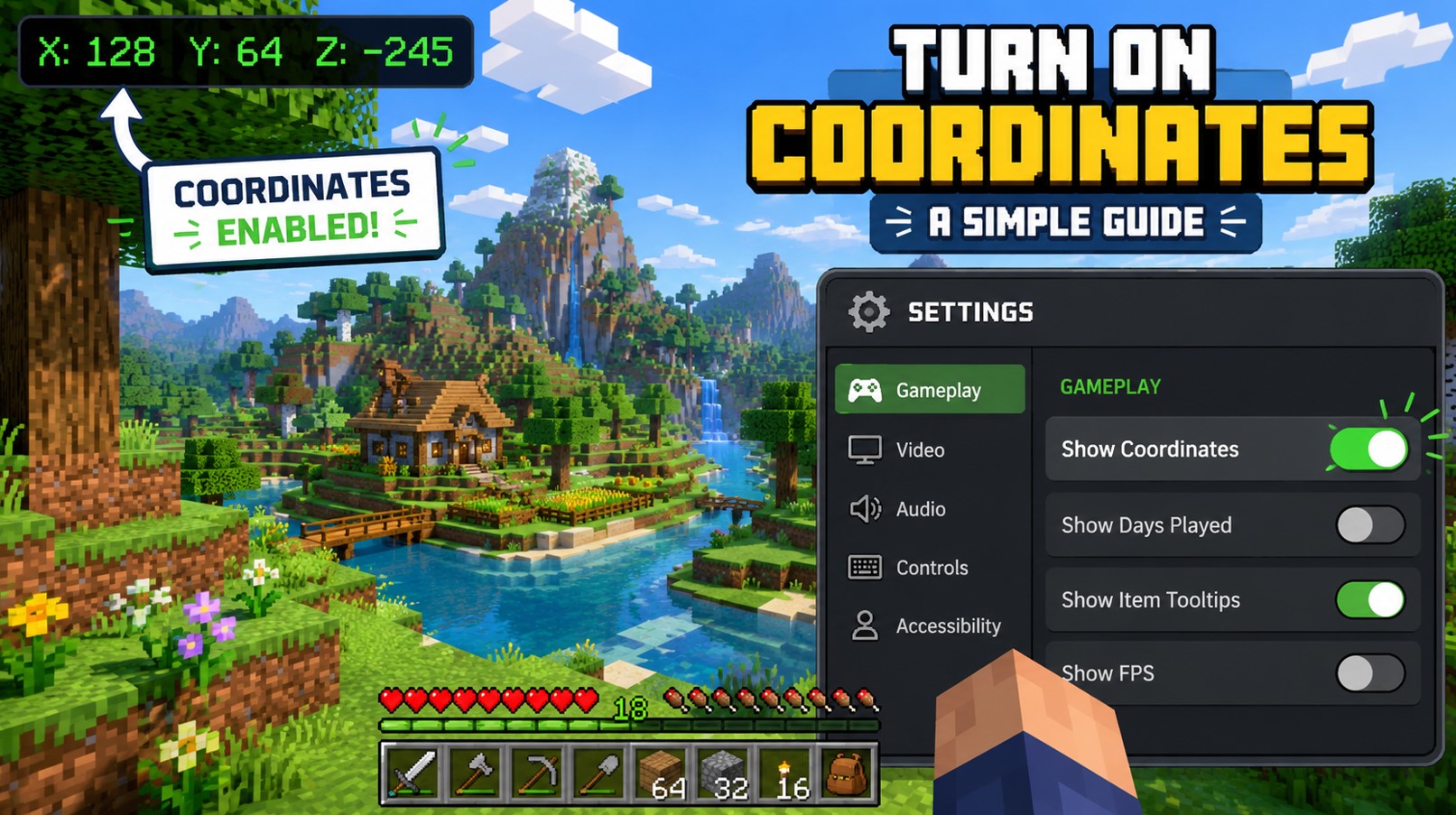
How to Turn On Coordinates in Minecraft, No Matter Your Device We’ve all been there. You wander a little too far from base chasing a herd of sheep, the sun sets, a creeper hisses somewhere behind you, and suddenly you have no earthly idea which way is home. Panic sets in. You start digging random tunnels and hoping. Sound familiar? Coordinates fix all of that. They’re three little numbers that tell you exactly where you are, and once they’re on your screen, getting hopelessly lost becomes a thing of the past. The tricky part is that turning them on works differently depending on how you play. So let’s sort it out, platform by platform, so you never have to panic-dig again. Here’s the big thing to understand up front: Minecraft comes in two main flavors, and they handle coordinates in completely different ways. Java Edition (the PC and Mac original) has a debug screen you pop open with a key. Bedrock Edition (mobile, console, and the Windows 10/11 version) hides the option in a settings menu instead. Figuring out which edition you’re on is step one. If you bought the game through the Microsoft Store, an app store, or you’re on a console, you’re on Bedrock. If you launch it through the standalone Java launcher on a computer, you’re on Java. Got it? Good. Now let’s walk through each path. First, What Are X, Y, and Z Anyway? Before we flip any switches, a quick primer, because the numbers are useless if you can’t read them. Minecraft runs on a three-axis system, and each letter tells you something specific: X marks east and west – positive numbers go east, negative go west. Z marks north and south – positive goes south, negative goes north. Y is your height – sea level sits around Y 63, the bottom of the world is Y -64, and the build ceiling is Y 320. So a spot reading X 150, Y 72, Z -340 means you’re 150 blocks east and 340 blocks north of the world’s center, sitting a little above sea level. Easy enough once it clicks. And here’s a bonus: the numbers pair nicely with a few natural landmarks if you ever get turned around. A couple of old-school tricks worth keeping in your back pocket: The sun rises in the east, which is the positive X direction. Clouds always drift east, so they’re a rough compass too. The “L” shape on top of a cobblestone block points southeast. One neat fact – the X, Y, Z grid is identical between Java and Bedrock. Same seed, same coordinates, same spot. That consistency makes sharing locations with friends across setups painless. Turn On Coordinates in Minecraft Java Edition If you’re on PC or Mac, this is the quick one. Java doesn’t bury the option in a menu at all. Just tap the F3 key on your keyboard, and a wall of debug text springs up. Look at the top-left corner for the line labeled XYZ – those are your live coordinates, updating as you walk. On a Mac, you might need Fn + F3 instead, and on some newer Macs it’s Alt + Fn + F3. Laptop keyboards can be fussy about function keys in general, so if a plain F3 does nothing, that Fn combo is your fix. A couple of handy extras while you’re in there. Pressing F3 + C copies your current coordinates straight to your clipboard, perfect for pasting into a chat or a notes app. And if all that debug clutter bugs you, F3 + F6 opens a menu where you can trim the overlay down to just the bits you care about. To make the whole screen vanish again, tap F3 once more. Clean and simple. Worth noting: Java coordinates are available by default. There’s no world setting to toggle, though a server admin can technically dial back debug info with a gamerule. If your F3 screen looks stripped down on someone else’s server, that’s likely why. Turn On Coordinates in Minecraft Bedrock Edition Bedrock’s a different beast. There’s no F3 debug screen here, and coordinates are switched off by default, so you’ll have to flip them on yourself. The good news is it’s a permanent, always-visible toggle once you set it. Here’s the path for a single-player world or one you’re hosting: pause the game, open Settings, scroll to the Game section, and find the Show Coordinates toggle. Switch it on. Your X, Y, and Z will now sit quietly in the top-left corner, sticking around no matter what you’re doing. You can also set this when creating a brand-new world, right there in the world options. Forgot to do it at the start? No problem. Back out to the main menu, hit the pencil or Edit icon next to your world, and flip Show Coordinates there instead. Because Bedrock spans so many devices, here’s a clean breakdown of where to head on each: Platform How to turn coordinates on Mobile (iOS/Android) Pause, Settings, Game, Show Coordinates Nintendo Switch Pause, Settings, Game, Show Coordinates Xbox Pause, Settings, Game, Show Coordinates PlayStation Pause, Settings, Game, Show Coordinates Windows 10/11 Pause, Settings, Game, Show Coordinates Notice a pattern? Every Bedrock platform lands in the same spot: Settings, then Game, then the Show Coordinates toggle. Mojang kept it consistent, which is a small mercy when you’re helping a friend over voice chat who’s on a different console than you. Coordinates on Servers and Realms Multiplayer’s where things get a touch more involved, because now permissions matter. On a Bedrock multiplayer server, one person with the right access can turn coordinates on for everybody at once. The magic line is the showcoordinates gamerule. An admin opens the server console and enters /gamerule showcoordinates true. Cheats need to be enabled for this to work. Once it’s live, every single player sees their position automatically – no one has to fiddle with their own settings. To switch it back off, the
Is Apple Arcade Worth It Now? An Honest Audit
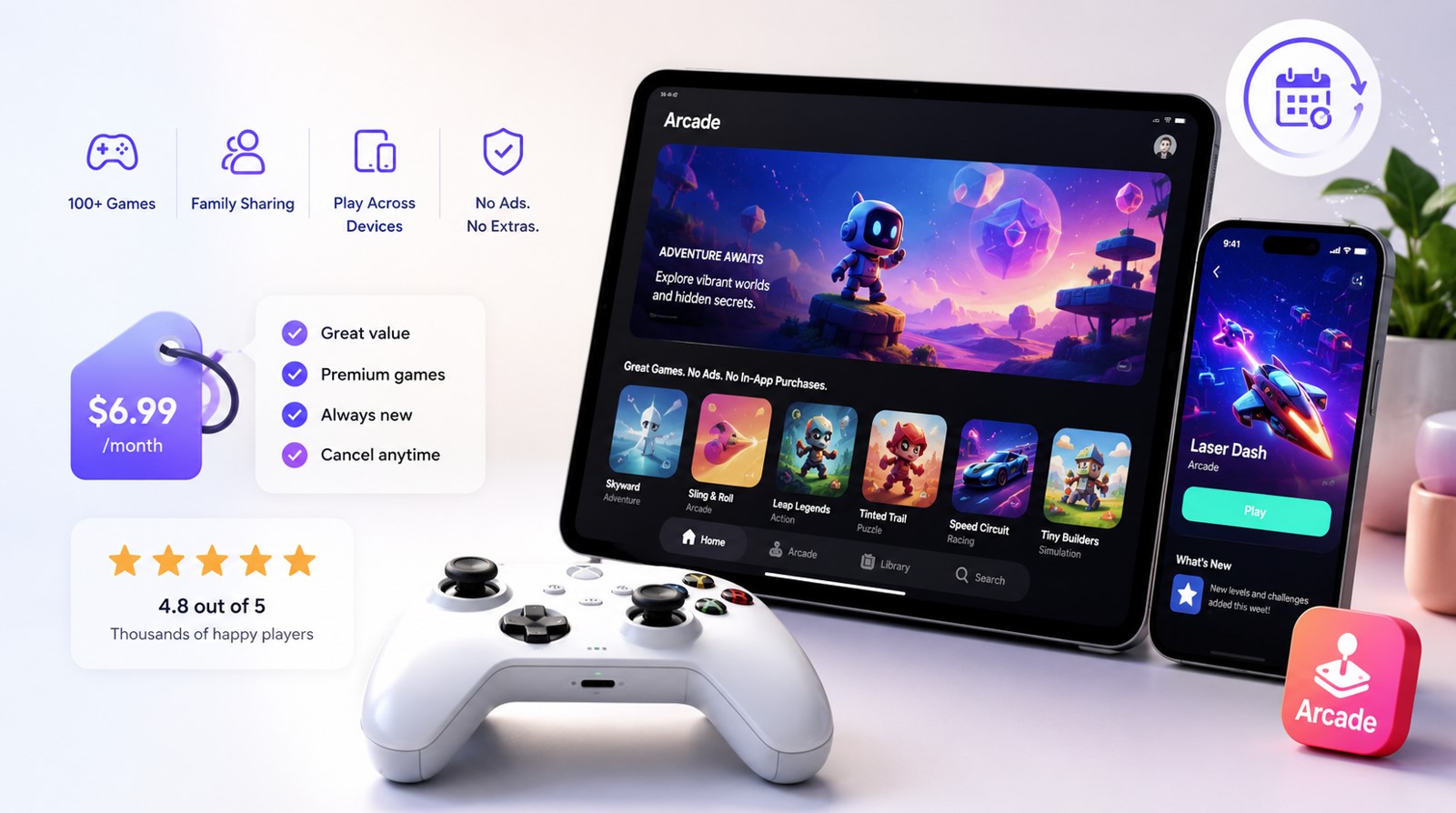
Is Apple Arcade Worth It Now? Start With the Credit Column Subscription questions get answered badly because people answer them emotionally. Either it’s a steal or it’s a scam, and whichever camp the writer sits in decides the review. Let’s not do that. Let’s do a ledger instead. Credits on one side, debits on the other, a break-even calculation in the middle, and a verdict that changes depending on who’s asking. Because the honest answer here genuinely does depend on which kind of person you are. Here’s what you’re actually buying, and some of it is better than the sceptics allow. No ads. No in-app purchases. Ever. This is the load-bearing feature and it’s easy to undervalue if you haven’t opened the free App Store charts recently. Every game in the catalogue is complete – no energy timers, no gem bundles, no rewarded video between levels. When the service launched, reviewers described it as an antidote to the exhausting free-to-play glut, and that framing has aged well. If anything, the mobile store has got worse since. Over 200 games, spanning genuinely different registers. Football Manager Touch, NBA 2K Arcade Edition, Disney Dreamlight Valley Arcade Edition, Sonic Dream Team, Hello Kitty Island Adventure, Sneaky Sasquatch, Bloons TD 6, Don’t Starve, Monument Valley 2, Downwell. That’s not a shovelware pile. There are real mobile games in there that people pay full price for elsewhere. It works across your devices. iPhone, iPad, Mac, and Apple TV, with progress carrying between them. Controller support is broad. It shares across a family group. One subscription, everybody in the household. For a family with two kids and an iPad each, the per-person maths changes dramatically. Games get updated. Apple pushes regular content updates across dozens of existing titles rather than just adding new ones and letting the back catalogue rot. And it includes the “plus” versions of games you’d otherwise pay for. Titles from the App Store Greats and Timeless Classics categories are the ad-free, IAP-free editions of paid or freemium games – and in some cases the Arcade version is the only one that still runs on modern hardware, since some originals had broken with iOS updates. That’s a real product. Now the other column. The Debit Column It costs more than it used to. Apple raised the monthly price from $4.99 to $6.99 – a 40% increase – as part of a broader round of subscription hikes that also pushed TV+ up by nearly 43%. That’s the number sitting behind most people asking this question in the first place. Games leave. This is the one that catches people out, and it’s structural rather than occasional. There’s a “Leaving Arcade Soon” section, and titles do get retired. When a game goes, you get roughly two weeks to keep playing it if you already had it downloaded, after which launching it returns a “No Longer Available” message. The reason is contractual. Apple signed three-year deals with developers back in 2019, and as those expired, some simply weren’t renewed. So the catalogue isn’t a library you’re borrowing indefinitely – it’s a rotating lineup, and anything you love can be pulled. The developer picture is bleak. This is the part that should weigh on a long-term decision. A mobilegamer.biz investigation gathered accounts from multiple studios, and the language was stark – one developer described “the smell of death” around the service. The specifics: upfront payments to buy a game for Arcade have declined since late 2020, as have per-play bonus payments. The bonus pool is calculated on “qualifying sessions,” a metric nobody outside Apple can define, which one source called a black box. One studio had months of glowing feedback before Apple withdrew interest without warning over a strategy change and then stopped answering emails. Another developer’s prediction was that payments would keep decreasing until they were pennies. Alongside that, the greenlighting strategy reportedly shifted away from original games toward established family-friendly IP. And the financials underneath are shaky. Reporting from The Information indicated Apple Arcade shows weak financial performance and would likely be unprofitable without its inclusion in the Apple One bundle. Insiders put first-year subscribers at around 2 million, roughly a quarter of whom were on free trials. Is Apple Arcade Worth It Now? Run the Break-Even Right, the maths, because this is where the argument actually resolves. Annual is the move. The monthly price went up; the annual plan sat at $49.99 through the increase, which works out to about $4.17 a month. If you’re subscribing at all, subscribe yearly – the monthly rate is a 68% premium for the privilege of flexibility. What you spend What it gets you $49.99/year (annual Arcade) 200+ games, ad-free, all devices, whole family $6.99/month (monthly Arcade) Same, at $83.88/year $49.99 spent on the App Store Roughly 5-8 premium mobile games, owned permanently $0 The free charts, with all the ads and timers that implies The break-even is genuinely low. Two or three games you’d otherwise have bought outright, and the annual plan has paid for itself. Football Manager Touch alone tends to cost most of that on its own. But – and this is the part the value calculation misses – owning five games beats renting two hundred if you only ever play two. The subscription only wins if you actually rotate through the catalogue. If you’re the sort of person who finds one game and plays it for eighteen months, buying it outright is both cheaper and safer, because nobody can take it off you when a contract lapses. So the real break-even isn’t about the money. It’s about your habits. The Structural Question Nobody Wants to Ask Here’s the tangent that I think matters more than the price. There’s a difference between “is this good value this month” and “should I build my gaming life around this.” The developer reporting, the catalogue removals, the reliance on Apple One for profitability, the shift toward safe family IP – none of that stops the service being decent
Fastest Mario Kart 8 Setup: What the Stat Bars Hide
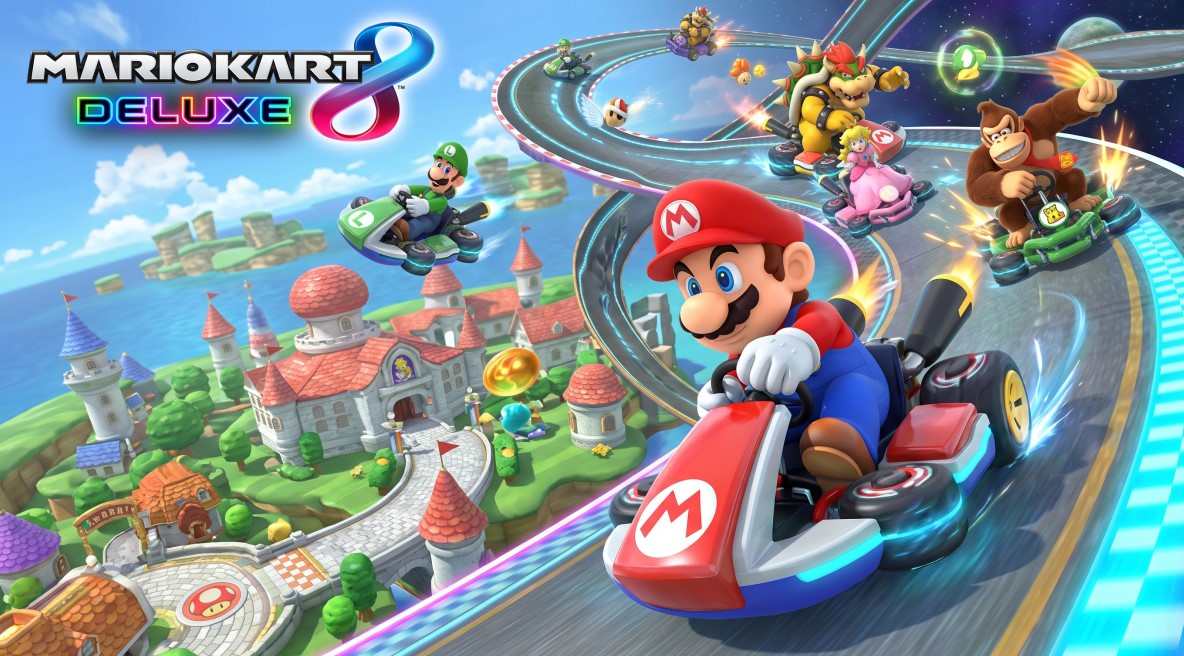
The Fastest Mario Kart 8 Setup Isn’t the Fastest Kart You’ve done this. Everyone’s done this. You scroll the kart list, find the one with the longest speed bar, slap on whatever tires look cool, and launch off the line feeling pretty good about yourself. Then two racers slip past you at the first corner and stay there for three laps. The kart wasn’t lying to you. It just wasn’t telling you everything. Stats are operating in this game that never appear on the selection screen at all, and one of them matters more than the bar you were staring at. Let’s name the fastest Mario Kart 8 setup that breaks most people’s builds. Mini-turbo is hidden, and it’s the stat that decides races. It doesn’t get a bar on the character select screen. You cannot see it in-game. And in Mario Kart 8 Deluxe, it does considerably more than it did in the original – it was buffed to give more boost over a longer duration, and its mechanics were changed so that it now also governs how fast your mini-turbos charge, plus the length and power of the resulting boost. Sit with what that means. One invisible number controls how quickly you build a drift boost, how long that boost lasts, and how hard it hits. In a game where you are drifting for most of every lap, that’s not a supporting stat. That’s the game. There’s a second hidden stat too – invincibility, added in the balance patches, which affects how long you’re protected after taking a hit. Also invisible. Also relevant. So when people say the speed bar lies, this is what they mean. High base speed still matters, but the modern consensus is that pure speed has to be tempered with lots of mini-turbo. A build that tops out marginally faster on a straight while charging drifts slowly will lose to a build that spends the whole track boosting out of corners. Stat Visible? What it really does Mini-turbo No Charge speed, boost length, boost power – the big one Ground speed Yes Helps on straights only Acceleration Yes Recovery time after every hit and every mistake Handling Yes Critical on technical tracks and at 200cc Invincibility No Protection duration after taking a hit Weight Yes Wins collisions, costs you recovery and responsiveness Traction Yes Off-road performance, situational Notice that two of the seven can’t be seen, and one of those two is the most important thing on the list. That’s why the fastest-looking kart keeps losing. The Fastest Mario Kart 8 Setup, According to People Who Time It Right, the build. And the reason to trust this one is where it comes from – not a vibes ranking, but the speedrunning community’s kart building guide, where somebody is literally measuring lap times for a living. Yoshi, Teddy Buggy, Roller tires, Paper Glider. That’s the optimal combo for speedruns as of version 2.3.0, which arrived with Wave 4 of the Booster Course Pass. Yoshi for 150cc; Yoshi or Luigi for 200cc. It’s also the combination the wider Nintendo community independently converged on. Guides describe it as universally acclaimed and consistently recommended across Reddit, tournaments, and competitive circles. When the speedrunners and the casual meta agree on something, that’s usually because it’s just true. Why it works is a straightforward reading of the table above. The build maximises mini-turbo while keeping handling and acceleration high and speed respectable. You’re not winning the straights. You’re winning every single corner exit, over and over, for three laps. The nicest thing about it is that it’s also genuinely easy to drive. The speedrun guide’s own note after the patch was that the meta combo had become even more beginner-friendly – which is unusual, since the strongest option in a competitive game is normally the hardest one to handle. And there’s a specific note worth catching for 200cc: Yoshi is easier to use than Luigi at that speed class, because of higher handling and mini-turbo. If you’re picking between the two and 200cc is your home, take the dinosaur. Why the Meta Changed, and Why That Matters? Quick history, because it explains why half the guides you’ll find are wrong. The old meta was Waluigi on the Biddybuggy. For a long stretch, that was the answer. Then Nintendo shipped balance patches alongside each wave of the Booster Course Pass – changing how weight works, adding the hidden invincibility stat, and buffing characters and vehicles they’d decided were underused. Yoshi, Luigi, and the Teddy Buggy were all heavily buffed. Waluigi and the Biddybuggy were left untouched. And the speedrun guide’s assessment of the outcome is blunt: the new meta is statistically superior to the old meta in every way. Not “better in most situations.” Every way. There’s a casualty worth mentioning too. Rosalina on the Teddy Buggy topped the meta at one point and was severely broken by the Wave 4 update. She’s still a perfectly functional pick – the combo still works, the acceleration and mini-turbo are still strong – she’s just no longer the answer. The practical lesson: check the date on any Mario Kart build guide before you follow it. A 2021 recommendation isn’t slightly out of date, it’s describing a different game’s balance. Swap Chart: Building the Fastest Mario Kart 8 Setup With Who You Like Here’s the part that makes all of this much less miserable, and it’s the single most useful thing in the speedrun guide. Characters and parts come in stat-identical groups. Multiple options produce exactly the same numbers, which means you can play as whoever you actually enjoy without giving up a thing. Meta pick Identical alternatives Yoshi Birdo, Daisy, Peach Luigi Iggy, Kamek Teddy Buggy Cat Cruiser Roller Azure Roller Paper Glider Cloud, Flower, Parachute Glider Read that and a lot of the anxiety evaporates. Don’t want to be Yoshi? Be Peach. Same stats, exactly. Hate the look of the Teddy Buggy? The Cat Cruiser is the same kart with different
The Evolution of Sports Simulation: What to Expect from Next-Gen NFL Titles
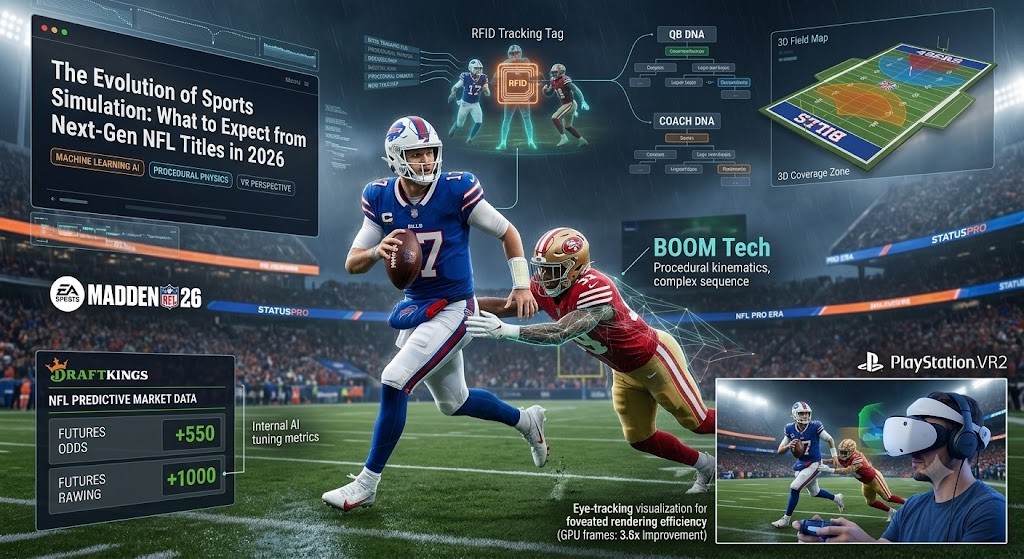
New Era of Sports Simulation: The Death of the Canned Animation Let’s just admit that the entire sports simulation genre ran on a massive bluff for twenty years. A user hits the tackle button, two character models smash together, and the system frantically checks a math table to pull up a pre-recorded video file that roughly fits the scenario. The catch was always the geometry. Whenever a runner hit a gap at an unexpected angle, the engine panicked and forced the collision anyway, resulting in that classic, awful visual of linebackers magically gliding through the turf to snap into a predetermined tackle animation. That arcade-style era of gaming is officially dead in 2026. Electronic Arts finally abandoned the visual illusion with Madden NFL 26, ripping out scripted resolutions in favor of procedural kinematics. The foundation of this shift relies on complex, continuous math rather than static art files. An entirely new physics solver takes over the exact millisecond a defender makes contact. The engine calculates mass, velocity, and the ball carrier’s center of gravity on the fly. We are talking about driven ragdoll systems actively overriding the animation state machine, so players react authentically to directional force. A glancing blow from a linebacker triggers an immediate query to a pose-to-motion database. The system then mathematically stitches together a stumble recovery that aligns perfectly with the runner’s real-time trajectory. You can’t just memorize tackle animations anymore, because the game literally generates them dynamically based on user-controlled entry angles. Deep reinforcement learning policies actually teach the AI to dynamically fire specific virtual muscles. It applies precise joint torques to the digital skeleton in real-time. We are no longer watching an animation play out; we are witnessing the brutal, desperate human struggle to maintain balance when a 250-pound safety launches at your kneecaps. Exorcising the Finite State Machine in Games with Sports Simulation The visual upgrade means absolutely nothing if the players on the field still think like robots from 2005. Think about how braindead digital defenders used to be under the old Finite State Machine architecture. The cornerback essentially stood in his flat zone waiting for an invisible trigger. Once a receiver crossed a hard-coded line on the grass, the code abruptly ripped the defender out of his zone drop and forced him into a mindless chase sequence. Frankly, it was a maintenance nightmare that led to highly predictable exploit hunting. Human players figured out exactly how to bait those transitions and break the game’s logic by week two of a release cycle. Developers have aggressively pivoted to machine learning to solve this behavioral plateau. They threw out the hard-coded logic trees entirely. Virtual agents now live inside simulated environments. Their only goal is maximizing specific reward functions. The computational grind is staggering, with neural networks routinely running millions of iterations overnight. That massive workload finally bridges the gap between theoretical algorithms and realistic, chaotic football behavior. The results manifest as systems like ‘QB DNA’ and “Coach DNA”, which process thousands of real-world play calls into dynamic logic matrices. A digital quarterback no longer relies on a random number generator to force a ball into double coverage. The neural model constantly evaluates pass rusher proximity and receiver separation against a specific 50-trait behavioral profile. Look closer and you will see analysts deploying Graph Attention Networks combined with Temporal Convolution. Players act as nodes on a graph, and the AI dynamically assigns mathematical weights to the importance of surrounding players to predict optimal trajectory paths in real-time. Telemetry and the Vegas Calibration A neural network requires an obscene amount of data to actually learn the nuances of professional football. The NFL’s Next Gen Stats system feeds this beast directly. RFID tags embedded inside player shoulder pads capture location, speed, and acceleration ten times per second on every inch of the grass. Virtual receivers literally learn to run routes by analyzing the kinematic footprints of their real-world counterparts. The reality is, historical tracking data alone cannot sustain a live-service product. Studios need to balance the game so that elite teams exhibit the exact same dominance virtually as they do on opening Sunday. That specific challenge requires heavy predictive modeling. Quantitative analysts inside game studios directly scrape the futures market on DraftKings NFL – treating the sportsbook as an absolute ground truth to calibrate internal algorithm weights. If a specific edge rusher is heavily favored by the oddsmakers to break the sack record, engineers manually reduce the frame-delay on his block-shedding algorithms. The market consensus actively dictates player awareness, situational confidence metrics, and dynamic franchise progression logic. When the Carolina Panthers are massive long shots to win their division, the AI is explicitly tuned to exhibit lower algorithmic confidence in high-pressure passing situations. Analysts even use player proposition odds to fine-tune individual physics modifiers, ensuring a highly projected rookie receiver gets better spatial interpolation on contested catches. This is not just a football simulation anymore; it is a complex behavioral market mirroring real-world financial and statistical expectations. Broken Bones and Server Rollbacks Physical toll is arguably the most overlooked variable in digital sports history. A full seventeen-game season requires acknowledging that humans actually bleed, bruise, and get tired. Modern titles have finally integrated localized damage and fatigue trackers that carry real weight. A running back absorbing multiple physics-driven hits to the lower body will experience a brutal, algorithmic degradation in his maximum top speed by the fourth quarter. You have to manage workloads and substitutions just like a real head coach. Systemic weather algorithms now interface directly with the physics and AI engines instead of just acting as pretty visual shaders. Heavy snow dynamically alters the vision cones and spatial awareness algorithms of defensive backs, severely limiting downfield passing efficiency. Rain heavily modifies the coefficient of friction on the digital turf, actively increasing the probability of catastrophic slips during sharp cutbacks. Network architects face a massive hurdle when trying to synchronize all of this physics-heavy chaos across an online multiplayer connection. Traditional lockstep netcode