
PS5 Jailbreak Update: Sony Has Patched Three Times in Five Weeks On November 2, Sony pushed firmware 26.07-14.22.00 with a single line of patch notes: security fixes to the system software. It was the third security update in roughly five weeks, and it landed seventeen days before GTA 6. That cadence has generated an enormous amount of coverage, most of it implying a console under siege. The reality is close to the opposite, and it is worth laying out plainly, because the number of PS5 consoles that can actually do any of this is very small and shrinking by the week. Getting there requires passing a series of gates. Firmware eligibility, the absence of any way backward, the limits of what a working exploit even provides, network access, and the rising floor that new games demand. Almost every console on earth fails the first one, and no console passes all five. So this walks the gates in order, with the firmware timeline first, and then the parts of this story that are genuinely interesting: why Sony is patching this fast, what the much-discussed key leak actually established, and what any of it means if you simply own a PS5. Date Version What Happened Sept 16, 2026 14.00 Closed the browser vulnerability underlying the later public exploit chain; also ended the hypervisor bypass that homebrew projects relied on Sept 29, 2026 – The Relapse chain went public, reported to give kernel access on firmware 7.00 through 13.60 Oct 1-2, 2026 26.06-14.10.00 Security fixes plus performance and stability work. Established a minimum version for PSN sign-in Oct 21, 2026 26.07-14.20.00 A 1.2 GB update whose changelog mentioned only messages and on-screen usability, following a researcher’s demonstration of a new vulnerability Nov 2, 2026 26.07-14.22.00 Security-only patch, following another public exploit demonstration Gate One: Your Firmware Number The entire story hinges on one figure, and you can read yours under Settings, System, System Software, Console Information. The public exploit chain works on firmware 7.00 through 13.60. Every model, including the Pro. Firmware 14.00, released September 16, closed it – and the chain was published about two weeks after that, on September 29. Think about what that sequencing means. The hole was already patched before the public route to it existed. Any console with automatic updates switched on, which is the default, took 14.00 in September and was never eligible at any point. There is reported to be a private kernel exploit covering 14.00 and 14.10 that has not been released, and firmware 14.20 is reported to have closed that too. Even if it did appear, the hypervisor bypass these projects depend on reportedly stops working above 13.60. So gate one is not a hurdle. For the overwhelming majority of consoles it is a wall, and it was built before the door was found. Gate Two: There Is No Way Back This is the gate people most often assume does not exist, and it is absolute. Downgrading a PS5 is not possible. Sony has never shipped a downgrade path, and the console’s boot process refuses older system software outright. Whether your console qualifies for anything discussed here was decided, permanently, by whichever automatic update it last installed. There is no procedure, no workaround, and nothing that any amount of research will change on existing hardware. A console on 14.22 today will be on 14.22 or higher forever. Which makes this story unusual among console modding stories. Normally the scene’s problem is keeping up with patches. Here the population of eligible hardware is fixed and can only shrink, because every eligible console that connects and updates leaves the pool and cannot return. The PS5 Jailbreak Update Gates Nobody Mentions Three further limits that rarely make the headlines, and which change the picture considerably. Gate three: it does not survive a reboot. The exploit is tethered. It does not persist through a cold boot and has to be re-run every time the console starts. This is not custom firmware in the sense people remember from older consoles. It is a temporary state that evaporates when you turn the machine off. Gate four: the network is gone. Firmware 14.10, from October 1, set a minimum version for signing in to PlayStation Network. A console below that line loses a great deal. What You Lose Below 14.10 PlayStation Store access Online multiplayer Cloud saves Trophy syncing Messaging The ability to load titles whose digital licences cannot be verified A PS5Homebrew community report noted that consoles on 14.00 could no longer connect either, which is how sharp that line is. Gate five: the floor keeps rising. Game firmware requirements only ever go up. Store datamining indicates GTA 6 requires at least firmware 14.10.00.00 on PS5, which neither Sony nor Rockstar has confirmed, though third-party trackers report it consistently. If accurate, a console held below that line cannot install the biggest release of the decade on November 19, single-player focus notwithstanding. That is the trade-off in its clearest form. Staying eligible means an offline console that gets progressively worse at being a PS5. Why Sony Is Moving This Fast The patch cadence is the genuinely newsworthy part, and the pattern is legible. Each of the last two updates followed a public demonstration of a new vulnerability by an independent researcher – one preceding the October 21 patch, another preceding November 2 – and both shipped with changelogs that said almost nothing. A 1.2 GB update whose notes mention only messages and on-screen usability is a security update wearing a disguise, and security watchers read it that way at the time. Two forces are plausibly behind the urgency. The first is commercial. GTA 6 arrives November 19 on PS5 and Xbox Series X|S. A console platform wants its biggest launch in years to happen on hardware it controls, and firmware floors are enforceable at install. Sony has not drawn that connection publicly, and the November 2 patch notes do not mention it, but the timing has not gone unnoticed by

World of Warcraft Forever Release Date: Times and Setup
World of Warcraft Forever Release Date Is Tomorrow, and You Have Six Decisions to Make First Blizzard’s third branch of Azeroth goes live globally on November 4 at 3:00 pm PST, which for most of the world means the early hours of November 5. Unlike every previous World of Warcraft launch, you cannot simply log in and start playing. Forever has no realms. Instead, it asks you a series of questions the moment you create a character – about rulesets, presets, model fidelity, names, and race combinations – and some of those answers shape your whole run. So this is organised as the decision list in roughly the order the game will put it to you, starting with the only one that matters before midnight: when to be at your keyboard. Region Local Time Date Americas (PST) 3:00 p.m. November 4 Brazil (BRT) 8:00 p.m. November 4 UK (GMT) 11:00 p.m. November 4 UTC 23:00 November 4 Europe (CET) 12:00 a.m. November 5 Taiwan (CST) 7:00 a.m. November 5 Korea (KST) 8:00 a.m. November 5 Australia and New Zealand (AEDT) 10:00 a.m. November 5 Those are Blizzard’s own published times. Note that this is a genuine simultaneous global launch rather than a staggered regional rollout, which means the server load arrives everywhere at once. What Forever Actually Is? Worth settling before the decisions, because the premise is unusual. Forever is a permanent, realmless version of Azeroth that runs alongside both modern World of Warcraft and WoW Classic. Not a season, not a seasonal event, not a fresh-start server that eventually merges. A third branch, intended to persist. Its continuity is separate from the modern game’s. It sits after Warcraft III Reforged: Forsaken Kingdom and before Molten Core – the first year of World of Warcraft, told differently. You level from 1 to 60, and the cap stays at 60, with progression coming from new activities, stories, abilities and equipment rather than from expansions stacked on top. It was announced at BlizzCon on September 12, 2026, after long-running rumours of a “Classic Plus,” with beta starting September 17. Holly Longdale is executive producer, and the score comes from Adam Burgess, Brendon Williams, David Arkenstone, Neal Acree and Jason Hayes. It runs on Windows and macOS. Reportedly, team members were discussing a version like this as early as 2020, with the work on Classic and Season of Discovery feeding into it, and Blizzard committing to it as a full project around 2024. Decision One: Whether You Need to Pay Anything The short answer is no, and it is worth being clear about because the optional packs have confused people. Forever is included with an active World of Warcraft subscription or Game Time at no extra cost. There is no separate base purchase. If you already pay for WoW, you already have this. Edition Price What It Adds Skyborne Heroic Pack $29.99 The Skyborne race and the Zephras Isle starting experience, early name reservation, a ground mount, transmog, a toy, housing decor for modern WoW, one invite code Skyborne Epic Pack $59.99 Everything above, plus beta access, 30 days of Game Time from November 4, a bear mount, more transmog, pets and tabards, three invite codes Warcraft Forever Collection $79.99 Everything above, plus Warcraft III: Reforged with the Forsaken Kingdom campaign and extra decor; on sale until January 11, 2027 Collector’s Edition $150 A physical box via the Blizzard Gear Store with the Collection code, a 13-inch dwarf and bear statue, a mousepad, prints, pins, and a journal The detail that deserves attention: the new playable race sits behind the $29.99 Heroic Pack. The Skyborne and their Zephras Isle starting zone are not part of the subscription-included content, which makes this the most significant thing in the paid tiers and not a cosmetic decision. One genuinely generous element: Invite-A-Friend codes let people play without a subscription during launch week, November 4 to 11, with codes reportedly emailed from October 20. If a friend has an Epic Pack or above, they have three of them. A sourcing note on this section. Blizzard’s own launch post does not cover pricing, and the edition breakdown above comes from community guides that agree with each other rather than from a page I could verify directly. Treat the prices as reliable-but-secondhand and check the store before buying. The World of Warcraft Forever Release Date Decisions You Make at Login Now the part that is unique to this launch. Four settings, asked up front, replacing the realm list every WoW player has stared at since 2004. Decision two: Classic or Enhanced preset. On first login, you pick an experience preset. Blizzard’s guidance is explicit – Enhanced is the recommended option if you are unsure. Presets configure your starting options rather than locking anything permanently, and they can be changed later. Decision three: High Definition or Standard Definition character models. This affects appearance only, with no gameplay consequence. Standard Definition is there for players who want the original look. Decision four: your ruleset. This is the big structural change. There are no realms to pick between. Instead you select from Normal, Player versus Player, Roleplay, and Roleplay PvP, and that determines the rules you play under rather than which server you live on. A Hardcore ruleset is planned for sometime after launch rather than being available tomorrow. Decision five: your name. Characters have two-part names, unique within a region rather than within a realm. That is a notable shift – with no realms to spread names across, the pool is far more contested, which is exactly why early name reservation was bundled into the paid packs. Practical advice on all four: the ruleset is the one to think hardest about, since it governs whether strangers can attack you for the next however many months. The presets and the models are adjustable or cosmetic, and the name is the one you want decided before the queue starts rather than after. Decision Six: Which Race and Class Pairing Forever’s class list

CS2 Cases Explained: Why the Old Ones Cost More Than the New
Weapon cases have been part of Counter-Strike since 2013, and after more than a decade, they have turned into a small economy of their own. A container that once arrived free at the end of a match can now trade for the price of a full game. New players usually assume the newest case is the valuable one. It is almost always the opposite, and the reason has nothing to do with what is inside. This is a plain look at where CS2 cases come from, what they cost, and why those two facts drift so far apart over time. Where Does a Case Actually Come From? Cases drop to players at random while they are on official servers, subject to a weekly cap. Nobody buys them from Valve directly, so every container in circulation entered the economy through somebody’s match. Only a small number of cases are in the active drop pool at any point. Everything else has been retired, which means the supply of those older containers stopped growing on the day they were removed. Opening one also requires a key, which is bought separately and is not itself tradeable. That two-part structure is worth understanding before any of the pricing makes sense. It also means the case market and the key market are separate things that move independently. A container can double in price without the cost of opening it shifting at all. Why the Retired Ones Get Expensive? A retired case has a fixed and slowly shrinking supply. Every one that gets opened is destroyed, so the pool only ever moves in one direction while interest in the contents stays roughly constant. New cases behave in the reverse. Millions arrive in the first weeks, the price sits at the floor, and it stays there for as long as the container remains in rotation. The gap between those two curves is the entire story of case pricing. Age, not artwork, is the dominant variable. What the Numbers Look Like in Practice Because the containers are traded rather than sold at a fixed price, the current figure changes constantly and lives on marketplace listings rather than anywhere official. Plain explainer pages exist for exactly that reason, and one covering how much CS2 cases cost walks through the current spread, the age of each container, and what tends to sit inside them. The value of a page like that is not persuasion; it is having one place to check figures that otherwise sit scattered across listings, patch notes, and forum threads. Prices for currently dropping containers tend to sit in pennies, while the scarcest discontinued ones have climbed into the hundreds. The site also runs a free browser-based simulator using the published drop rates, which is a reasonable way to see how the distribution behaves without money changing hands. It is an independent project with no connection to Valve, and it makes no claim otherwise. Worth saying plainly: this is an adult hobby with real money attached, and the sensible position is to treat any of it as spending rather than investing. The Odds Are Published, and They Are Not Close Valve publishes the tier probabilities, and they are the same for every weapon case. The most common tier lands 79.92 per cent of the time, the next 15.98 per cent, then 3.20 per cent, then 0.64 per cent for the rarest weapon tier. A knife or a pair of gloves comes in at 0.26 per cent, which works out at roughly one in 385. That is the number most people are thinking about when they open anything, and it is also the one that gets rounded up in memory. Wear condition is rolled independently on top of the tier, so the same result can be worth very different amounts. Two people can unbox the identical finish an hour apart and end up with items that are not remotely comparable. Following the Changes Case pricing moves whenever the drop pool changes, and those changes arrive without much warning. The official Counter-Strike news hub on Steam is where retirements, additions, and trade rule updates get posted. Community trackers pick those changes up quickly, but the primary source is worth bookmarking if you care about the timing. A container leaving rotation is usually visible in the market within hours. Operation releases and major updates have the same effect from the other direction. A fresh container floods the pool, and everything already retired quietly benefits from the extra attention the game receives that month. Key Takeaways Old cases cost more because supply stopped and demand did not, which is a straightforward piece of arithmetic rather than anything mysterious. The contents of a container tell you very little about its price. If you are curious about the odds, a free simulator answers the question better than a purchase does, and it costs nothing to find out. The rest of our game guides and codes lists cover the more practical end of the same hobby.
Restaurant Tycoon 3 Codes (November 2026)
Active Restaurant Tycoon 3 Codes (November 2026) Let me save you from the mistake almost every new player makes with Restaurant Tycoon 3 codes. You find a working one, you’re excited, you paste it in the second you load up an empty restaurant – and you’ve just wasted most of it. Because here’s the catch nobody puts up front: most of these codes aren’t loot you bank. They’re timers. A 20% boost for ten minutes. A 50% boost for five. The clock starts the instant you hit submit, whether your tables are full or your diner’s a ghost town. So this isn’t really a list you skim and forget. It’s a timing game. The codes are a stopwatch, and your job is to squeeze every drop of value out of that short window before it runs dry. Get the timing right, and a single ten-minute code can bankroll a serious chunk of your next upgrade. Get it wrong, and you’re watching the multiplier tick away over empty chairs. Quick context first. Restaurant Tycoon 3 is a Roblox tycoon from Ultraw Games where you build and run your own eatery – a diner, a cafe, a full restaurant – cooking food, serving guests, and growing the business by keeping customers happy. It’s been a monster hit since its 2025 alpha, blowing past hundreds of millions of visits. And right now, timing matters more than usual, because the game’s mid-Halloween event. Let’s get into how to play the clock. How to Win the Ten-Minute Window Before we even get to the code list, this is the part that actually matters, so I’m putting it first. If your codes are mostly short boosts, the whole skill is prepping before you redeem. Here’s the drill: Fill your tables first. Get your restaurant packed with customers and your kitchen humming before you touch the code box. A boost multiplies what you’re already earning, so no earnings means no benefit. Stock up and staff up. Make sure your ingredients are topped off and your workers are in position. You don’t want the boost ticking while you’re scrambling to restock mid-rush. Only then redeem. With the place at full tilt, paste the code and let the multiplier rain down on a busy, productive restaurant. That’s when a 20% or 50% boost actually pays off. See the logic? A boost code dropped on an idle restaurant is money left on the table – pun fully intended. The players who treat these codes as a “flip the switch when I’m already slammed” tool get multiples more value than the ones who redeem on autopilot. It’s a small habit that completely changes what these codes are worth. Every Active Restaurant Tycoon 3 Code Right Now Time for the honest part, because this game’s code situation is messier than most. Ultraw churns codes fast – many expire within days – so a lot of lists floating around are stuffed with dead codes. I’m going to split what’s live into confidence tiers instead of pretending a 20-code pile all works. The Confirmed Working Restaurant Tycoon 3 Codes These are the ones backed by the developer’s own recent update notes or confirmed across multiple fresh checks. Highest confidence, redeem these first: Code Reward Type beast123 20% boost for 10 minutes Timed boost 2spooky 20% boost for 10 minutes Timed boost cannon1 10 Diamonds Instant currency beast123 is the standout, pulled straight from the official Halloween event notes, so it’s the one I’d trust most. 2spooky is reported working across trackers with the same 20% ten-minute boost, and it fits the spooky-season theme. cannon1 is the odd one out in a good way – it’s instant Diamonds, not a timer, so there’s no rush-prep needed. Just claim it and bank the gems. The “Might Still Work” Codes Here’s where honesty matters. A bunch of older codes get listed as active on some sites but flagged expired on others, and readers regularly report several of them failing. They cost nothing to try, so paste them in – but set your expectations low, and don’t be surprised when half bounce. Code Reward fall2026 50% boost for 5 minutes alora Cash multiplier for 10 minutes vivaldi 400 Cash tiki7 250 Cash pizza123 250 Cash rig2 10 Diamonds craig 10 Diamonds That fall2026 code is worth a shot specifically because of its juicier rate – a 50% boost beats the standard 20%, even if the window’s only five minutes. If it’s still live, prep hard and redeem it on a rammed restaurant for a serious payday. Just know it’s in the shakier tier, so no promises. My blunt advice on this second table: blitz through it fast. These codes die quietly and often, so the sooner you try them, the better your odds of catching a straggler before it lapses. And if one fails, shrug and move on – that’s just how this game rolls. The Weekly Code Habit You Should Build Here’s a detail that changes how you should treat this game entirely. Ultraw has said they drop a fresh code every week, usually a ten-minute cash multiplier, through their Roblox group. Weekly. That’s not a rare event you stumble on – it’s a routine you can plan around. So the smart move isn’t hunting frantically for a big stash of codes. It’s building a small weekly habit: check in, grab that week’s boost code, prep your restaurant, and cash it in during a rush. One well-timed multiplier a week, consistently, adds up to far more than a one-off scramble through a list of expired junk. This also explains why the expired pile is so enormous. A game handing out weekly timed codes burns through them fast by design – each week’s code makes last week’s obsolete. So when you see a list claiming dozens of working codes, be skeptical. The real active set is almost always small and fresh, which is exactly what you’d expect from a weekly cadence. Halloween Part III and the Code

Arasaka Academy Codes (November 2026)
Latest Arasaka Academy Codes (November 2026) Here’s the thing that makes Arasaka Academy codes refreshingly simple: every single one gives the same reward. Rerolls. That’s it. No juggling a dozen currencies, no decoding what a “Perfect Cube” does versus a “Trait Shard.” Just rerolls, in bigger or smaller piles. Which means the only question that matters is – how many does each code give? So instead of the usual scattered list, I’m ranking them. Biggest payout at the top, smallest at the bottom, like a leaderboard. Redeem from the top down, and you’ll bank the fattest reroll stacks first, which is exactly how you should approach it when your time’s worth something. Quick scene-set for the uninitiated. Arasaka Academy is a Roblox game dripping with Cyberpunk flavor – Night City, corporate overlords, cyberware, the whole Edgerunners aesthetic. You’re a student navigating academy life, keeping corpos and classmates happy while tooling up with advanced cyberware for tactical combat, all with the goal of graduating into a life in Night City. The rerolls these codes hand out let you reroll your character – appearance, cyberware, fighting style, accessories. So the more you’ve got, the more you can tinker until your edgerunner looks and plays exactly how you want. Let’s rank ’em. The Full Leaderboard: Every Active Code by Reroll Count Below is every confirmed-active code, sorted from the heaviest reroll drop to the lightest. No requirements on these, no gates – just paste and claim. Start at the top. The Top-Tier Arasaka Academy Codes These are the heavy hitters, the codes worth redeeming before anything else because they dump the most rerolls into your account in one go: Rank Code Rerolls 1 UPD1 100 2 UPDOnePointFive 96 3 Capri 69 4 LikeSixteen 50 4 CYBERDECKED 50 4 LOTSOFLIKES 50 4 WhatKindOfEdgerunnerAreYou 50 4 CodeLikeCodeLIke 50 4 LikeFifteen 50 4 LikeFourteen 50 4 LikeThirteen 50 4 Twelveklikes 50 UPD1 is the champion at a clean 100 rerolls, with UPDOnePointFive right on its heels at 96 – both tied to major game updates, which tend to bring the most generous drops. Capri sits in third at a quirky 69. After that you hit a big cluster of 50-reroll codes, most of them “Like” milestone codes celebrating the game crossing another like threshold. There are so many of these fifties that redeeming the lot nets you a serious reroll war chest on its own. The Mid and Lower-Tier Codes Smaller payouts, but still free, so sweep them up once you’ve grabbed the big ones: Code Rerolls Tired 35 PumpkinSpice 35 BadGame 35 KarmaBad 35 SorryForDelay 35 ONEPOINTSEVEN 25 Guts 25 SANDWHICHES 25 TWENTY 25 THANKS 20 FOR 15 THOUSAND 15 LIKES 15 A couple of fun details hiding in here. PumpkinSpice is the seasonal one, almost certainly tied to the Halloween period, so grab it before autumn’s out. And notice THANKS, FOR, TWENTY, THOUSAND, LIKES? Chain them together and they spell “THANKS FOR TWENTY THOUSAND LIKES” – a milestone celebration broken into five bite-sized codes. Cute touch, and each one’s a separate redeem, so don’t skip any of them thinking they’re duplicates. Add it all up and you’re looking at well over 900 rerolls across the full active list. That’s a mountain of free customization, enough to reroll your edgerunner again and again until every detail clicks. The “Verify In-Game” Codes Now for the honest caveat. A handful of codes sit in a grey zone – reported active by one tracker but flagged as uncertain or expired by another, thanks to the usual code churn. They cost nothing to try, so paste them in, but don’t be surprised if one or two bounce. Code Rerolls Note RELEASED 100 Status varies by source ArasakaAcademySeasonTwo 50 Status varies by source UPDZeroPointFive 50 Status varies by source FREEMODCORE Rewards May require level 10 RELEASED is the tempting one here – if it’s still live, that’s another 100 rerolls to match UPD1. FREEMODCORE is the odd one out, reportedly needing you to hit level 10 before it’ll pay out, so newer players may find it locked. My advice: try all four early, because codes this uncertain can flip to dead overnight, and the sooner you attempt them the better your odds of catching a live one. Why It’s All Rerolls, and Why That’s Good Let me take a quick detour into why this single-currency setup actually works in your favor. In a lot of Roblox games, codes shower you with half a dozen resource types, and you end up paralyzed deciding what to spend where. Arasaka Academy sidesteps all that. Rerolls are the whole economy, as far as codes go, and rerolls do one clear job: they let you re-roll your character’s build and look. That matters because this is a game with real customization depth – appearance, cyberware loadout, fighting style, accessories. Cyberware’s even optional, so you can go full chrome or stay mostly human depending on the edgerunner fantasy you’re chasing. Every reroll is another spin at landing the combination you actually want, whether that’s for the aesthetic or for how your fighting style performs in the academy’s tactical combat. So when I say redeem from the top of the leaderboard down, here’s the practical upshot: you’re not optimizing across competing currencies, you’re just maximizing one number. More rerolls equals more freedom to experiment. Grab the 100s and 96s first, bank the fifties, mop up the small ones, and you’ll have enough spins to craft a character you’re genuinely happy with instead of settling for the first roll the game hands you. How to Redeem Arasaka Academy Codes Redemption is quick, but there’s a prerequisite that trips people up: you need to join the game’s Roblox group first, or the codes simply won’t register. Do that before anything else. Redeeming Arasaka Academy Codes Step by Step Here’s the full sequence: Join the Ordinance Games community group on Roblox – this is required for codes to work. Launch Arasaka Academy and wait to load in fully. Open
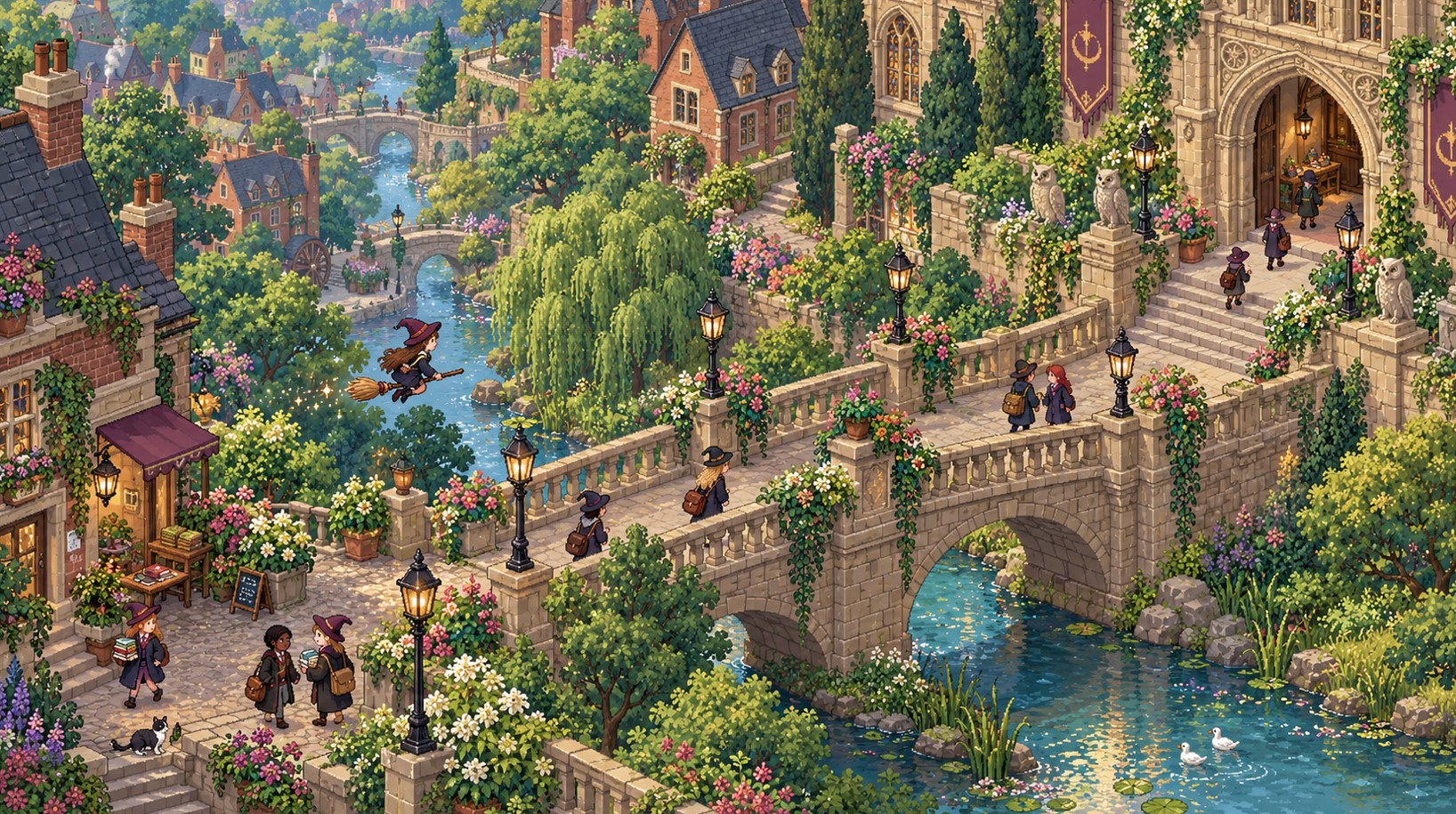
Witchbrook Game Preview: The One Decision That Defines It
Witchbrook Game Preview: Everything Hangs On One Control Decision The date landed yesterday. January 28, 2027, announced at Nintendo’s Indie World showcase, on Switch 2, PS5, PC and Xbox, with day-one availability on Xbox Game Pass. Ten years after it was first teased, Chucklefish’s magic school life sim finally has a day on a calendar. So this is a good moment to look at what people who have actually held a controller came away with. And the striking thing about the hands-on reports is that they keep circling back to a single design choice. In Witchbrook, you do not press a button to do magic. You move the stick around a circle. That sounds like a footnote. It is not. Summoning your broom runs through it. Harvesting a crop runs through it. Examining an object to learn something about it runs through it. One gesture sits underneath nearly every verb in the game, which means one gesture determines the pace of the whole thing – and whether it still feels charming forty hours in. What the Gesture Actually Is The reporting from a roughly 40-minute build shown at Tokyo Game Show is specific about how casting feels. A magic circle appears. You move the stick across it. The motion is designed to evoke waving a wand rather than triggering an ability, and by the account of the person playing it, that is exactly what it conveys. Two consequences follow immediately: It is slower than a button press. Not sluggish, but deliberate, with a wind-up that a single tap would not have. It gets faster as you get better at it. The previewer noted the motion speeding up with practice, which makes it a skill rather than a timer. That second point is the one worth holding onto, because it is the difference between a flourish and a toll booth. A gesture you execute more cleanly on your hundredth cast than your first is a mechanic. A gesture that takes the same 1.2 seconds forever is an animation you cannot skip. Everything Routes Through It Here is the scope of what that one input covers, based on what was actually played. Summoning a broom, which you then ride around Mossport and out of town. Harvesting crops, with magic forming part of the process rather than sitting beside it. Scanning and observing, including the binoculars you point at objects to learn about them. Specific knowledge spells, which are the alternative route to learning the same information. Interactions you have not qualified for yet, which simply refuse – many things in the demo were shut off because the character had not learned the necessary spell. That last item is a quiet design win. Gating the world behind spells you do not have yet turns a locked door into a reading list, and it gives the schooling frame something to do mechanically rather than narratively. Knowledge is the clearest illustration of the whole philosophy. In most life sims, walking onto a plant and pressing a button gives you the plant and whatever information comes with it. Here you gain knowledge by observing things through binoculars or by casting a particular spell at them. The information is a separate action from the harvest, and both actions are gestures. There is also a lovely wrinkle in how studying works. Revising with a friend teaches you different things depending on who you study with, where you do it, and what that friend specialises in. The same hour spent with two different classmates in two different places produces two different outcomes. That is a social system wearing a study system’s clothes, and it is the most promising thing in any of the hands-on coverage. The Witchbrook Game Preview Worry: Can a Gesture Survive Sixty Hours Now the honest half, because the same preview that praised the casting also flagged the risk, and it is the right risk to flag. The criticisms from the hands-on were these: Early direction was unclear, with the build dropping the player in without much signposting. Many menu entries were empty, which is normal for a demo slice but made the systems hard to read. Observation and casting felt tedious when the player was trying to sample a lot of features quickly. Harvesting felt somewhat slow. Whether these steps stay enjoyable over a long game is simply unknown, and the previewer said so plainly. Forty minutes was too short to answer most of the questions it raised. Notice what connects four of those six. They are all the gesture. The comparison everyone reaches for is Stardew Valley, and it is instructive here for an unflattering reason. Stardew’s core loop is a single button, held down, repeated thousands of times, and its genius is that the repetition is almost frictionless – you stop noticing the input and start noticing the farm. Witchbrook is proposing the opposite deal: an input you are meant to keep noticing, because noticing it is the fantasy. That can absolutely work. Deliberate inputs are why fishing minigames exist. But fishing is something you do for a few minutes at a time. Harvesting, scanning, summoning and studying are what you do all day, every in-game day, for however many dozens of hours the campaign runs. A Gesture A Button Press What it buys The feeling of casting rather than activating Speed and invisibility What it costs Time on every single action Any sense that magic is magic Skill curve Real – the motion sharpens with practice Flat almost immediately Risk over 60 hours Friction compounds into chores The fantasy quietly evaporates Best case A game whose rhythm is unlike its peers A game you can play while half asleep Chucklefish has picked the left column. It is the braver pick and the one more likely to produce something memorable, and it is also the one that fails harder if the tuning is off by even a little. Worth noting that this is the same studio that reportedly moved away from being

Pokémon GO Minior: The Meteor Shower Calendar Explained
Pokémon GO Minior Runs on the Real Sky’s Calendar You cannot catch one today. That is not a bug, a server issue or bad luck – it is the design. Minior arrived in Pokémon GO on October 19 and left on October 24, and it will not come back until November 14. Between those dates it simply does not spawn, because Niantic has tied the Meteor Pokémon to six real astronomical events spread across ten months, and outside those windows the sky is closed. That makes this one of the strangest release structures the game has ever run. Not a raid rotation, not a Community Day, not a research breakthrough. An almanac. So this is organised as one: the calendar first, then what each window gives you, then the mechanic that makes Minior worth setting a reminder for. Shower Dates Core Colour Orionids October 19-24, 2026 Green – debuted, now closed Leonids November 14-19, 2026 Not yet announced Geminids December 11-16, 2026 Two colours, split by hemisphere Eta Aquariids May 3-8, 2027 Not yet announced Southern Delta Aquariids July 28 – August 2, 2027 Not yet announced Perseids August 10-15, 2027 Not yet announced Every window runs from 5:00 p.m. on the opening day to 11:59 p.m. on the closing day, local time. Those are all real meteor showers, occurring at roughly those dates in the actual sky. The Orionids are debris from Halley’s Comet. The Perseids are the best-known shower of the northern summer. Niantic has built a year-long event schedule out of the solar system’s own timetable, which is a lovely idea and also a genuinely demanding one for players, because missing a window costs you months. What the Orionids Window Actually Contained The debut has closed, but documenting it tells you what to expect from the five remaining showers. Green Core Minior made its debut. It appeared in the wild in Meteor Form – the shell state – and could be encountered across the full six days. The Stardust economy was the headline, and it was unusually generous: 1,000 Stardust per catch, rising to 1,500 with a Star Piece active. Free Timed Research worth 116,100 Stardust, or 174,150 if claimed under a Star Piece. That research was structured around Star Pieces throughout – claim one, then complete five tasks each requiring a Star Piece for 7,740 Stardust apiece, with a 77,400 bonus for finishing the set. A rare Bonus Timed Research went out to a small number of accounts, worth 1,000,000 Stardust, or 1.5 million with a Star Piece running. That last one is worth flagging because it caused confusion during the event. It was not available to everyone, it was not earned by anything, and if you did not receive it there was nothing you could have done differently. The whole structure makes the design intent obvious. This was a Stardust event wearing a new Pokémon as a hat. Anyone planning for the Leonids in November should bank Star Pieces now, because the research appears to be built around assuming you have them. The Pokémon GO Minior Mechanic That Is Genuinely New Here is the reason Minior matters beyond the novelty of its release schedule. Minior changes form mid-battle, based on its remaining health. It enters a fight in Meteor Form, with higher Defence and lower Attack. When its HP drops below 50%, the shell breaks, the core is exposed, and it switches to Core Form – much higher Attack, much lower Defence. That is a mechanic Pokémon GO has largely avoided. The game is built on fixed stats, and a Pokémon whose numbers change partway through a fight is a different kind of object entirely. Two important limits on how it works at launch: The form change only happens in specific battles – against Team GO Rocket, against team leaders, and in the GO Battle League. It is described as working that way “at first,” which implies broader support later. It is not eligible for the 2027 Latin America International Championships, a restriction that tells you the competitive side is still being assessed. The strategic shape this creates is unusual. A Minior that is winning comfortably stays bulky and durable. A Minior that is losing becomes dangerous. It rewards opponents who can burst it down past the threshold quickly, and punishes anyone who chips it slowly into its stronger state. Explore by Starlight Each day of a shower has a window inside the window. From 5:00 p.m. to 9:00 p.m. local time, the in-game sky fills with shooting stars and the chance of encountering Minior in the wild increases. Outside those four hours, during the rest of the event period, spawns continue at the base rate. So the practical schedule for the Leonids in November is four hours a day, for six days. That is twenty-four hours of boosted spawn time to collect whatever you need before the window shuts for another month. The shooting stars themselves are cosmetic, and they are the best thing about the event. An in-game sky that changes to match a real astronomical event happening above the player’s actual head is the kind of detail this game does better than anyone. What Is Coming, and the Geminids Oddity Five showers remain, and one of them does something no Pokémon GO event has done before. Leonids, November 14-19, 2026. The next window. Core colour not yet announced, which means one of Red, Orange, Yellow, Blue, Indigo or Violet. Geminids, December 11-16, 2026. This is the interesting one. Two core colours debut in the same event – one in the Northern Hemisphere and a different one in the Southern. Hemisphere splits are not new to the game, but they have always been seasonal, tied to summer and winter spawns. Splitting a one-off species debut by hemisphere is different, and it means two populations of players will finish December with different Minior collections and no in-game way to trade across the divide beyond finding someone on the other side of the planet.
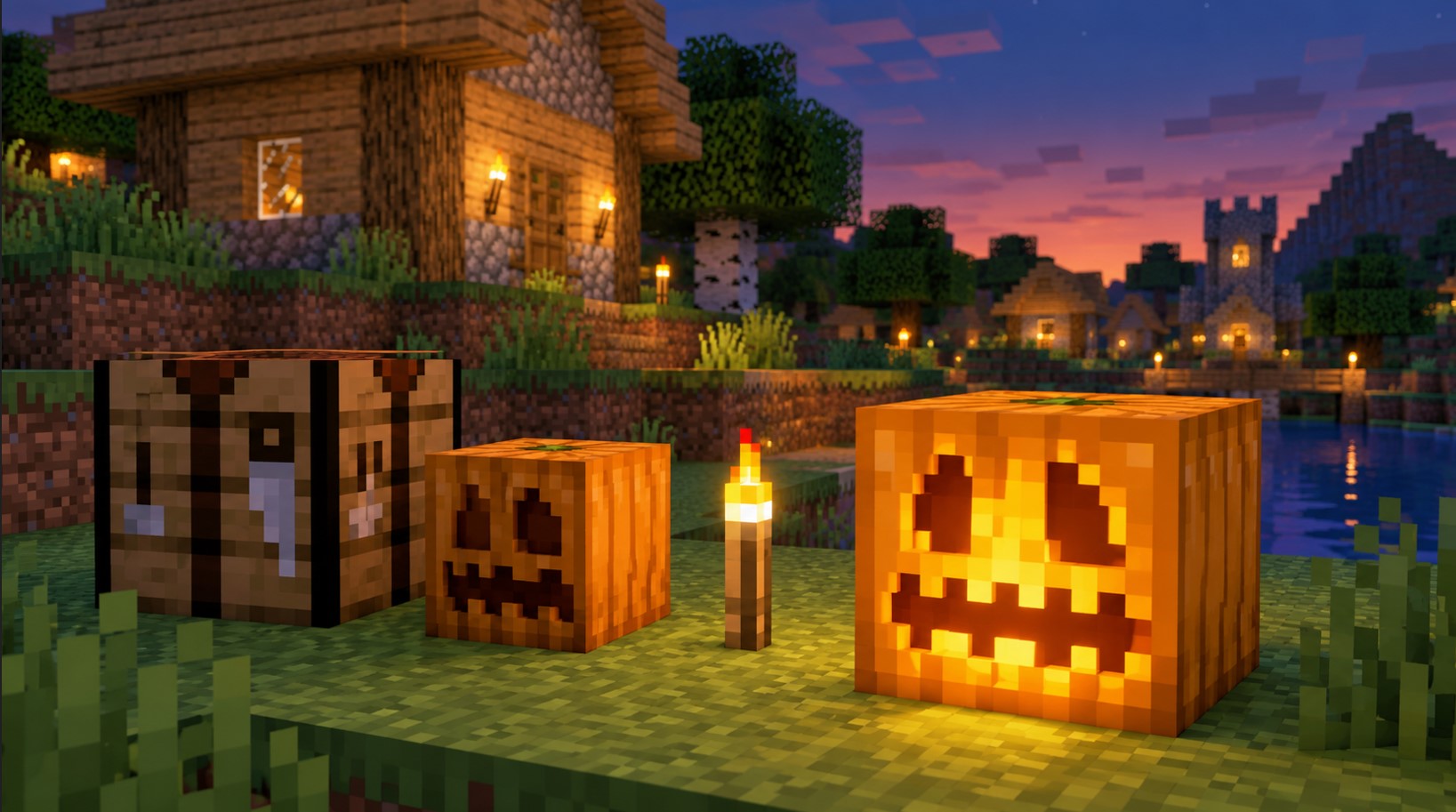
Minecraft Jack-o-Lantern Recipe and What It’s Actually For
Minecraft Jack-o-Lantern Recipe: One Line, Then the Part Worth Reading Carved pumpkin plus torch. That is the whole recipe, it fits anywhere on the crafting grid, and it takes about four seconds. Which leaves the interesting question, because Minecraft has roughly a dozen ways to produce light and most of them are easier to mass-produce than this one. Glowstone comes in stacks. Sea lanterns look better. Froglight exists. The Minecraft jack-o-lantern survives anyway, because it does six things that no other block in the game does, and at least two of them are jobs rather than decoration. One of those jobs got considerably more interesting with the arrival of copper golems. So here is the recipe, then the six properties, in order of how likely you are to need them. Step What You Need Result 1 A pumpkin, grown or found The raw block 2 Shears, applied to that pumpkin Carved pumpkin, plus seeds 3 Carved pumpkin + torch, anywhere on the grid Jack o’lantern Three steps, and only one of them trips people up. Getting the Carved Pumpkin Right The recipe fails for most new players at step two, because a plain pumpkin will not craft into anything. It has to be carved first. Shear it. Equip shears, aim at a placed pumpkin, and interact. The pumpkin becomes a carved pumpkin, and you get seeds as a bonus – four pumpkin seeds in Java Edition, one unit in Bedrock, which is one of those small edition differences worth knowing if you are following a tutorial made on the other platform. Two other ways to obtain a carved pumpkin without growing anything: Shear a snow golem. It drops its carved pumpkin head, which is both a source and a slightly grim piece of game design. Find one generated. Carved pumpkins appear in Woodland Mansion rail rooms and as part of the scarecrows at pillager outposts. And jack o’lanterns themselves generate naturally, already lit, in the pumpkin piles found in taiga villages – worth remembering if you pass through one early and need light before you have shears. What the Minecraft Jack-o-Lantern Recipe Gives You That a Torch Doesn’t Property one and property two, which are the reasons to carry a few on expeditions. It emits light level 15 and works underwater. A torch placed underwater breaks instantly. A jack o’lantern does not care. For lighting an ocean monument, a flooded ravine, a shipwreck or any underwater build, it is one of the simplest bright options in the game – no conduits, no sea lantern farming, no glowstone trip to the Nether. It melts snow and ice. This is a side effect that experienced players treat as a tool. A jack o’lantern placed in a snowy biome clears snow layers around it and will thaw ice, which makes it the cheapest way to keep a doorway, a path, or a farm plot clear in a tundra without repeatedly shovelling. Place a few along a route through a snowy taiga, and the route stays walkable. Neither of those is unique to the jack-o’-lantern in isolation – other light sources manage one or the other. What is unusual is getting both from a block you can craft from a plant you grow and a torch. Making the Supply Renewable Worth covering before the golem section, because one jack o’lantern is a decoration and twenty is a lighting system. The block has been renewable since Beta 1.8, and the loop closes on itself in a way that is easy to miss. Shearing a pumpkin in Java Edition returns four pumpkin seeds alongside the carved pumpkin – so every pumpkin you carve pays for several more. Plant those seeds, wait, carve the results, and the supply compounds without ever needing to find another wild pumpkin. Torches are the other half of the recipe, and they are effectively free once you have coal or charcoal, which means the only genuine bottleneck is farm space. Two repeatable sources that do not require a farm at all: Snow golems. Build one from two snow blocks and a pumpkin, shear it for the carved pumpkin back, and you have a reusable head. It is a fiddly loop rather than an efficient one, but it works when you are far from your crops. Taiga villages, where jack o’lanterns generate already lit in pumpkin piles. Early game, those piles are the fastest light source in the biome. Bedrock players should note the shearing difference again here: one unit rather than four seeds means the self-sustaining loop is slower on that edition, and a dedicated seed supply matters more. Property Three: It Builds Golems, and That List Just Got Longer This is the jack o’lantern’s actual job, and the one that makes it structurally important rather than decorative. Three golems in the game are built by placing blocks and then topping them with a carved pumpkin or jack o’lantern: Snow golem – two snow blocks stacked, topped with the pumpkin. Iron golem – four iron blocks in a T shape, topped with the pumpkin. Copper golem – a single block of copper, topped with the pumpkin. The pumpkin must be placed last. This is the single most common reason a golem fails to appear, and it catches people constantly: build the body first, place the head last, or nothing happens. You can also build copper golems horizontally or upside-down, which is a pleasant bit of flexibility the others do not share. Either a carved pumpkin or a jack o’lantern works for all three. The jack o’lantern version costs you one extra torch and leaves the golem permanently glowing, which is genuinely practical – an iron golem lit at level 15 is an iron golem you can find at night. The Copper Golem Is the Reason This Block Matters Now Worth its own section, because it transformed the cheapest golem recipe in the game into something with real utility. A copper golem is a passive mob that moves items out of copper
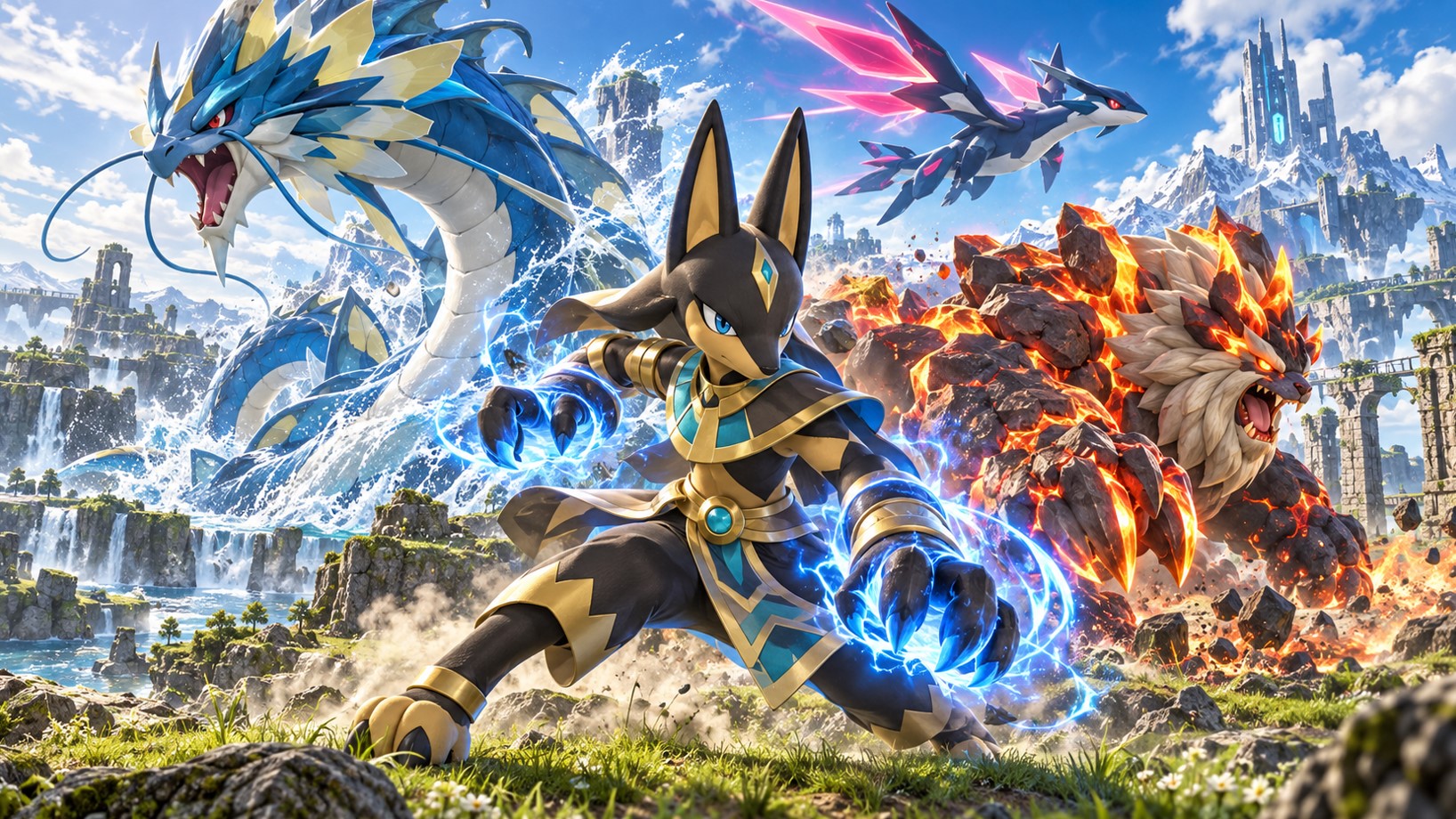
The Best Combat Pals in Palworld and the Maths Behind the Ranking
The Best Combat Pals in Palworld: The Formula Is Simpler Than You Expect Palworld gives you 288 creatures and almost no guidance about which of them can actually fight. The in-game paldeck lists stats without ever ranking them, so most players work it out by losing. Community tier lists for the best combat Pals filled that gap quickly, and the good ones show their working rather than asserting an order. That matters, because a ranking you can inspect is a ranking you can disagree with sensibly. Here is how those rankings are built, who currently sits at the top, and where a single ordered list stops being useful. The community score for a combat creature is close to the simplest thing that could work. Attack, plus half of health, plus half of defence, added together into one number. The weighting is not arbitrary. Attack scales your damage output directly, while health and defence both extend how long that output keeps happening, so halving them approximates their contribution without anyone running a combat simulation. It is a rough instrument, and nobody pretends otherwise. What it does well is separate the genuinely strong from the merely popular, which is most of what a newer player needs. Who Actually Tops the List? A published ranking of the best combat pals runs to 60 entries, starting with Astralym at the top on 400 points and running down to Dualith at 223. Every attack, health and defence figure sits next to the score, so the arithmetic is open to inspection rather than simply asserted. Panthalus takes second place on 310, built from 120 attack, 180 health and 200 defence. That is a very different creature from a fragile attacker reaching a similar total, and two entries a few points apart can play nothing alike in practice. The figures behind that table are extracted from the game files rather than estimated by hand, with the build date printed at the foot of the page. It is an unofficial fan project rather than anything Pocketpair runs, which matters when a patch shifts values and the site catches up a few days later. The same database carries the surrounding material you end up wanting once a fight goes badly, including work suitability tables, a breeding calculator, and boss listings. Having the stats and the breeding paths in one place saves a lot of tab switching. Where a Single Number Stops Helping A raw combat score answers one question and quietly ignores several others. Elemental matchups, movement speed, whether a creature can be mounted, and how its active skills actually behave all sit outside the formula. Partner skills are the clearest example. Some creatures near the middle of the ranking bring effects that change how you play entirely, and no additive score is going to capture that. Base work is the other blind spot. A creature that fights well and mines nothing is a luxury early on, when every slot you spend on combat is a slot not spent keeping the furnaces running. There is also the small matter of whether you can catch the thing. A top ten creature you cannot reach for another twenty hours is worse than a solid mid-table option available this afternoon. Building Around the Ranking Rather Than From It The sensible way to use a tier list is as a shortlist rather than a shopping order. Pick three or four candidates near the top that you can realistically obtain, then choose between them on element and skill. Type coverage beats raw numbers more often than people expect. A team of five high-scoring creatures that all share a weakness will lose to a boss that a mixed team handles comfortably. Breeding complicates this further, in a good way. Passive skills inherited through breeding can lift a mid-ranking creature above one that scores higher on paper, which is where most of the depth in the game actually lives. Keeping Up With Patches None of these figures are permanent. Pocketpair has been steady with updates, and the Palworld news hub on Steam is where balance changes and new creatures get posted first. Balance passes in this game have been fairly heavy-handed, with whole species moving several places in a single update. Anything you read that predates the current patch should be treated as a rough guide rather than a current answer. A tier list built from extracted game data updates within days of a patch, whereas a written guide can mislead for months. Checking the build date on any ranking you rely on is a habit worth forming. Final Thoughts Palworld rewards the players who look at the numbers, and the numbers are unusually easy to get hold of. A score of attack plus half health plus half defence will not win you a boss fight on its own, but it narrows 288 options down to a handful in about a minute. After that, it is elements, skills, and whatever you enjoy having follow you around. If you are working through other single player games at the moment, our Ghost of Yotei charm guide covers a similar sort of decision from a very different genre.
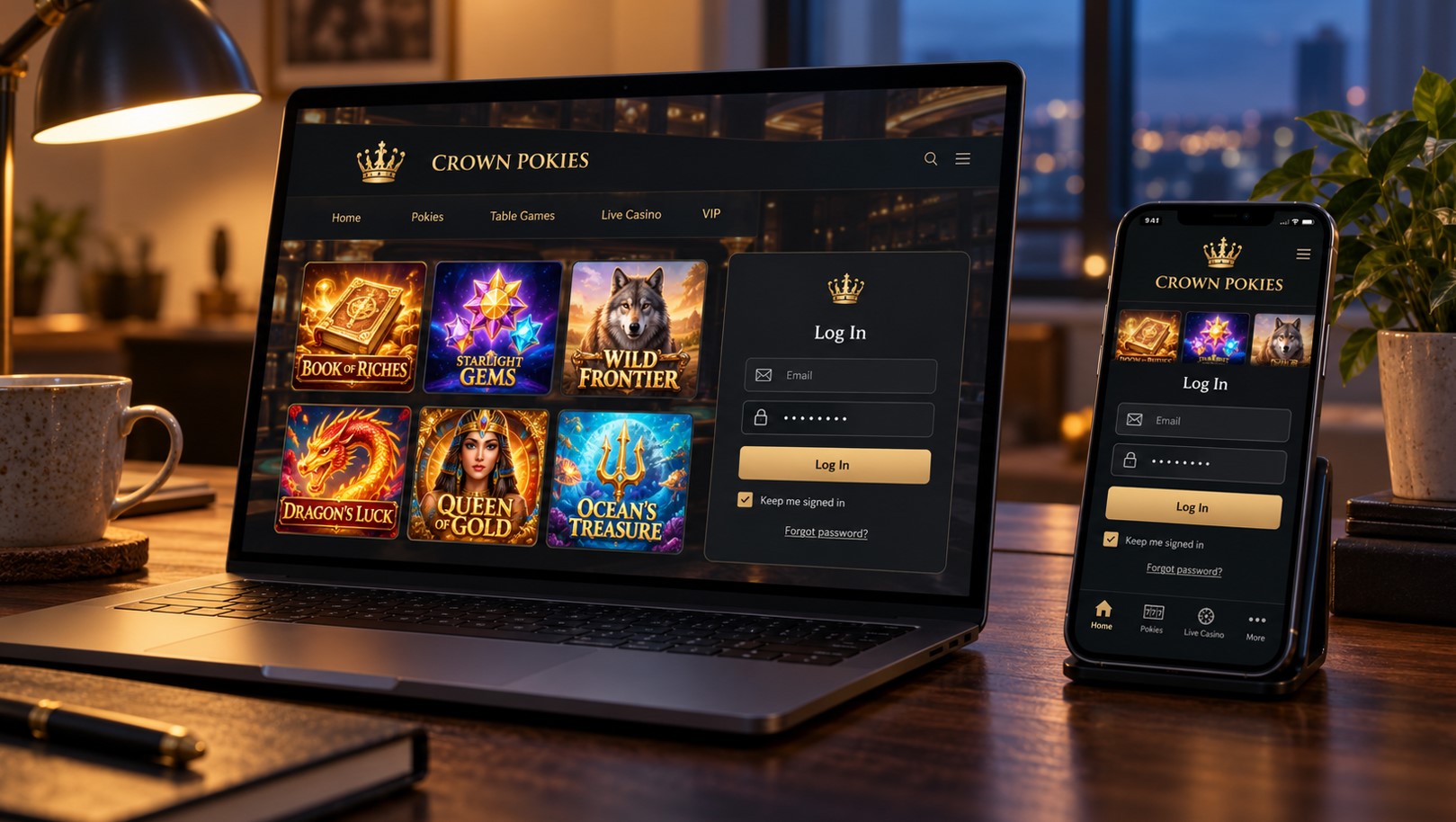
Crown Casino Online Login: Level Up From Sign-Up to First Spin
Read the House Rules of Crown Casino Online Before You Build Your Player Profile Every good game has a rules screen, and this one starts with the licence. Crown Pokies is the brand that pops up for anyone typing Crown Casino Online into a search bar, and its site says the casino is licensed out of Curaçao. That’s an offshore licence rather than one from an Australian state or territory, so the details in the casino footer are worth a look before your first top-up. The name causes a fair bit of confusion, so here’s the fair dinkum version: the brand is independent and online-only, with no link to Crown Sydney, Crown Melbourne or the wider Crown Resorts group. Over at crownpokies.online you’ll find game notes, bonus terms and banking limits, and its account buttons take you through to the casino. Unlike a game store with family profiles, there’s no junior mode here. Accounts are for adults aged 18 and over only, with an age box on the first form and ID checks afterwards to confirm it. This is real money, not in-game currency, and everything you send through the forms is protected by HTTPS. Gaming Habits That Carry Straight Over to Your New Account If you’ve ever set up a profile on a console network or a PC launcher, the Crown Casino Online setup will feel familiar. Habit from gaming How it works at Crown Pokies Signing in with a gamertag or email Log in with your email address or username Cloud saves Favourites, recent games, and account settings follow you to every device Two-factor on your gaming account Two-factor authentication can be switched on for an extra lock Daily login rewards 20 free spins a day for five days after the first deposit Side quests Missions offering free spins and bonus money, opened up by confirming your email XP and levels Comp Points, one for each 30 AUD you bet on pokies, feeding loyalty levels No alt accounts Duplicate profiles can be restricted Leaderboards VIP tournaments ranked by the ratio of winnings to bets The big difference from a video game is that every result is random and every bet is real money, so skill and practice won’t tilt the odds. Build Your Crown Casino Online Profile in Two Quick Forms Character creation at Crown Casino Online takes two short screens and no grinding: Head to the site and hit Sign Up, found in the top-right corner on desktop or sitting above the dashboard on mobile. Add your email, create a password, then pick Australia and AUD. Agree to the terms, tick the 18+ declaration, and confirm. Form two wants your full name, birthday, and mobile number. Round it off with your residential address, including state and postcode. Hit submit – your profile is good to go. Use your real details, because your profile name has to line up with your ID and whatever you pay with. No promo code is needed at this stage, and on a device that’s yours alone, the Remember Me box saves typing everything in each visit. Clear the ID Check Once and Keep Withdrawals Moving Crown Casino Online verification is the one-time tutorial you can’t skip. Upload photo ID – a passport, a driver licence or a national ID card – with all four corners in shot and the text readable, because a blurry photo usually means support asks for something else. Some accounts also get asked for a recent proof of address, or evidence that the card or e-wallet is really theirs. The team generally finishes within 48 hours, and until then withdrawals stay on hold. The smart move is to upload documents straight after sign-up, so a decent hit isn’t stuck behind admin. Pay with a card, wallet, or account in your own name, as someone else’s payment method gets rejected. Log In and Respawn Right Where You Left Off When you’re ready to log in and chase the next free spins drop, the Crown Pokies login screen works like a respawn point. Pick Log In from the main navigation, type the email address or username tied to your account, then enter the password slowly, because a single wrong capital letter is enough to bounce you back. Hit submit, and the dashboard pops up a moment later with your balance, recent activity, casino games, payments, promotions, and settings all back in front of you. The same page also covers password recovery and what to check, from your connection to browser settings, if the sign-in won’t go through. Before opening a game or the cashier, take a quick look at your balance and recent activity. It’s the casino version of checking your inventory after loading a save, and it flags anything unexpected straight away. Crown Casino Online Login on Phone, Tablet and Desktop Crown Casino Online plays nicely on whatever screen you’ve got. Device Browser to use Faster login option iPhone or iPad Safari Face ID or Touch ID fills in saved details Android phone or tablet Chrome Fingerprint scan fills in saved details Laptop or desktop An up-to-date browser Remember Me on your own computer Any device Home-screen icon or bookmark One tap back to the sign-in page On mobile, the site is built as a Progressive Web App, so there’s nothing to grab from an app store and no third-party APK to trust. Pin it to your home screen through the browser menu, and it opens like any other app, with the same account and history as your laptop. Keep JavaScript and cookies on, as login and the cashier depend on them, and stick to a steady Wi-Fi, 4G, or 5G signal. Reset a Forgotten Password Faster Than a Loading Screen Locked out of Crown Casino Online? She’ll be right. Tap Forgot Password? on the sign-in form, enter your registered email, then open the reset message and follow the link before it expires. Choose a fresh password you’ve never used, built from capitals, lowercase, digits and a symbol