The Importance of Game Engines for Beginners
Creating games is a bit like constructing your adventure, and the excitement of manifesting your thoughts into reality is genuinely thrilling. The team of YaninaGames knows this like no other because we’ve been creating video games for over a decade. We are eager to help aspiring developers start their careers as game designers or programmers with suitable game engines for beginners that offer novice-friendly tutorials and free assets. If you are starting to create your first game or are still a beginner after a few years, selecting the correct game engine can greatly impact your experience.
In this guide, the YaninaGames team explains top-notch game engines that can be ideal for novices. No matter if your dream is to make an interesting 2D game on platforms or build a breathtaking 3D universe, there are the tools for you.
What is a Game Engine?
When we mention game engines, it doesn’t mean an engine that is made inside a game but instead refers to advanced instruments and frameworks used for creating video games.

Basically, a game engine is a specific software made for creating games. It works as a solid base where all the main parts of the game are built up. Video game engines for beginners and professionals should handle many tasks such as making animations visible, organizing events while playing, and controlling hidden functions. When a game engine is applied, it saves the developer’s time and strength because they do not have to build basic systems anew.
Nevertheless, there’s a serious point – it’s possible to be skilled in knowing game engines but not know what makes gameplay fun. This could result in you creating finished games that are not engaging for players. So, it is crucial to build both technical abilities and an understanding of game design if your goal is to work at a game development company.
Components of Game Development Engines for Beginners
A game engine is essentially a complete package of tools integrated within a development environment or API (Application Programming Interface). Such technology aims to assist game creators in constructing games from zero in one framework and software package.
These are the main parts of complex and simple game engines for beginners:
- Physics Engine. It simulates laws of physics within the game, detecting collisions and calculating outcomes;
- Artificial Intelligence (AI). AI technology provides non-playable characters (NPCs) with intelligent behaviors for more realistic animations and complex scripts;
- Audio Engine. Manages sound effects and music even in easy game engines for beginners. It is an evitable part of any, even no-coding engine tools;
- Animation Engine. This engine tech generates animations based on keyframes set by animators, interpolating for smooth motion;
- Rendering Engine. This engine handles 2D and 3D assets, transforming models, lighting, and textures into visuals displayed on the screen;
Also, good game engines for beginners may include the tools for multiplayer and networking support, VR implementation, scripting, I/O device management, and resource management.

How to Choose the Best Game-Making Engines for Beginners?
The game engine you select will play a crucial role in determining the outcome of your game development process. It can impact the success, ease of use, and cost-effectiveness of the final gaming project.
1) Assess Your Skills and Team Size
Assess your skill level, as well as those in your team. If you are a beginner or have limited experience in programming, it might be better to select an engine with a visual scripting system or simple to learn scripting language. Also, if you are a part of a team full of experienced members who are skilled at coding you may feel at ease exploring new game engines that provide more adaptability and advanced options for building a more complex game.
2) Consider Your Budget and Profit Expectations
Budget is a huge factor when picking game engines for beginners. Certain engines provide free versions or inexpensive choices for indie developers and those new to the field. Some may have licensing fees or they might ask for a cut of your earnings if you use the engine on commercial projects. Examine your budget thoroughly. Think about the characteristics and assistance each engine offers about its price. Remember that it could be beneficial to put money into a powerful engine, as this may lead to improved game quality and possible income.
3) Set up the Deadlines for Your Project
Think about the roadmap and possible deadline for your project. Keep in mind that certain engines might have a more difficult learning curve and need longer time for development, but others are made to aid in the quick creation of prototypes with short development cycles. If you have a deadline or want to iterate and test ideas quickly, then an engine with an intuitive interface along with pre-built systems can help speed up the process of development.

4) Assess the Size of Your Team
The number of people in your development team may also impact the engine you select. If you have a big team with many different skills, they can manage more complicated engines with the support of extensive customization and teamwork methods. However, if your team is small, it might be useful to use the engines that come with built-in tools, asset libraries, and community support – this approach reduces the necessity for the extensive work done as part of in-house development.
5) Define Your Game’s Scope
Think about the range and complexity of your game. Various engines are good for different things like 2D or 3D graphics, physics simulation, or making it work with multiple players. Look at what your game needs and make sure the engine you select has all those features to match up with those requirements.
6) Consider Platform Compatibility
Decide the places where you want to launch your game. Verify if the engine is compatible with these platforms, be it PC, mobile, console, or web-based. Certain game development engines for beginners are more flexible and offer cross-platform development potential that helps in making games accessible to broader audience groups.
7) Research and Gather Feedback
Do comprehensive research and gather feedback from other developers before making the final choice. Look into forums, online groups, and social media platforms for the feedback about experiences of other developers who have used the engines that you’re interested in. Particularly focus on their comments about how easy it is to use each engine, its performance and stability along with available support as well as general satisfaction levels.
Also, we recommend reading the Reddit thread about the game engines for beginners – novice developers share their unique experiences and tell you how to pick the best engine for your first projects.
Top Game Engines For Beginners
Finally, we want to share the best game engines for beginners you can choose from for your first project. These engines are also quite popular in the industry and have many tutorials for you to learn.
1) Unity
Unity is a well-known engine among aspiring game developers, especially known for its flexible 3D skills and large asset store. It promotes cross-platform development where you can make games for iOS, Android, Windows, and others.
Unity offers different licenses:
- Unity Personal that is free for individuals and small companies;
- Unity Plus as well as Unity Pro provides more features with professional help at an expense too;
The Unity community is large, having many forums, tutorials, and user groups to assist those starting out. This support system along with the strong tools and resources in Unity makes it one of the best game engines for people new to game development.
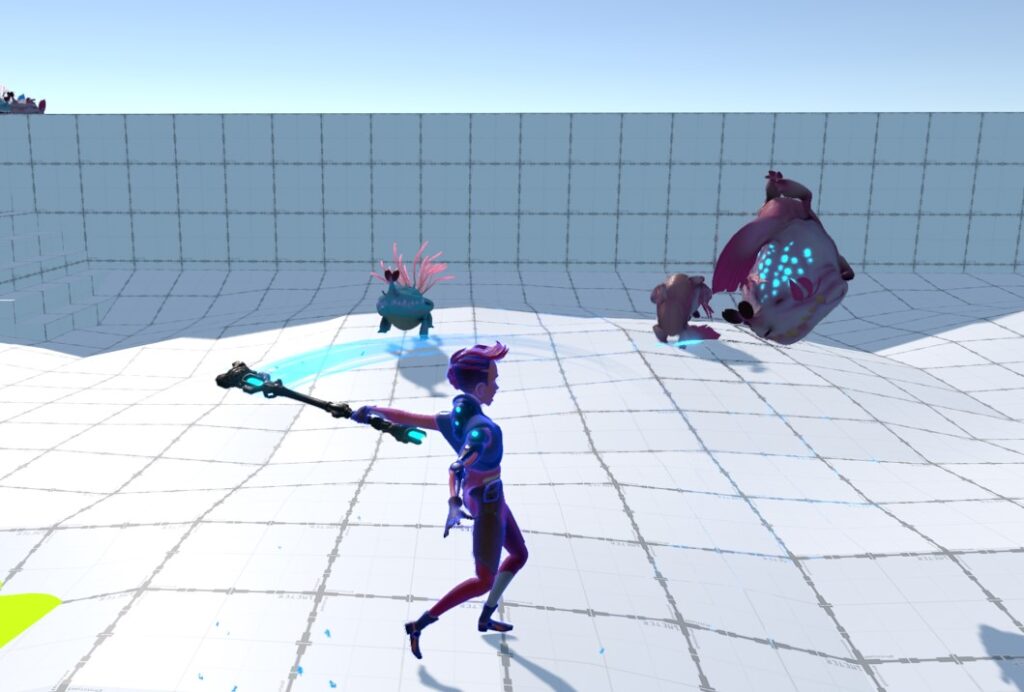
Unity has been among the best and simple game engines for beginners since 2005. It is good for both 2D and 3D games and provides a friendly environment that can be used by beginners as well as experts. It uses C# with visual scripting and is free for those earning less than $ 100,000 per year. The good aspects of this engine are that it provides many tutorials and has a big asset store. However, it requires strong knowledge of C# language and user interface updates.
It is definitely one of the easiest game engines for beginners to afford and learn.
Examples of games made with Unity: Pokémon Go, Cuphead, Beat Saber, Hollow Knight, and Subnautica.
2) Unreal Engine
Being one of the most popular 3D game engines for beginners, Unreal Engine offers excellent graphics and a strong Blueprint visual scripting system. Novice developers can create games even without a deep understanding of the basics of coding.
The community of Unreal Engine is strong due to many user-generated tutorials. Also, there is a powerful marketplace where users can get assets and tools to improve their projects. This support system, along with the advanced technology of Unreal, makes it a great platform for those who are starting to make high-quality 3D games.
This engine is adaptable to mobile devices, major consoles, web-based platforms, and virtual reality (VR). It functions using C++ along with Blueprints visual scripting system. The base version of this engine can be used for free while a 5% royalty fee is applied after surpassing $ 1 million in revenue.

Examples of games made with Unreal Engine: Fortnite, Valorant, Gears of War 5, PUBG: Battlegrounds, Hellblade: Senua’s Sacrifice.
You can also check the example of awesome games made with Unreal Engine in our post. These gaming projects may inspire you to create your first gaming projects.
3) Godot Engine
The special node-based structure of Godot Engine makes game development easier, whether it is for 2D or 3D projects. Godot Engine is free and available as open-source software. It follows the MIT license, so there are no royalties or licensing costs involved. The engine has a lot of support from forums and resources like tutorials, which are contributed by its community.
Godot engine supports such platforms as Windows, Mac, iOS, Android, Linux, and the web. Godot uses the GDScript language but it also works with C++ and C#. It is a great option if you seek free 3D game engines for beginners. The engine is good for 2D games, with no cost involved but less community and console support.
Examples of games made with Godot Engine: Guns, Bullets and Felines, Sonic Colors: Ultimate, The Red Strings Club, Deponia, and The Last Door.
4) GameMaker Studio 2
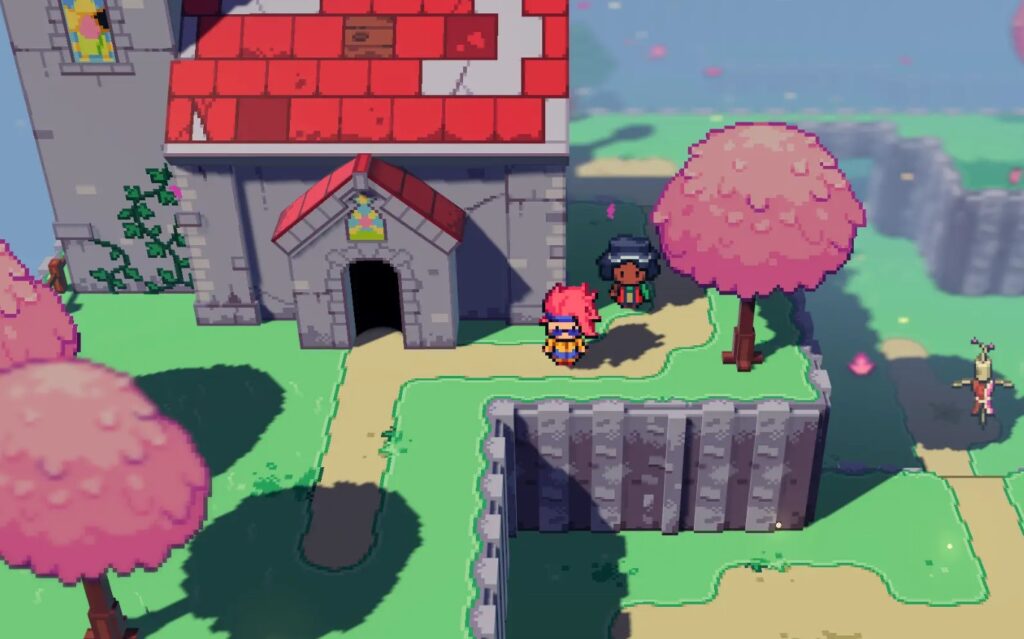
The drag-and-drop interface of GameMaker Studio 2, along with its scripting tool GameMaker Language (GML), make this engine a good choice for beginners who want to focus on 2D game development. This engine offers a free trial and has different pricing plans. The community of GameMaker Studio 2 offers many tutorials and forum support. Its interface is easy to learn with its adaptable scripting choices.
Examples of games made with GameMaker Studio 2: Undertale, Spelunky, Hotline Miami, Hyper Light Drifter, and Katana ZERO.
5) Construct 3
This game engine works within any browser and uses a drag-and-drop interface. It is very easy for those who are new to this field, beginner-friendly. Construct 3 also supports visual scripting meaning that you can build video games without the requirement to write code on your own.
They have a free trial period and then you need to choose between monthly or yearly subscription options. The engine has good support from its active community and many tutorial resources. It is easy to use for complete novices and offers various features without knowing coding skills. People who prefer straightforward game development choose Construct 3.
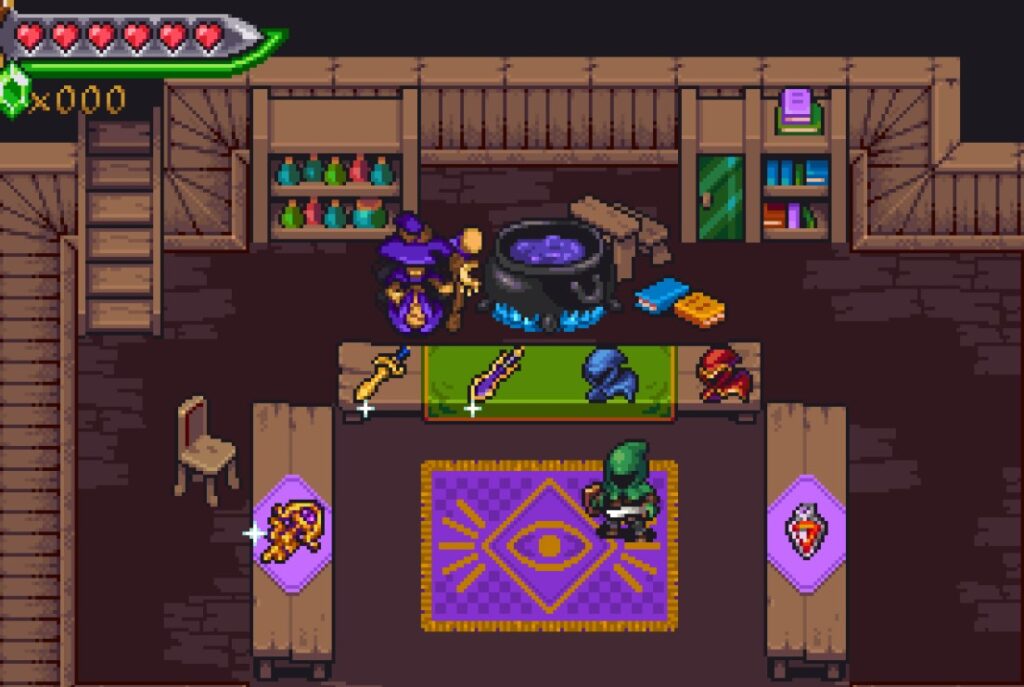
Construct 3 was introduced in 2017. It’s made for making web games and can be used with Windows, MacOS, Linux, Android, and iOS. Its coding methods involve visual scripting and JavaScript language. The price for using this tool is $ 21.29 per month or $ 129.99 per year.
Examples of games made with Construct 3: Tokyo Dark, Tales of Zestiria, CrossCode, and The Next Penelope.
5) RPG Maker
RPG Maker is a software made for creating role-playing games (RPGs). It has a simple interface, even for those who do not have much programming skills, to develop video games in 2D. There are many versions available at different prices – choose the version you need to build your 2D RPG game.
The focus on RPG development, along with its tools that are easy to use and helpful community make it an ideal choice for beginners, especially if you have an interest in making classic JRPGs.
RPG Maker MZ was launched in 2020 and it works well on Windows OS, MacOS, Android, iOS, and web games. This game engine uses visual scripting along with JavaScript and costs $ 80 but you get a free trial period before buying it.
Examples of games made with RPG Maker: To The Moon, OneShot, OFF, Mad Father, and Yume Nikki.
6) CryEngine
CryEngine has a reputation for producing high-quality graphics and strong 3D tools. CryEngine offers understandable documentation and community forums that offer user support to aspiring devs. The engine’s advanced features might seem complicated, yet the provided resources and community support help in making it easier to understand.
CryEngine V (made by Crytek) is known for creating games with impressive graphics such as Far Cry. It can run on Windows, Linux, PS4, and Xbox One platforms along with Oculus Rift (Meta) support. The LUA coding language combined with visual scripting are the tools used here.

It is free to use until your gaming project starts to earn more than $ 5,000 per year but requires 5% royalties past this limit. CryEngine does very well with photorealistic games, yet the learning process is difficult, documentation lacks clarity and there’s a small community.
Examples of games made with CryEngine: Far Cry series (modified), Crysis series, Ryse: Son of Rome, The Hunt: Showdown, and Sniper: Ghost Warrior Contracts.
7) Defold
Defold is one of best free game engines for beginners, though, not well-known enough. It is good for making 2D and 3D video games. It’s free and open-source. Defold has an easy process flow and powerful features such as a graphical editor, integrated physics and a script-based environment using Lua.
The engine has an active community that can give many tutorials and help. The combination of a simple interface and powerful features in Defold makes this engine very suitable for aspiring devs.
If you are looking for top game engines for beginners, Defold is an excellent option due to its simple installation and flexible design.
Examples of games made with Defold: Void Scappers, Plague Lords, Taxi Town, Travel Blast, and Rocket Run.
8) PICO-8
The PICO-8 is an interesting, retro-style fantasy console that has a special charm due to its simple and pixel-art appearance. It works as a basic game engine made for constructing games with an 8-bit visual style and simple mechanics.
You only need to pay once to use the PICO-8, making it cost-effective for novices who want to learn game development in creative but restrictive surroundings. Their active community is known for being very helpful and creative, providing a lot of inspiration and help. If you are starting out with interest in old-school game engines, PICO-8 is a quite standing out alternative.
Examples of games made with PICO-8: Celeste Classic, Tiny Desk, Zom-B: Zombie Apocalypse, Rogue AI, and Space Invaders Remix.
9) Scratch
Scratch is a tutoring platform made for people who are starting to learn programming, using block-based coding. It’s free and web-friendly, so anyone of any age can use it with ease. In Scratch’s visual programming setting, users can make games by putting code blocks like a puzzle without actual coding skills.
The Scratch community is an active place where you can learn about coding from the very beginning. It offers many educational tutorials, project sharing, and support, making it an excellent choice for those who are new to game development.

Scratch is a free and block-based coding platform, created for aspiring beginners. The Scratch community is filled with educational resources and options to share the projects. If you are seeking free game engines for beginners who do not need coding skills, Scratch is among the simplest and most accessible choices.
Examples of games made with Scratch: Maze Game, Pong, Animated Story, and Platformer.
10) Stencyl
It is another 2D engine designed for making games on mobile devices. It uses “Design Mode” – an easy-to-use visual programming language. This engine can work with different systems such as mobile platforms, Windows computers, Linux machines, or Macbooks as well as web platforms. It uses visual scripting along with Haxe. The cost varies from zero to $ 199. Stencyl stands out due to its simplicity of learning curve and excellent community support. Unfortunately, there is limited official documentation available and does not offer a debugging description.
Examples of games made with Stencyl: Super Dangerous Dungeons, Goldspace, Alien Invaders, One Finger Death Punch, and Gumball’s Big Adventure.
11) Cocos Creator
This engine was released in 2016 being a framework that backs up the development of 2D and simple 3D games. The free and open-source software is compatible with Android, iOS, Mac OS X, and Windows on PC along with web platforms too. JavaScript is used for scripting in it. Cocos Creator is simple to put in place, but you need to know JavaScript well. It also has a small devoted community of users and limited documentation.
Examples of games made with Cocos Creator: Badland, Kingdom Rush, Monument Valley, Crossy Road, and Clash Royale.
12) Phaser 3.0
Basically, it is a JavaScript framework for browser-based games. Phaser 3.0 has a reputation of being clean and fast. It supports HTML5 and can use either JavaScript or TypeScript as its main programming language. It’s also free to use. Phaser 3.0 also can boast an active community and powerful documentation. However, it requires coding skills that might be difficult for certain developers to learn.
Examples of games made with Phaser 3.0: 2048, Flappy Bird, Fruit Ninja, Pacman, Maze, etc.
Check the comparison table of 3D and 2D game engines for beginners:
| Game Engine | 2D/3D | Ease of Use | Free/Paid | Community Support | Best For |
| Unity | 2D/3D | Medium | Free/Paid | Extensive tutorials | Versatile game development |
| Unreal Engine | 3D | Hard | Free/Paid | Strong asset marketplace | High-end graphics and customization |
| Godot | 2D/3D | Easy | Free | Active community | 2D and 3D game development |
| Construct 3 | 2D | Easy | Paid | Active community | Web-based game development |
| RPG Maker | 2D | Easy | Paid | Extensive asset library | RPG game creation |
| CryEngine | 3D | Hard | Free/Paid | Limited documentation | Photorealistic games |
| Defold | 2D | Easy | Free | Active support | Lightweight 2D games |
| PICO-8 | 2D | Easy | Paid | Creative community | Retro-style game development |
| Scratch | 2D | Very easy | Free | Educational resources | Educational and beginner coding |
| GameMaker Studio 2 | 2D | Easy | Free/Paid | Robust asset marketplace | Beginner-friendly 2D games |
| Stencyl | 2D | Easy | Free/Paid | Limited documentation | Good for various platforms |
| Cocos Creator | 2D/3D | Easy | Free | Limited documentation | Good for devs with very basic coding skills |
| Phaser 3.0 | 2D | Medium | Free | Active community | Great for mobile and browser games |
So, what are the best game engines for beginners and non-programmers? We want to know your opinion – feel free to share in the comments. The YaninaGames gets this feedback to create more detailed free guides for complete beginners and help experts refresh their basic knowledge about different game development technologies.
Tips for Learning Any Game Engines for Beginners
- Pick one of the top 10 game engines for beginners we’ve reviewed above. It should match both what you want to accomplish and enjoy working with;
- Start with the official tutorials provided by the engine’s official website. Usually, these tutorials cover the most basic things– from learning how to navigate through the interface to creating the first simple project. Most engines provide detailed online documentation that covers every function and feature available within their toolset. This is where you should go if you want more in-depth information about specific elements of your chosen engine;
- Online communities also help to learn the best game engines for beginners drastically and, most importantly, free. Reddit, X (Twitter), Discord, GitHub, TikTok, and Instagram are the places where people share their experiences and tutorials, help each other troubleshoot problems, and showcase their projects for feedback or collaboration opportunities;
- YouTube is probably the best resource for finding free and expert video tutorials about popular and rare game engines for beginners. You can often find both official videos created by the development team themselves as well as user-generated content by experienced community members who share tips, tricks, and walkthroughs on different aspects of working with that particular toolset;
- Paid courses on platforms like Udemy or Coursera can be also helpful if you have already learned the basics from free sources. Otherwise, do not hurry to pay for the courses if you are not sure that this tutorial can be useful for you;
- Practice and repeating of free knowledge are very important. Carry out small projects to use what you’ve studied. Make easy games such as a simple platformer or puzzle game, this will help to solidify what you have learned. Make your projects progressively more intricate as you get used to the engine’s characteristics;
Once you feel more sure of yourself, begin performing tougher tasks. Put every project you’ve worked on into a portfolio. Don’t be humble at this point – you need to showcase your experience and skills even if the games are quite basic. Such an approach will help to acquire the job as a junior developer.
Frequently Asked Questions
What makes Unity a good game engine for beginners?
Unity is a popular choice for novices, mainly because it has an easy-to-use interface and many learning materials available. It includes features like dragging and dropping actions, visual scripting methods, as well as a wide library of assets. The big community gives powerful support that makes starting with Unity and solving problems much simpler for beginner developers.
What game engines for beginners are simpler to learn – Unreal Engine 5 or Unity?
Unreal Engine 5, being appreciated for its advanced graphics and potent characteristics, may appear more complicated to newbies. Although it provides visual scripting through Blueprints, the complex tools and the necessity of having modern hardware are other challenges. On the other hand, beginners may appreciate Unity’s simpler interface and a huge library of free tutorials that help to learn the basics for creating the first test games.
What are the key benefits of using Godot if I am a beginner?
Godot is a very good option for aspiring game developers because it is totally free and open-source with no royalties you ought to pay. It offers an easy-to-understand design and can handle the development of 2D or 3D games equally well. The engine has strong community support and a lot of documentation. It helps people who are just starting to learn more easily about making games in this environment.
Why might a beginner choose PICO-8 over other engines?
PICO-8, with its old-school fantasy console style, offers a straightforward approach to game development within a limited setting. It’s specifically made for small indie 2D projects and has a simple interface with basic coding tools.
What are free game engines for beginners with no coding skills?
For people who are making the first game development steps and do not want to code, there are free game engines such as Scratch, Stencyl, and Construct 3. These are the best free game engines for beginners that offer intuitive solutions for developers without needing any coding experience.
Scratch has a block-based interface that is good for education and basic projects. Stencyl provides an easy-to-use drag-and-drop system for making 2D games. Construct 3’s method for visual scripting is helpful because it allows people to create more games that are intricate without needing coding. These engines make the process of game creation easier, so users can concentrate on their creative ideas and game design rather than programming. A wise choice for complete beginners.
Conclusion
Hopefully, the YaninaGames team helped you to make a smart decision about the best game engines for beginners. We’d like to share more insights from the industry and tell you about great games you may check out our blog. We want to inspire and help to build awesome gaming projects together with aspiring and expert developers. Contact our team today to start building the project of your dreams!