Doors codes in Roblox: how every door number works and what it unlocks
The Roblox horror experience built around the Doors entity is famous for a single design choice: progression is encoded as a number, not as a button. Each door in a run carries a printed or spoken figure, and that figure is the player’s only legitimate way through. Because the system repeats the same number-to-door mapping across many community events, players and developers tend to call the whole collection “doors codes.” Understanding the term, however, requires separating three distinct things: the in-game number printed on each door, the hidden inputs that some custom lobbies place on signs or plaques, and the numeric seeds that drive level generation. The first is published and stable, the second is community-specific and ephemeral, and the third is a developer concern, not a player one. Treating them as one bucket is where most guides go wrong.
This article walks through how the doors codes system actually works inside the Roblox Doors experience, what each door number unlocks in a normal run, which inputs the community has labeled as “codes,” and how the underlying numeric logic scales for creators building hotel-themed obby, escape, or horror rooms of their own. The goal is a reference that is useful the first time a new player encounters an unfamiliar door, and useful the next time a builder places one.
What “doors codes” actually means in Roblox Doors
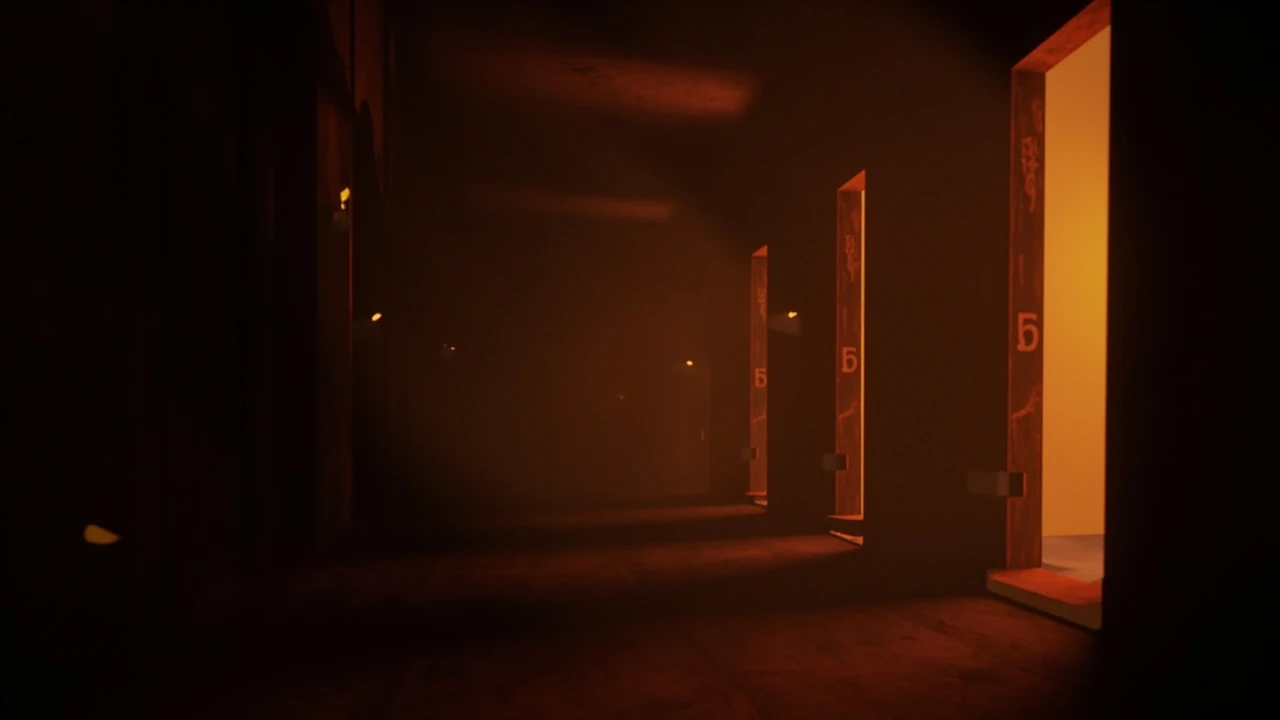
Inside the Doors experience, the word “code” is used loosely. The official progression mechanic is the door number itself: a one- to four-digit integer printed on a wooden door inside a procedurally generated hotel. You approach the door, interact with it, and the door opens to the next room or floor. There is no separate keypad, no PIN to enter, and no global password. The “code” is the door’s identity, and the door is the input device.
Community usage extends the term in two directions. First, players refer to “hidden codes” that some custom or fan-made lobbies place on signs, paintings, or plaques. These are usually short integer sequences that gate a sealed door or a vault. They are not part of the base game and they change when a lobby is updated. Second, content creators and wiki editors use “doors codes” as shorthand for the public list of every door number and what it leads to, so new players can read a reference instead of dying to figure out the route.
For developers, the more useful concept is the numeric seed. A seed is an integer used by the level generator to decide which door configuration, enemy spawn, and room order to assemble. Seeds are not visible to players, but they are the reason two runs of the same lobby can look different while still respecting the same progression rules. A code, in this strict sense, is anything that maps an integer to a state change in the world. Door numbers, vault PINs, and seeds are all codes under that definition.
How door numbers are used as progression codes
Each door in a normal Doors run carries a printed integer. The integer is a progression key, not a password. The door’s mesh, the surrounding room art, and a short audio cue tell the player that this is the next legitimate way forward. Because the experience is designed to be hostile to pausing and screenshotting, the number is reinforced by environmental storytelling: a candle guttering at the door, a paper pinned to the wall, or a rug that looks slightly out of place.
From a design standpoint, the number is doing several jobs at once: it tells the player where to go next without a HUD arrow, it is small enough to read at speed so the puzzle is the run rather than the number, and it is stable across runs so a player who memorizes door 50 once does not have to re-learn it in the next session. The trade-off is that the system is hostile to players who cannot read the number for any reason. Accessibility-focused remixes and forks usually add a secondary cue, such as a colored rim light or a vibration tied to proximity, instead of changing the number itself.
There is also a deliberate lack of a global overlay. The Doors experience does not surface a numbered list of every door in the HUD, because the designers want the player to learn the progression through the environment. The number is the only persistent text the player is expected to read, and that scarcity is part of why it works. When every other piece of text in a room is decorative, a printed number becomes a magnet for the eye.
The standard door number list and what each door unlocks
The Doors community has compiled a public list of door numbers because the experience does not surface an in-game directory. The table below summarizes the most commonly reported progression stops, the rough role each door plays in a run, and the developer logic behind making the door do that. The numbers are pulled from public community references and from the experience’s own pacing; the table is a navigation aid, not a spoiler-free walkthrough.
| Door number | Role in the run | What the door unlocks | Design intent |
|---|---|---|---|
| 1 | Opening door | First room after the lobby | Teaches the interact prompt and the number-reading habit |
| 8 | Tutorial checkpoint | First safe room with a brief window to regroup | Sets the loop the rest of the run will repeat |
| 35 | Early pressure point | A long corridor with the first sustained entity threat | Forces the player to learn to read while being chased |
| 50 | Mid-run milestone | A small lobby that links to two parallel paths | Introduces the choice between safer and faster routes |
| 76 | Stealth section entrance | A dim floor with light-based puzzles | Changes the dominant mechanic from reading to listening |
| 100 | Mid-run checkpoint | Mirrors door 8 and reframes the player’s resources | Doubles the effective run length without resetting pacing |
| 115 | Trap door | Sealed door that requires a community-published code | Tests whether the player is using external reference material |
| 123 | Multi-door hub | Three doors with three different numbers, only one correct | Punishes guessing and rewards careful reading |
| 200 | Final stretch | Longest unbroken corridor in the experience | Concentrates attention on endurance and stamina management |
Two things are worth noting. First, the numbers themselves are not the difficulty; the difficulty is the entity encounters between them. Second, the “code” here is the door number, but the player’s real code is the habit of reading it before opening. Most failed runs at higher doors are not caused by guessing the wrong number but by opening a door before reading it.
Hidden codes, vault PINs, and community-published inputs
Beyond the printed door numbers, the Doors community has documented a layer of hidden codes that some custom or event lobbies place behind secondary inputs. The most common patterns are short integer sequences that the player must enter into a keypad, a wall plate, or a chat command. These codes differ from door numbers in three ways.
- They are usually four to six digits long, because the input surface can hold more characters than a printed door number.
- They are reset when a lobby is updated, so a code that worked last week may be invalid this week.
- They are typically tied to a specific reward, such as a badge, a cosmetic, or a shortcut, instead of to the next room in the run.
Because these codes are lobby-specific and change with updates, a single canonical list is not safe to publish. The reliable approach for a player is to read the code on the wall of the lobby they are actually in, and the reliable approach for a creator is to publish the code in the same place where they publish the lobby’s version. A code on a wiki is only as current as the wiki’s last edit, and many wikis lag behind the live build by weeks.
A second layer of hidden codes lives in event lobbies that run for a limited time. Holiday-themed floors, anniversary hubs, and creator collab rooms often carry their own short PINs that unlock a small cosmetic or a side room. These codes usually appear on a sign near the entrance, in the lobby description, or in the host’s social feed. They are short on purpose, because the event has a short lifespan, and a long code would survive longer than the room that holds it.
How door numbers are generated behind the scenes
For creators building Doors-style experiences, the most useful question is how the printed number is produced. In a typical Roblox Doors clone, the door number is the output of a small pipeline rather than a hand-placed integer. The pipeline has three stages.
- A seed is chosen for the run, either by the server (for a public match) or by the host (for a private match).
- A level generator walks a graph of rooms, picking a node type and a difficulty tag for each segment.
- A door is placed at the segment boundary, and its number is the segment index, the cumulative difficulty, or a hash of the previous door’s number, depending on the design.
The choice of which mapping to use shapes the player experience. A segment-index mapping produces strictly increasing numbers, which is easy to read but easy to predict. A difficulty mapping produces numbers that jump when the run gets harder, which makes the run feel reactive. A hash mapping produces numbers that look arbitrary, which is hostile to memorizing and friendly to repeat runs. Most public Doors clones use a hash mapping for the first half of the run and a segment-index mapping for the second half, so the player gets used to reading quickly and then has a small stretch of predictable numbers as a reward.
For players, the practical effect is that the public door list will keep working, and the hidden code lists will keep churning. For creators, the practical effect is that the door number is the part of the design to invest in, because it is the part that survives updates. The Doors experience itself shares only a name with IBM Engineering Requirements Management DOORS, the long-running requirements management tool whose own numeric identifiers and DXL scripting language have shaped how engineers tag and trace engineering data for decades, but the parallel is useful: both systems treat a number as a contract between the user and the system, and both break loudly when the contract drifts.
Seeds sit one level below door numbers, but they are the reason the doors codes system scales. A creator can ship one well-tuned generator and let it produce thousands of valid runs, because the same numeric rules apply to every seed. Without the seed layer, the only way to ship a new run is to hand-place every door, and the experience becomes brittle the moment the player memorizes a layout. Seeds also make testing tractable. A bug report that includes a seed can be reproduced exactly, which turns vague complaints like “door 50 was wrong” into a concrete failure case that a developer can run on demand.
Mapping codes to unlocks: a small reference
Because the same word, “code,” is used for door numbers, hidden inputs, and seeds, a quick mapping is useful. The table below groups the four common families by what they unlock, who publishes them, and how stable they are across updates.
| Code family | Example | What it unlocks | Published by | Stability |
|---|---|---|---|---|
| Door number | 76 | Next room or floor in the run | The Doors experience itself | Stable across updates |
| Hidden input | 4-digit keypad code on a vault door | A badge, cosmetic, or shortcut in a specific lobby | The lobby creator or an event organizer | Resets with each lobby version |
| Seed | A 9-digit integer entered in a debug menu | A specific generated layout | The developer of the clone | Stable until the generator changes |
| Event code | A short alphanumeric string during a live event | Temporary cosmetics for the duration of the event | The Doors team or a partner | Expires at the end of the event |
If you are a player, the only family you need to memorize is the first. If you are a creator shipping a Doors-style experience, the family that matters most is the third, because the seed is what makes your generator testable. If you are running a community event, the fourth family is the one to plan around, because event codes live and die on the same schedule as the event. The second family is the one to be most careful with: hidden inputs look like a secret, but they are really a piece of live configuration that the lobby owner has to maintain.
How developers should think about door numbers as a design surface
Door numbers look like a trivial detail, but they are one of the few pieces of text the player has to read while under pressure. Treat the number as part of the art direction, not part of the data layer. That means three concrete habits.
- Pick a numeric style early and keep it consistent. A two-digit style feels arcade. A four-digit style feels bureaucratic. A mixed style feels chaotic.
- Place the number where the player’s eye already is, not where the camera is pointing. The Doors experience puts the number at eye level on the door itself, which is why the player learns to look at the door before interacting.
- Reserve a small numeric range for traps and a different range for safe doors. The player does not need to know the rule, but the rule should be visible in the data: traps cluster around multiples of ten, safe doors cluster around round numbers, for example.
These habits do not require new art. They require that the number is treated as a designed element instead of a generated afterthought. The Doors experience succeeds at this because the number is a small, readable, stable thing the player can build a habit around, and that habit is what carries the run. The same habit shows up in older horror games, from the numbered safe combinations in Resident Evil to the file-number fetches in Silent Hill, and it works there for the same reason: a number you can read under stress is a number you can trust.
A fourth habit, often overlooked, is to keep a paper trail. Every door number in the run should be derivable from a known input, whether that input is a segment index, a seed, or a hand-placed override. When a creator can answer the question “where did this number come from” without reading the level file by hand, the doors codes system is healthy. When the answer is “I think the level designer typed it in once,” the system is one update away from drift.
Common failure modes in doors codes systems
Most broken doors codes systems fail in one of three ways. Knowing the failure modes is more useful than memorizing a list of numbers, because the list changes with every update while the failure modes do not.
- Number drift: the printed number and the segment index fall out of sync, usually because a level was hand-edited after the generator ran. The player sees a number that points to a room that no longer exists.
- Hidden input rot: a vault code published in a guide is no longer valid because the lobby was updated. Players who relied on the guide get stuck and blame the experience.
- Seed collision: two rooms in the same run end up with the same door number, usually because the hash function is not injective. The player opens the “right” door and ends up in the wrong room.
All three failures are caught by the same test: a deterministic replay of a known seed. If a seed reliably produces the same numbers and the same layout, the system is healthy. If two replays of the same seed produce different numbers, the system has a bug, and the bug is almost always in the mapping between segments and numbers rather than in the number itself. A useful side effect of running this test early is that it surfaces the third failure mode, seed collision, before it can confuse players in a live run.
There is a fourth failure mode worth naming, even though it is rarer: locale drift. The Doors experience is played in many languages, and a door number that is unambiguous in English can be ambiguous in a language that reads digits in a different order, or that uses a different decimal separator. Creators who localize their lobbies should test the number under the locale they are publishing to, not just the locale they develop in.
Validating a doors codes system before launch
A reasonable validation pass for a Doors-style experience has four steps. None of them require finished art, which is why they belong in a pre-production checklist rather than a post-launch bug list.
- Run the generator with a fixed seed and confirm that the same seed produces the same door numbers every time.
- Run the generator with a small set of seeds (a few hundred is usually enough) and confirm that the door numbers cover the intended range without collisions.
- Walk the run as a player and confirm that the printed number is readable in the lighting conditions the run actually uses, not the lighting conditions the editor preview shows.
- Publish a short, current list of the codes that players are expected to memorize, and check the list against the live experience after every update.
The fourth step is the one most often skipped, and it is the one players notice first. A wiki page that lists a code that no longer works is worse than no wiki page, because it gives the player a false sense of security. The same logic applies to the lobby description. A description that promises a vault code and then never publishes it, or publishes a code that is no longer valid, is a small betrayal of the player’s trust, and it shows up in the reviews within a day.
A fifth step, which is optional but cheap, is to log every door number the generator produces during automated testing. If a regression slips into a later update, the log gives the developer a paper trail of what the doors codes system looked like before the change, which is much easier to bisect than a player bug report that arrived six weeks after the fact.
Doors codes and accessibility
Number-as-progression is hostile to players who cannot read quickly, who are color-blind, who have low vision, or who play with sound off and rely on visual cues. The Doors experience handles some of this with audio reinforcement, but the door number is still the canonical signal. Custom lobbies that want to be more accessible tend to add one of three additions:
- A colored rim light on the door, with a color tied to a small set of categories (safe, trap, milestone).
- A short audio chime whose pitch changes with the door number, so the player can hear the progression even with eyes closed.
- A vibration pattern on supported devices, with a count of pulses tied to the number.
None of these replace the number, and that is the right call. The number is the source of truth, and the secondary cues are scaffolding. If a player loses the scaffolding, the number still works. If a player loses the number, the scaffolding is a guess. The Doors experience keeps the number because removing it would also remove the player’s ability to reason about the run out loud, which is part of how the community talks about the game at all.
Color is a useful cue but a tricky one, because it has to survive the dim lighting the run is built around. A saturated rim light on a dark door reads as a category, while a saturated rim light on a lit door reads as glare. Accessibility-conscious creators tend to test their color choices under the same lighting the run uses, which is a habit the rest of the design can borrow.
Doors codes outside Roblox Doors
The term “doors codes” has bled into other Roblox experiences that copy the Doors formula, and into a few that do not. Escape rooms, obbies, and horror lobbies all use the same word, but they do not all use the same mechanic. A short checklist helps when a player lands in a new experience and the term appears in the description.
- If the experience uses a single door per room, the code is the door number and the table earlier in this article applies.
- If the experience uses a keypad or wall plate, the code is a separate input and the printed door number is decoration.
- If the experience uses a chat command, the code is a developer-side flag and the player should ignore it unless the developer publishes it.
- If the experience uses both a door number and a keypad, the keypad code is the one that changes with updates and the door number is the one to memorize.
Reading the lobby’s description carefully is faster than reading the code itself, because the description usually states which family the code belongs to. The same habit works on the Doors wiki pages: the page header will tell you whether the codes listed are door numbers, hidden inputs, or seeds, and the distinction matters when a player is trying to figure out why a code “doesn’t work” in a particular lobby.
Outside Roblox, the same vocabulary shows up in a few adjacent places. Browser-based escape rooms use the term “door code” for a PIN that opens a virtual door, and a handful of indie horror games use “door number” the same way Doors does. The mechanics are similar enough that a Doors player can usually transfer their habits, but the numbers are not shared, and a guide that lists door numbers for one game is meaningless for another.
Where the doors codes system is heading
The Doors experience has been updated regularly, and the doors codes system has shifted with each major update. The trajectory is consistent. Door numbers are getting more stable, not less, because the community has built up a reference that the experience’s own designers do not want to break. Hidden codes are getting more event-bound, not more permanent, because the lobby economy around Doors rewards short-lived collaborations more than long-lived secrets. Seeds are getting more visible to creators, not less, because the creator economy around Doors clones is now large enough to justify developer-facing documentation, and a door number is only as useful as the seed that produced it.
For players, the practical effect is that a public door list is a safer investment than a public hidden-code list, and that investing in reading the door in front of you is more durable than investing in any single wiki. For creators, the practical effect is that the door number is now a piece of public infrastructure, and the design choices around it are visible to anyone who runs the experience more than once. The doors codes system, in other words, is becoming a small contract between the experience and its community, and the experience that honors that contract is the one players will keep coming back to.
Frequently asked questions
Are doors codes the same in every Roblox Doors lobby?
The door numbers in the base Doors experience are stable across lobbies and updates, because they are tied to the experience’s own progression graph. Hidden codes, such as vault PINs or keypad inputs, are lobby-specific and reset whenever the lobby creator updates the experience. If a code is published on a wiki, treat it as a snapshot of a single version of a single lobby, not as a universal truth.
What is the highest door number in Roblox Doors?
The Doors experience extends past door 200 in a normal run, and custom lobbies that copy the formula can push higher. The exact maximum changes with updates, because new rooms and floors are added over time. The reliable way to find the current cap is to read the experience’s patch notes or the in-game credits, not a third-party list, which can lag behind the live build.
Can I skip a door by entering its number somewhere?
No. The door number is the door, not a separate input. The only way through a door is to interact with the door itself. A keypad or wall plate in a custom lobby is a different mechanic, and it is usually tied to a hidden code, not to the printed door number.
Why do some doors have no number at all?
Decorative doors and doors that lead to dead ends are not part of the progression graph, and the experience intentionally omits their numbers so the player does not waste time reading them. A door without a number is a hint, not a bug, and the player should treat it as scenery.
Do door numbers reset between runs?
In a normal run, the door numbers start at 1 and count up, but the count is per-run, not global. Two players in two different runs will see the same numbers in the same roles, but the seed behind the run can produce a different layout. The numbers are stable in role, not in absolute value across seeds.
What is the difference between a door code and a seed?
A door code is a number the player can read and act on, such as a printed door number or a keypad PIN. A seed is a number the generator uses to decide which layout, enemy spawn, and door configuration to produce, and the player never sees it. Seeds are a developer concern; door codes are a player concern.
Can I use a seed to get a specific layout?
In most public Doors clones, no. The seed is set by the server, not by the player, and there is no in-game UI to enter a custom seed. Custom lobbies and developer builds sometimes expose a debug input for testing, and that is the right place to experiment with seeds before you publish.
How do I report a broken door code?
The right place to report a broken door code depends on the family. A broken printed door number should be reported to the Doors developers, with a screenshot and the run’s seed if the experience exposes it. A broken hidden code should be reported to the lobby creator, because the code is part of the lobby, not part of the base experience. A broken seed behavior should be reported with a deterministic replay, because seeds are only diagnosable when they are reproducible.
Do doors codes work on mobile and console the same way?
The door number mechanic is platform-agnostic, and the same numbers apply on phone, tablet, console, and PC. The only platform-specific difference is the input surface: a touch tap on a phone is a different gesture from a mouse click on a PC, but the door itself is the same. A custom lobby that changes the input surface should keep the number stable, so the player’s habit transfers between devices.
Is there a list of every doors code that has ever existed?
No, and there cannot be. Hidden codes reset with every lobby update, and event codes expire with the events that publish them. The only list that is worth maintaining is the list of printed door numbers, because that list is the one the Doors experience itself keeps stable. Everything else is a snapshot, and snapshots go stale.