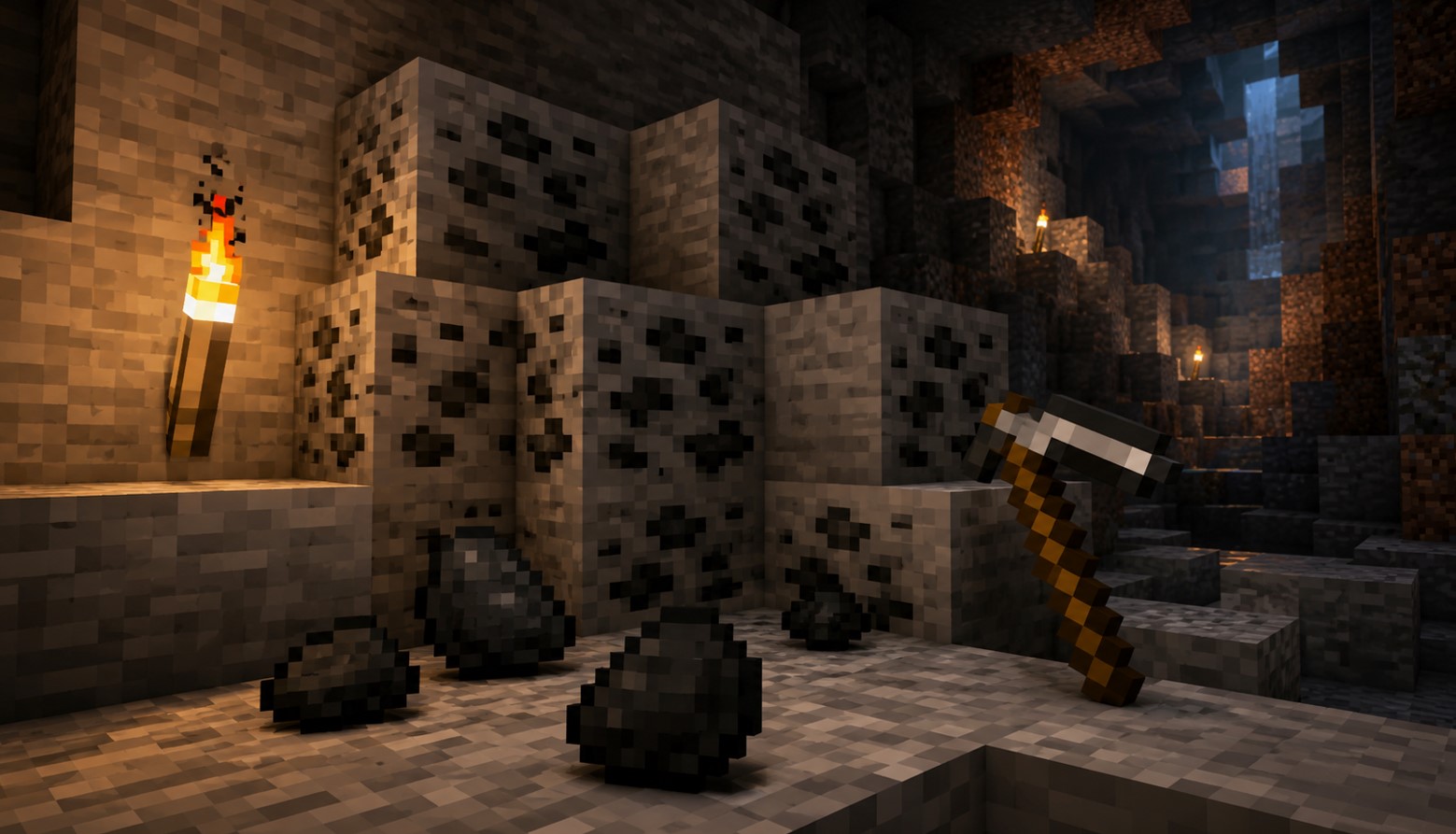
Minecraft Coal and Why It’s the Real MVP of Survival Let’s give it up for the unsung hero of every survival world. Minecraft coal. It’s not flashy like diamonds. It won’t make you netherite armor. But try surviving your first night without it – good luck. Coal is the block that quietly powers everything. Your furnace? Runs on it. Your torches that keep the creepers away? Made with it. That cozy campfire outside your starter dirt hut? Yep, coal again. It’s the OG ore, the first thing most players ever mine, and honestly it never stops being useful. Here’s the thing though. Most players mine it wrong. They dig at bad Y levels, they follow cave walls instead of solid stone, and they leave a ton of coal on the table without even knowing it. So let me break down how this stuff actually works – the spawn levels, the drops, the trades, all of it. Stick around. There’s more to this black rock than you’d think. Where to Find Minecraft Coal? Good news first: coal is the most common ore in the game. It spawns across a massive range, roughly from Y=0 all the way up to Y=320. You’ll spot it in caves, on cliff faces, and especially plastered across mountainsides. It’s genuinely hard to avoid. But “common” doesn’t mean “efficient.” If you want maximum coal per hour, the level matters. Coal uses a two-batch generation system that’s been in place since the Caves & Cliffs update (1.18) and hasn’t changed through recent versions. Here’s the quick version: A triangular batch that spawns coal most densely around Y=95 to Y=96 and tapers off above and below. A uniform batch that spawns coal evenly from roughly Y=136 up to Y=320. The two overlap at Y=136, which is why that’s the statistical sweet spot. At Y=136, you’re catching the tail end of the triangular batch and the full uniform batch at the same time. Double the sources, double the coal. If you’d rather not tunnel deep, Y=95 to Y=96 is still fantastic and lines up perfectly with mountain height. Speaking of mountains – don’t sleep on them. Windswept Hills and Stony Peaks biomes are covered in exposed coal. No tunneling required, just walk up and mine. It’s the lazy player’s dream, and there’s zero shame in it. The Air Exposure Trick Most Players Miss Okay, here’s a genuinely useful bit that a lot of miners overlook. Since Minecraft 1.18, ores have what the community calls an “air exposure discard” mechanic. What does that mean in plain English? When a coal vein generates right next to an air block – like a cave wall – there’s a chance those exposed blocks get skipped entirely during world generation. So the coal you’d expect to see on cave walls? Some of it never spawned in the first place. The takeaway is simple but powerful. Branch mining through solid stone yields more coal than following open caves. Dig your own fresh 1×2 tunnels rather than trailing along cave systems if raw coal output is your goal. Experienced miners swear by this, and once you know it, you can’t unsee it. Branch mine every couple of blocks for maximum exposure, and you’ll pull way more coal than the folks wandering cave walls hoping for the best. How to Get the Most Minecraft Coal Per Block? Mining coal is easy – it breaks with any pickaxe, even the humble wooden one. But if you want to squeeze more out of every block, enchantments are your friend. Fortune is the big one. A Fortune III pickaxe can yield up to 4 coal per single ore block instead of the usual 1. Over a long strip-mining session, that adds up to a mountain of coal. If you’re planning to trade or craft coal blocks, Fortune pays for itself fast. One heads-up though – if you want the ore block itself (say, for decoration), you’ll need Silk Touch instead. Fortune gives you raw coal; Silk Touch gives you the actual coal ore block. Can’t have both on one tool, so pick based on your goal. And don’t forget coal isn’t only found by mining. Here are the other sources worth knowing: Wither Skeletons in Nether fortresses have a 1/3 chance to drop coal when killed. Chests in structures like mineshafts, dungeons, shipwrecks, igloos, and villages often hold coal. Villager trading – some villagers sell coal, and you can buy it if mining isn’t your thing. What Can You Actually Do With Minecraft Coal? This is where coal earns its keep. It’s woven into so many recipes you’ll be reaching for it constantly. The obvious use is fuel. One piece of coal burns for 80 seconds in a furnace, smelting up to 8 items. That makes it one of the most efficient fuel sources in the game, way better than burning wood. But here’s a pro move for big smelting operations. Craft 9 coal into a block of coal, and that single block smelts 80 items – the equivalent of 10 coal, not 9. So you’re literally getting free efficiency plus saving inventory space. For automatic farms and large-scale smelting, coal blocks are the way to go. Beyond fuel, coal is a crafting staple: Recipe What You Need Result Torch 1 coal + 1 stick 4 torches Block of Coal 9 coal 1 block (smelts 80 items) Campfire 3 logs + 3 sticks + 1 coal 1 campfire Fire Charge coal + gunpowder + blaze powder 3 fire charges Soul Torch coal + stick + soul sand/soil 4 soul torches There’s also a sneaky economic angle. Coal is tradable with villagers – armorer, toolsmith, and weaponsmith villagers will buy it for emeralds, roughly 15 to 24 coal per emerald depending on their level. In a big mining haul, that’s dozens of emeralds waiting to happen. Charcoal, by contrast, can’t be traded at all. Minecraft Coal vs Charcoal: Which Should You Use? Ah, the eternal beginner question. And it’s a good
Cool Fantasy Weapons in Video Games That Left a Mark
Cool Fantasy Weapons in Video Games We’ll Never Forget Quick question. Close your eyes and picture your favorite video game weapon. Go on. Odds are it wasn’t a plain iron sword. It was something with a story. A blade that glowed, hummed, or maybe whispered your doom. That’s the magic of cool fantasy weapons in video games – they are not just tools for cutting things down. It’s a character. Sometimes it’s the most memorable character in the whole game. And gamers care about this stuff. Deeply. Head to any forum – ResetEra, Reddit, Steam – and you’ll find threads dozens of pages long, people passionately arguing over which blade is coolest. Folks buy replicas. They cosplay these things. They get them tattooed. So let me walk you through some of the weapons that earned that kind of devotion. Not just because they’re strong – but because of how they look, feel, and what they mean. What Makes a Weapon Truly Iconic? Before we get to the good stuff, here’s a thought worth chewing on. Power alone doesn’t make a weapon legendary. Think about it. Every RPG hands you a “best sword” with the highest damage stats. Most of them you forget the second you find a better one. But the truly iconic weapons? They stick around in your memory for years, sometimes decades. The community tends to agree on what separates the legends from the loot pile: Design – a silhouette so distinct you’d recognize it as a shadow on a wall. Lore – a backstory that makes the weapon feel like it matters. Feel – that satisfying weight and impact when you actually swing it. Meaning – what the weapon represents about its wielder or the world. One community writer put it beautifully – the best swords don’t just win fights, they test who you become. That’s the bar. And the weapons below clear it easily. Frostmourne: The Blade That Ate a Prince’s Soul If there’s one weapon that comes up in nearly every “coolest fantasy weapon” discussion, it’s this one. Frostmourne. The cursed runeblade of Warcraft. Here’s what makes it special. Frostmourne doesn’t just kill – it steals the souls of its victims, and it slowly consumes the will of whoever wields it. That’s the whole tragedy. When Prince Arthas Menethil picked it up believing he could save his people, he instead sacrificed his very soul and became the Lich King, the most feared villain in Warcraft history. That’s the difference between a cool weapon and a legendary one. Frostmourne isn’t a reward. It’s a curse dressed up as salvation. Fans have pointed out that Frostmourne draws clear inspiration from Stormbringer, the soul-stealing black runeblade wielded by Elric of Melniboné in Michael Moorcock’s fantasy novels. Blizzard took that classic “cursed artifact” idea and gave it an unforgettable icy design, complete with runes glowing along the blade. Even after it was shattered at the end of Wrath of the Lich King, its legacy never died. Blizzard reforged its remains into the Death Knight artifact weapons in Legion. And to this day, “Frostmourne hungers” is a phrase Warcraft fans throw around like scripture. That’s cultural staying power. The Master Sword: Hope Given a Handle Now flip everything about Frostmourne on its head, and you get the Master Sword. Where Frostmourne dominates and corrupts, the Master Sword protects. Fans describe it as a tool for good that ensures its wielder stays virtuous. It’s the “Blade of Evil’s Bane” from The Legend of Zelda, permanently tied to the hero Link, and generations of players recognize that blue hilt on sight. There’s a reason it tops so many lists. It’s simple, elegant, and instantly readable. No spikes, no skulls, no over-designed nonsense. Just a clean, noble blade that says “hero” without a single word. And here’s a fun contrast the community loves to draw. Frostmourne and the Master Sword are basically two sides of the same coin – one is a cursed blade that takes, the other is a sacred blade that gives. Put them next to each other and you’ve got the whole spectrum of fantasy weapon design in two swords. Cool Fantasy Weapons in Video Games Beyond the Sword Here’s where things get spicy. Swords hog the spotlight, sure. But some of the coolest fantasy weapons in video games aren’t swords at all. Take the Blades of Chaos from God of War. Twin blades chained to Kratos’s very arms, whipping around in brutal, sweeping arcs. That chained design became iconic precisely because it broke away from the standard “hold a sword, swing a sword” formula. The weapon is literally part of him – a permanent reminder of his past. Design and story fused into one. Then there’s the Buster Sword from Final Fantasy VII. Cloud’s absurdly oversized slab of metal is so influential it basically launched the entire “giant anime sword” trend. It shouldn’t work. It’s impractically huge. And yet it’s one of the most recognizable weapons in gaming, period. And let’s not forget weapons that lean sci-fi but hit that same fantasy-cool nerve. The Covenant Energy Sword from Halo glows with blue plasma and obliterates rather than blocks. Community folks have called it the coolest glowing weapon since the lightsaber. One lunge, one kill. Simple, lethal, unforgettable. Weapon Game / Series Why Fans Love It Frostmourne Warcraft Soul-stealing curse and tragic Arthas story Master Sword The Legend of Zelda Clean heroic design, symbol of hope Blades of Chaos God of War Chained twin blades, deeply personal to Kratos Buster Sword Final Fantasy VII Oversized icon that defined a whole trend Energy Sword Halo Glowing plasma, brutal one-hit close combat The Weapons That Divide the Community Now for the fun part – not everyone agrees. And the arguments get heated. The Gunblade from Final Fantasy VIII is the perfect example. Half sword, half gun, all controversy. Some fans adore it and vote it the coolest weapon around without a second thought. Others roll their eyes and call it impractical
Funny Minecraft Items to Craft That Ruin Friendships
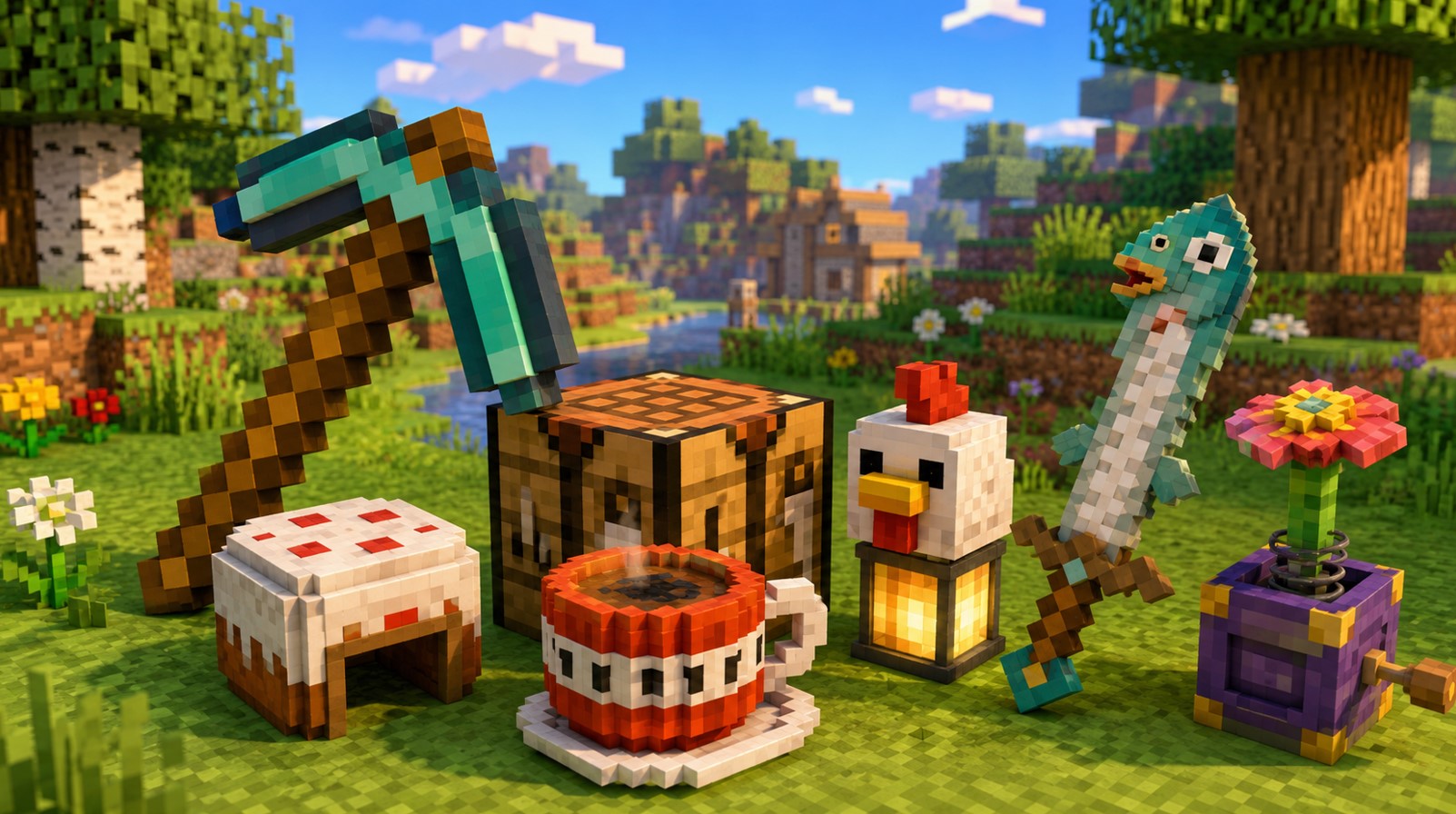
Funny Minecraft Items to Craft When You’re Bored of Diamonds Everyone hits this wall eventually. You’ve got full netherite. The base is done. The storage room is sorted, the farms are humming, and the Ender Dragon died three weeks ago in about four minutes. So now what? Now you make stupid and funny Minecraft things. And here’s the thing – Minecraft is absolutely packed with them. Not mods, not commands, not datapacks. Vanilla. Things you can build on a normal crafting table in a normal survival world that exist purely because somebody at Mojang thought it’d be funny. Some of them are genuinely useful. Some of them are weapons of psychological warfare. A couple can get your friend killed, and I mean that literally. Let’s go through the good ones. The Carrot on a Stick Is Still the Best Joke in the Game Fishing rod. Carrot. That’s it. That’s the recipe. What you get is a pig steering wheel – a literal carrot dangled in front of a saddled pig, which the pig then chases, dragging you along with it. You hold the carrot. The pig follows the carrot. You are the carrot’s passenger. It’s slow. It’s uncontrollable. The pig will absolutely walk you into a ravine. And it has been in the game for well over a decade because it makes people laugh. The Nether version is even better. Swap the carrot for a warped fungus on a stick and you can steer a Strider – the lanky little lava-walker – straight across an ocean of molten death. Saddle it, hold the fungus, and off you go. Nothing in the game feels more like a fever dream than crossing a lava lake on a wobbly pink stilt-creature while holding a glowing mushroom on a pole. Both of these are among the most pointlessly delightful things in Minecraft, and they cost basically nothing. Suspicious Stew: The Funny Minecraft Item That Ended Friendships Right. Time for the dangerous one. Suspicious stew is a bowl, a red mushroom, a brown mushroom, and one flower. That flower decides what effect the stew gives, and the game does not tell your friend which flower you picked: Pick a dandelion? Saturation. Lovely. Pick a poppy? Night vision. Nice. Pick a lily of the valley? That’s Poison. Pick a wither rose? That’s the Wither effect. As in the thing that ignores armour and kills you dead. And here’s the kicker – the stew looks identical no matter which flower went in it. Same bowl. Same texture. Same name. Somebody who’s never checked the wiki has no way of telling a lovely night-vision snack from a bowl of concentrated regret. We are not telling you to do it. I’m just saying the recipe exists, Mojang built it deliberately, and the item is literally named suspicious stew. They knew exactly what they were doing. Flower Effect You Get Chaos Level Dandelion Saturation Boring Poppy Night Vision Useful Blue Orchid / Azure Bluet Saturation / Blindness Depends who’s holding it Oxeye Daisy Regeneration Genuinely nice of you Lily of the Valley Poison Rude Wither Rose Wither You’re not invited back Snow Golems Are a Joke Mojang Never Explained Two snow blocks. One carved pumpkin. Stack them. Congratulations, you’ve built a living creature. It throws snowballs. Those snowballs do zero damage to almost everything in the game. Zero. They knock mobs back a bit and that’s your lot. The exceptions are blazes and endermen, and endermen will immediately kill your snow golem in return because they take damage from snow the way vampires take to sunlight. It also melts and dies in the rain. And in the desert. And in the Nether, obviously, where it evaporates instantly with the sad little pop of a creature that shouldn’t have come. So you’ve built a fragile pumpkin-headed man who fires harmless projectiles and dissolves when the weather turns. And people build armies of them anyway, because they leave snow trails wherever they walk, which makes them the game’s most inefficient and most charming snow farm. Give one a pumpkin-free head with shears and it looks permanently horrified. That never stops being funny. Funny Minecraft Items to Craft That Are Secretly Instruments Here’s one an alarming number of players have never tried. Craft a note block – eight wooden planks and a chunk of redstone dust. Standard stuff. Then put a mob head on top of it. The note block now plays that mob’s sound. Creeper head? Hissing. Skeleton skull? Rattling bones. Zombie head? Groaning. Piglin head? Snorting. Wither skeleton skull? That awful dry clatter. You can build a redstone piano out of screaming zombies. There is no gameplay reason for this. Mojang added it anyway, and the community has produced some genuinely upsetting music with it. And while we’re here, mob heads themselves are worth a mention. Wear one and mobs of that type notice you less. It’s a real mechanic – a modest reduction in detection range. So you can walk through a horde of creepers wearing a creeper’s face like some kind of cursed disguise. It works. Sort of. The Fermented Spider Eye Ruins Everything (On Purpose) Brewing is where Minecraft gets properly weird, and the fermented spider eye is the reason. Spider eye, sugar, brown mushroom. That’s the craft. And what this ingredient does is take any potion you throw it into and corrupt it into its opposite. Potion of Healing becomes Potion of Harming. Potion of Swiftness becomes Slowness. Potion of Night Vision becomes Invisibility. It is an item whose entire purpose is to take a good thing and turn it into a bad thing. The best chaos, though, is splash Potion of Weakness. Throw it at a zombie villager, feed them a golden apple, and you cure them into a real villager with permanently discounted trades. Throw it at your mate on a multiplayer server and they deal roughly nothing with a diamond sword for the next minute and a half. Both are valid. Some brewing-adjacent
How to Connect Switch to TV: Both Models, Zero Fuss
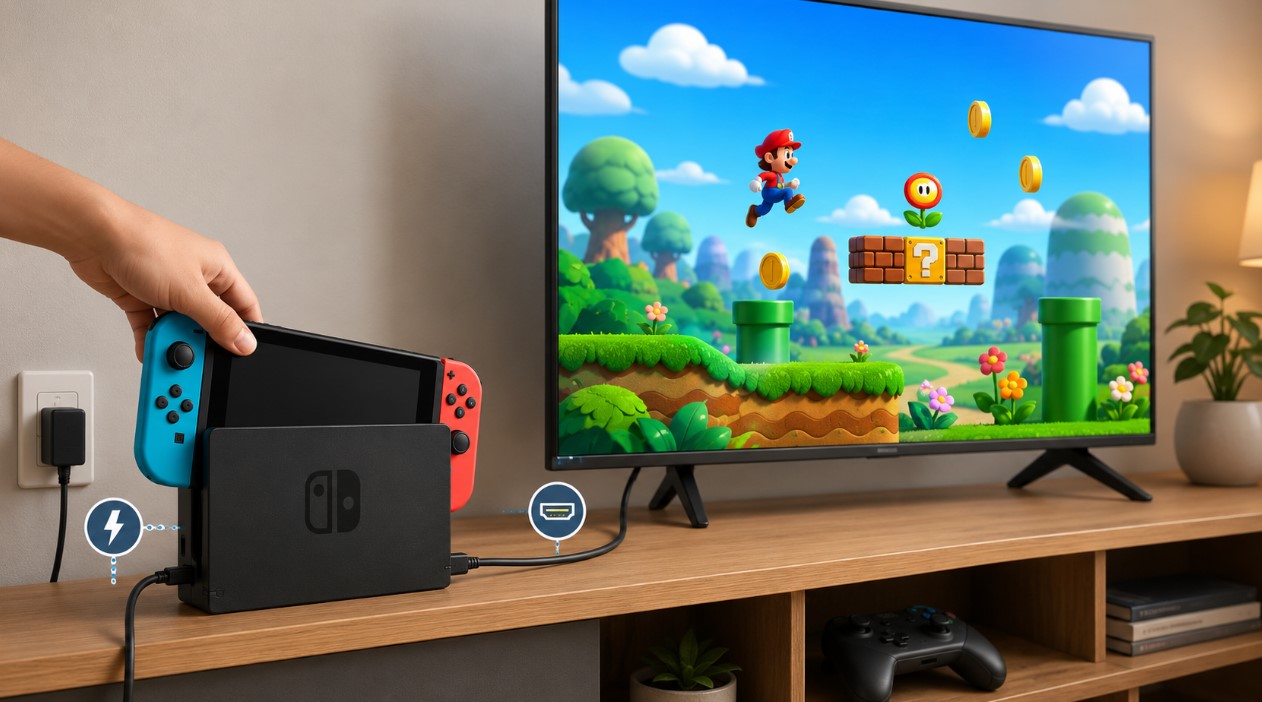
How to Connect Switch to TV Without Losing Your Mind? You’d think this would take thirty seconds. Slot the console into the dock. Done. Go play something. And usually? It does. But then there’s the other version of this story – the one where you get a black screen, the TV insists there’s no signal, you’re jabbing the input button on the remote as it owes you money, and somewhere in the back of your head, a voice is going “did I just brick it?” You didn’t. Almost certainly. You just don’t know how to connect Switch to TV properly? The good news is that both Switch generations connect to a TV the exact same way – console goes in dock, dock goes to TV – and the differences come down to cables, power, and what your telly can actually display. The bad news is that Nintendo changed enough between the two that mixing up your gear can leave you staring at nothing. So here’s the whole thing, both models, plus the troubleshooting that actually works. What’s in the Box (and Why It Matters)? Before anything else, check what you’ve got. This is where most setup headaches start. Every original Nintendo Switch and Switch OLED ships with three things you need: the dock, the AC adapter, and an HDMI cable. Same deal with Switch 2 – dock, charger, HDMI cable – but the parts themselves aren’t the same, and that’s the whole trap. The Switch 2 runs on a 60W power supply. The original Switch used a weaker one. The Switch 2’s included HDMI cable is an Ultra High Speed cable, while the original shipped with a plain High Speed cable. Look at the actual printing on the cable sleeve – Nintendo labels them. Can you swap them? Sort of, in one direction, but you really shouldn’t. Running a Switch 2 off an old Switch charger and an old HDMI cable is asking for flakiness, dropped signal, and 4K that never shows up. Don’t mix your wires. It’s the cheapest problem to avoid and the most annoying one to diagnose. And one more thing before you start hunting for a dock: the Switch Lite cannot connect to a TV. At all. No video output, no workaround, no adapter that fixes it. It’s a handheld-only machine by design. If you own a Lite and you’ve been searching for a dock, I’m sorry – that’s the answer, and it’s a hard no. What You Need Original Switch / OLED Switch 2 Dock Included (OLED dock adds a LAN port) Included, with a built-in cooling fan Power Standard Switch AC adapter 60W AC adapter HDMI cable High Speed Ultra High Speed Max TV output 1080p 4K at 60fps (or 1080p/1440p up to 120fps) Wired internet LAN port on OLED dock only Gigabit Ethernet built in Extra ports 2× USB-A 2× USB-A Works on TV at all? Yes (Lite: no) Yes The Setup, Step by Step Right. Cables sorted, let’s actually do this. Open the back of the dock – on the original Switch, there’s a little flap on the rear that pops off, hiding three ports. Switch 2’s ports sit in the same area. Either way, you’re looking for three labels: AC ADAPTER, HDMI OUT, and (on OLED and Switch 2) LAN. Now, order matters more than people think: Plug the AC adapter into the dock first, then into the wall. The dock needs power before anything else makes sense. Run the HDMI cable from HDMI OUT on the dock to any HDMI port on your TV. Note which numbered port you picked. HDMI 2, HDMI 3, whatever – remember it. Close the flap, tuck the cables, then slot the console in. The screen is facing the same way as the front of the dock. It should sit snug, not wobbly. On the original Switch, you’ll hear a soft click, and the screen goes dark as it hands off to the TV. On Switch 2 you get a little LED on the side of the dock lighting up. Then grab your remote, switch your TV to that input you memorized, and Mario should be sitting there waiting. Total time: about two minutes if you’re not fighting a cable spaghetti situation behind the TV. One detail that catches Switch 2 owners out constantly – the console has two USB-C ports, one on the bottom and one up top. The top one is for charging and accessories. Video output only runs through the bottom port. That’s why the console won’t sit upside down in the dock, and it’s why a lot of third-party dock complaints trace back to somebody plugging into the wrong hole. How to Connect Switch to TV Using the Wrong Dock (Don’t)? Look, I know third-party docks are tempting. The official Switch 2 dock isn’t cheap, they’re bulky, and a slim travel dock that fits in a backpack sounds great. But this is genuinely a “here’s the catch” moment. The Switch has a long, ugly history with third-party docks. Back in 2018, there was a whole saga of budget docks bricking consoles – power delivery being handled sloppily, the console frying, Nintendo shrugging. It got fixed over time, mostly, but the reputation stuck for good reason. And Switch 2 has revived the problem in a new flavour. Firmware updates have repeatedly broken third-party dock compatibility, to the point that sellers now advertise their docks by the console firmware version they currently work with. Read that again. You’re buying an accessory that a Nintendo update might switch off next month. If you want a travel dock, fine – plenty of people run them without drama. Just go in knowing: Power matters most. Underpowered docks are where the horror stories come from. Switch 2 wants serious wattage; a random 30W phone charger isn’t going to cut it. It has to hit the bottom USB-C port. Anything else won’t carry video. Compatibility isn’t permanent. A firmware update can break it, and Nintendo owes you
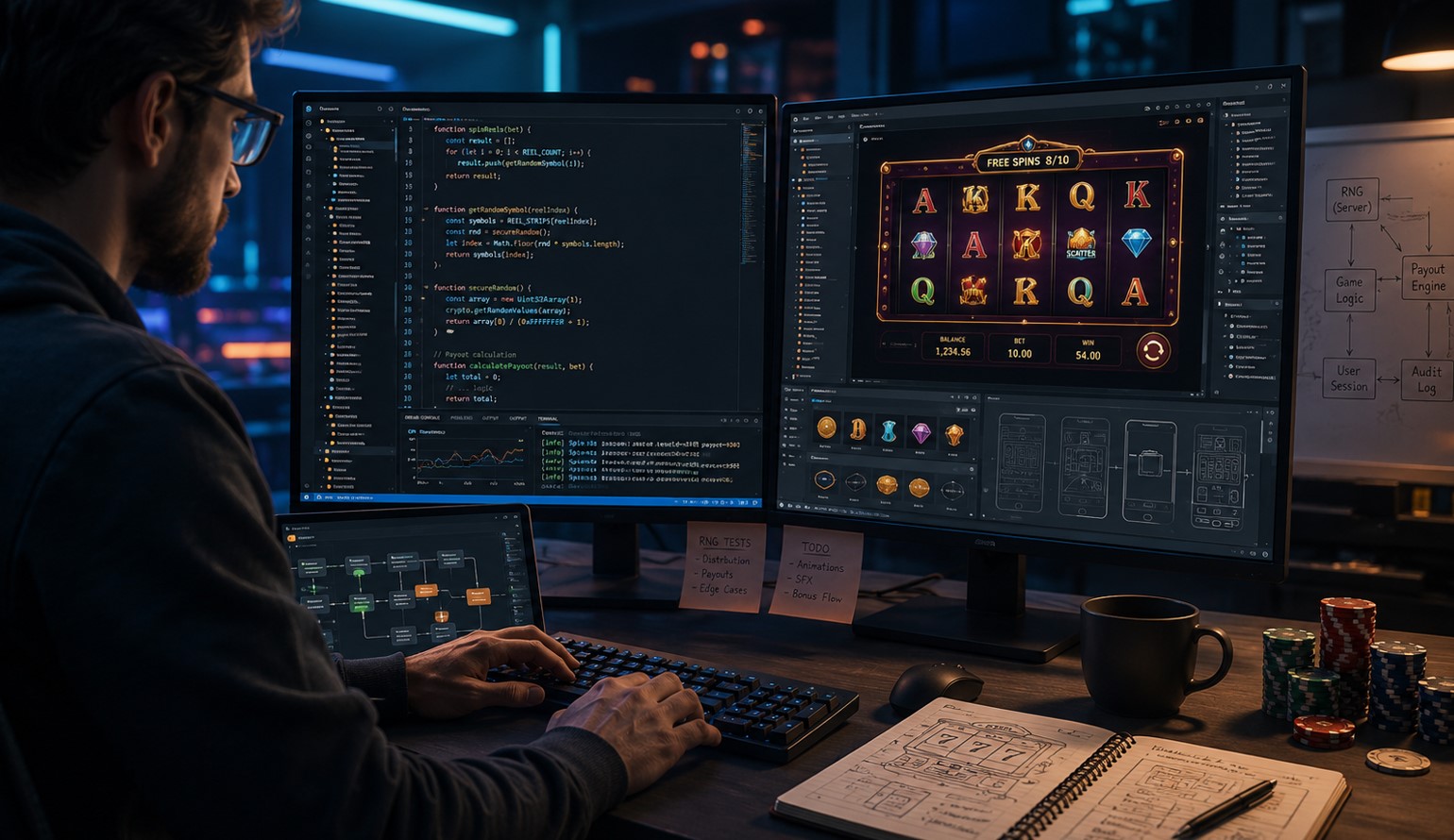
Coding in Online Casino Games: A Dev’s Real Guide
What Does Coding in Online Casino Games Really Take? So you want to build a slot machine that lives in a browser and pays out real money. Sounds simple from the outside – pretty reels, a spin button, some coins raining down. Then you open the hood. Coding in online casino games sits at this odd crossroads of hard math, real-time graphics, money-grade backend work, and a mountain of compliance paperwork. Our team has shipped a fair number of these, and honestly, we got a lot wrong before we got it right. Here’s what we wish someone had told us early. Why Are These Games Harder to Make than They Look? A casino game isn’t really a game in the usual sense. It’s a financial instrument wearing a fun costume. Every spin moves actual currency, gets logged, gets audited, and has to hold up if a player disputes it six months later. That single fact changes how you write every line – e.g. look at the top online casino Malaysia with multiple slots to understand what we actually mean. Two engineers can build the same-looking slot, for sure. But try making hundreds. One version is just a toy. The other survives a certification lab, a load spike on payday, and a suspicious player with a packet sniffer. The gap between them is entirely in the code. The Languages that Keep Showing Up There’s no single “casino language,” but a few show up on almost every project. What you reach for depends on whether you’re on the client, the server, or the math engine. C# with Unity – dominant for rich, animated slots and cross-platform builds. Great tooling, huge asset ecosystem. TypeScript – our default for browser-first titles, usually paired with Pixi.js or Phaser for rendering. C++ – shows up in the math engine and older gaming cabinets where every millisecond counts. Lua – a favorite for game logic scripting, since designers can tweak behavior without recompiling. Go or Java on the backend, wherever you need steady concurrency and clean transaction handling. If you’re just starting out, TypeScript plus a solid math background will take you surprisingly far. The fancy stuff comes later. RNG: The Part You Can’t Fake Here’s why it matters. The random number generator is the moral center of the whole product – no matter if it is a mobile game title or an AAA video game. Get it wrong and you’re either cheating players or handing them a way to cheat you. Neither ends well. CSPRNG, Not Math.random() Your first instinct might be to grab whatever random function ships with the language. Don’t. Standard pseudo-random functions are predictable enough that a determined person can reconstruct the sequence. You want a cryptographically secure generator – something seeded from real entropy and impossible to run backward. The generator also has to live server-side. If the outcome is decided on the player’s machine, someone will find it. The client only asks; the server decides and remembers. Provably Fair, When You Want Trust Crypto-facing operators often go a step further with provably fair systems, where a hashed server seed plus a client seed lets players verify each result after the fact. It’s extra plumbing, but it turns “trust us” into “check it yourself,” which players love. “The moment a player believes the reels are honest, half your retention problem is solved. The other half is just whether the game is fun.” – one of our senior devs, after a very long certification week. The Math Behind the Fun Every casino game is a spreadsheet in disguise. Before a single sprite gets drawn, someone models the whole thing in numbers. Term What it means Why it matters RTP Return to player, the long-run payout percentage Sets the house edge and is legally regulated Volatility How wild the swings are Shapes the emotional ride and who the game is for Hit frequency How often does any win land? Keeps players engaged between big moments A 96% RTP slot doesn’t hand back 96 cents on every dollar – it settles there across millions of spins. Your paytable, reel strips, and bonus triggers all have to add up to that target exactly. Miss it, and the lab sends the build right back. This is where a math-minded developer earns their keep. You’re balancing probability distributions so the game feels generous in the moment while staying honest over the long run. It’s part statistics, part psychology. Front-end: Making a Spin Feel Alive The math can be flawless and the game can still flop if the spin feels dead. Presentation is doing heavy emotional lifting here. What separates a cheap-feeling slot from a satisfying one usually comes down to timing and feedback: Anticipation – reels slowing down just before a near-win, teasing the player. Weight – symbols that land with a little bounce, not a flat stop. Sound layering – wins that build audibly as they stack. Frame budget – holding a steady 60fps even on a mid-range phone. Tools like Pixi.js, Phaser, and Spine handle the rendering and skeletal animation. But the taste – knowing when to hold a beat before revealing a bonus – that’s craft, not library. The Backend Nobody Sees If the front-end is the show, the backend is the vault. And it has to behave like one. A few things that are non-negotiable on the server side: Atomic transactions – a bet debits and a win credits as one indivisible operation, or not at all. Idempotency – a dropped connection and a retried request must never double-charge or double-pay. Full audit trails – every outcome logged with enough detail to reconstruct a disputed round. Concurrency that holds – thousands of simultaneous spins without a race condition leaking money. This is where a lot of otherwise-good game developers hit a wall. Writing game logic is one skill; writing money-handling infrastructure that never loses a cent under load is a different one entirely. Both have to live in the same product. Area Share
PlayStation 6 Release: Discs, Date Rumors & PS6 Games
The PlayStation 6 Release Picture Just Got Messy Something shifted this month. For a couple of years, the PlayStation 6 release chatter mostly lived in leak threads and analyst notes – fun to argue about, low stakes, nobody losing sleep. Then Sony went and dropped a bomb about discs, and suddenly the whole conversation caught fire again. Loudly. Here’s the short version. Sony’s next console still doesn’t have a real date. But the noise around it? That’s been stacking up fast, and honestly, not all of it is the kind fans were hoping to hear. So let me walk you through where things actually stand right now. The disc drama and the backlash that came with it. The release date rumors, ranked by how much you should trust them. And the games – because a console is just a fancy paperweight without those, right? Grab a drink. There’s a lot here. Sony Kills the Disc, and Fans Aren’t Having It On July 1, 2026, Sony posted a blog update that landed like a brick through a window. Starting January 2028, the company will stop producing physical game discs for all new games on PlayStation consoles. After that date, new releases show up on the PlayStation Store or as a download code tucked inside a plastic box at retail. No disc. Just the case, the code, and a little slip of paper. Sid Shuman, a senior director at Sony, framed it as a response to shifting trends in consumer preference. Which, sure, the data backs part of that up. Digital’s been eating physical’s lunch for years. But the timing and the phrasing? That’s where things went sideways. The kicker: anything released before January 2028 is safe. Your existing disc collection works fine. Games already out or landing in the next year and a half still ship on physical media. This isn’t Sony reaching into your shelf and yanking cartridges. It’s a line in the sand for the future. Still, the reaction was swift and brutal. YouTuber Scott the Woz replied to Sony’s post with nothing but a photo of his own frowning face, and it racked up over 100,000 likes in a day. Even Domino’s Pizza jumped in to poke fun. When the pizza brands are dunking on you, you know the room has turned. Why Did the Physical Disc Backlash Hit So Hard? Let me explain, because it’s not really about the plastic. It’s about ownership. When you buy a digital game, you’re not buying a game. You’re buying a license to play it. Sony’s own terms spell this out plainly – you get a personal, non-transferable license, and you don’t own the product. That means no lending it to your buddy. No selling it back to GameStop when you’re done. No handing it down. And if a store shuts down or a license lapses, well, good luck. That fear isn’t hypothetical, either. The disc news came right on the heels of two other sore spots. Grand Theft Auto VI announced its “physical” edition would be a download code in a box, no disc at all. And separately, reports circulated that Sony had pulled some old rental movies from user accounts. String those together and you get a very jumpy fanbase. Here’s a sample of what folks are actually mad about: No second-hand market – trade-ins and used sales quietly disappear. No lending or gifting – you can’t pass a game to a friend or family member. Full dependence on the store – pricing, availability, and access all sit in Sony’s hands. Preservation worries – when a storefront dies, unpurchased games can vanish for good. There’s a real tension here, though, and I want to be fair about it. Sony isn’t inventing this problem out of thin air. What Does the Disc Move Mean for the PlayStation 6 Release? Digital already won, right? Well – not so fast, and this is where the numbers get spicy. Circana reported that 82% of PS5 consoles sold were disc-drive models, not the digital-only version. So people clearly still want the option of a disc slot. Yet on the software side, roughly 85% of full-game sales on PS4 and PS5 went digital last quarter. Two stats, two very different stories. The truth sits in the middle. For huge AAA games, the split gets way closer than that 85% suggests – sometimes near half and half per title. Push Square pointed out that in the UK, Spider-Man 2 sold around 54% physical, Assassin’s Creed Mirage about 49%, and Hogwarts Legacy roughly 45%. So for the tentpole stuff collectors care about most, discs are far from dead. That’s exactly why the announcement stung. Now tie it to the PlayStation 6 release. By January 2028, the PS6 may already be on shelves, or close to it. So this disc decision isn’t just a PS5 footnote – it’s setting the rules for the next generation before that console even ships. There’s a strong chance the PS6 launches as a fully digital-first machine, and one report even suggested Sony isn’t alone in that direction next gen. Date What Happens Now – Dec 2027 Discs still produced normally for new PS5 games Fall 2026 Marvel’s Wolverine ships, possibly a landmark physical release Late 2027 – 2028 Rumored PlayStation 6 release window January 2028 New game disc production ends across the board Post-Jan 2028 New games sold digitally or via download codes in boxes One more wrinkle worth chewing on. Xbox has reportedly been working on a disc-to-digital feature that lets players convert physical games they own into digital copies. Sony announced nothing of the sort alongside its news. That silence is a big reason Sony caught most of the heat while Microsoft, planning a softer landing, dodged it. Timing really is everything. When’s It Actually Coming? The Release Date Rumors Okay, the question everyone actually clicked for. When can you buy this thing? Short answer: Sony hasn’t said a word officially. Not one date. What we’ve got instead is
BloxStrike Codes (July 2026)
Active BloxStrike Codes for Free Credits So you’ve been grinding bomb-defusal rounds, watching your Credit balance crawl up at a snail’s pace, and wondering if there’s a faster way to deck out your loadout. There is. BloxStrike codes hand you free Credits without asking you to win a single match – and in a game where skins and gear actually matter, that’s a big deal. BloxStrike, for the uninitiated, is the Roblox take on Counter-Strike. Tight 5v5 rounds, plant-and-defuse objectives, a weapon economy that rewards smart spending. Swipe Games built it to feel like CS2’s competitive intensity squeezed into the Roblox engine, and somehow it works. The gunplay is sharp. The movement is smooth. And the game’s already racked up tens of millions of visits, which tells you the formula landed. Credits are the currency that ties it all together. You earn them by playing well – fragging opponents, completing objectives, surviving rounds. But the earn rate is slow on purpose. That’s where codes come in. They top up your wallet so you can crack open weapon cases and grab the skins you actually want, instead of staring at a locked crate for a week. How Do BloxStrike Codes Actually Work? Here’s the thing most quick guides skip: redeeming codes in BloxStrike isn’t quite as simple as pasting a string and hitting a button. There’s a small hoop to jump through first, and if you don’t know about it, you’ll think the codes are broken when they’re not. You need to hit level 5 before the redeem box will accept anything. That’s the gate. New accounts can’t just hop in and cash codes immediately – the game wants you to play a handful of matches first. Your level ticks up at the end of each round, so it doesn’t take long, but it’s worth knowing before you get frustrated. Some guides also mention a verification step – joining the BloxStrike Roblox group and clicking a Verify button on the home screen. Whether that’s strictly required can shift between updates, so if a code won’t take, check both your level and your verification status before assuming it’s dead. Once you’re past that gate, here’s the redemption flow: Launch BloxStrike inside Roblox. Find the codes section on the left side of the main menu. Type your code into the “Enter Code Here” box – exactly as written. Hit Redeem and watch the Credits land. That “exactly as written” part trips up more people than you’d think. We’ll come back to it. Why Do These Codes Disappear So Fast? Now for the catch – and it’s a real one. BloxStrike codes aren’t like the codes in a lot of other Roblox games, where a code might stay live for months. These have a limited number of uses. Once enough players redeem a code, it’s done. Gone. Defused, you might say. That changes the whole game. It means a code you read about this morning could be dead by lunch. It means the players who pounce first are the ones who actually get the rewards. And it means any article claiming to list “all working codes” is, by its nature, a snapshot that started aging the second it was published. I’d rather be straight with you than pretend otherwise. So instead of feeding you a list that might be stale before you finish reading, here’s what actually keeps you ahead of the curve. Where the Newest BloxStrike Codes Drop First The developers don’t scatter codes randomly. They have a few specific spots where fresh codes appear, usually tied to updates, milestones, or maintenance periods. Knowing these channels is the difference between catching a limited code and missing it by an hour. The official BloxStrike Discord server (run under Swipe Games / Based Games) is the primary source. The team posts codes directly there, often the moment a new update goes live. If you only watch one channel, make it this one. Secondary spots worth keeping an eye on: The BloxStrike Roblox group page, where milestone and event codes sometimes surface. The BasedGamesRBLX YouTube channel, which occasionally drops codes alongside update videos. The game’s official Twitter/X account for announcements. Source What you’ll find How fast codes appear Official Discord New codes, update news, community chat Fastest – usually first Roblox group page Milestone and event codes Moderate YouTube (BasedGamesRBLX) Codes tied to video drops Slower, occasional Twitter/X General announcements, some codes Variable The pattern across these is simple: codes follow updates. When BloxStrike pushes a new map, a patch, or hits a visit milestone, that’s prime code-drop territory. A short maintenance window? Developers sometimes hand out an apology code for the downtime. Christmas, anniversaries, big content updates – all reliable triggers. Reading the Code Landscape Like a Pro Want to actually understand the rewards you’re chasing? BloxStrike codes mostly pay out in Credits, and the values tend to cluster in predictable ranges. Looking at past drops gives you a feel for what a “good” code looks like versus a small thank-you. Reward tier Typical Credit value Usually tied to Headline code 100+ Credits Major events, holidays, milestones Standard code 50 – 75 Credits Regular updates Small code 35 – 50 Credits Maintenance, minor patches Bonus reward Free skins or gear Special promotions A holiday or milestone code dropping 100+ Credits is the kind you really don’t want to miss, since stacking a few of those can net you a weapon case without grinding at all. The smaller maintenance codes are nice top-ups, but they’re not worth losing sleep over. So here’s a habit that pays off: when you see BloxStrike post about an update or downtime, check the Discord right after. That’s your window. When a Code Won’t Work – Troubleshooting You found a code, you typed it in, and nothing happened. Annoying. But before you write it off, run through this checklist, because nine times out of ten it’s one of these. First, the obvious one – typos. It’s shockingly easy to add

Mech Arena Codes (July 2026)
Active Latest Mech Arena Codes (July 2026) So you’ve been grinding Control Point Clash for an hour, your favorite mech is still two ranks short of where you want it, and the shop is quietly judging your A-Coin balance. Sound familiar? Yeah, we’ve all been there. The good news is that Plarium keeps tossing out freebies, and the fastest way to grab them is with Mech Arena codes – little strings of text that hand you currency, crates, and sometimes a whole new mech for doing absolutely nothing. Here’s the deal. These codes rotate fast. Some last weeks, some vanish in a couple of days, and the game only lets you redeem one per 24 hours. So timing matters more than you’d think. I’ve pulled together everything that’s working as of early July 2026, checked against Plarium’s official channels and the usual reliable trackers, and I’ll keep the why-and-how stuff right next to the list so you’re not scrolling forever. Let me explain how the rewards break down first, because not every code is equal. A few hand you a rank 3 mech outright. Others drop A-Coins (the premium currency), Credits (the grindy one), Prodigy Crates, Fortune Keys, or Implant Parts. The mech codes are the real prizes. Snagging a free Rank 3 Blizzfrost or Vortex can genuinely shift how you play, since you’re not locked into one combat role anymore. Code What you get 2GTLOADOUT 200 A-Coins, 50,000 Credits, 5 Fortune Keys, 1,000 Implant Parts, 500 Basic Mod Parts MIDPILOTUP 220 A-Coins, 50,000 Credits, 400 Implant Parts 2GTLOVEMECH 140 A-Coins, 40,000 Credits, 1 Prodigy Crate 2GTCHEST 100 A-Coins, 40,000 Credits, 1 Prodigy Crate MIDRUSHGAME 100,000 Credits, a Gold Crate, an Amateur Crate, and a Prodigy Crate HAPPY17PLARIUM Anniversary gift bundle – valid through July 3, 23:59 UTC F4CEB00K500K Bonus A-Coins and Credits HAPPY26 Bonus A-Coins and Credits Quick heads-up on that anniversary one. HAPPY17PLARIUM is Plarium’s 17th-birthday treat, and it’s got a hard cutoff – July 3 at 23:59 UTC. After that it’s gone. So if you’re reading this and it’s still June or the first couple of days of July, redeem that one before anything else. No point letting a timed gift slip away while you sit on a code that’ll be around next week. New Player Mech Arena Codes Worth Grabbing First Now here’s where it gets a little tricky, and honestly, a little frustrating if you don’t read the fine print. The best codes in the whole game – the ones that hand you a free Rank 3 mech – are locked to new and returning players. You’ve got a window of roughly 24 to 72 hours after creating or coming back to an account, and you can only redeem one of them. One. Total. So you really do have to pick carefully. Think of it like the opening pick in a draft. Whatever you grab here shapes your early hangar, and you can’t reroll it. The community generally rates CHILLBOT and GRASSHOPPER as the safest bets, since both mechs stay viable deep into the endgame, but it honestly comes down to which combat style clicks for you. Code Reward Who it’s for GRASSHOPPER Rank 3 Lacewing, 200 A-Coins, 100,000 Credits, Prodigy Crate New / returning CHILLBOT Rank 3 Blizzfrost, 200 A-Coins, 100,000 Credits, Prodigy Crate New / returning WARTEX Rank 3 Vortex, 200 A-Coins, 100,000 Credits, Prodigy Crate New / returning BACKTRACK Rank 3 Redeemer, 200 A-Coins, 100,000 Credits, Prodigy Crate New / returning ROBOTRUSH Rank 3 Shadow, 200 A-Coins, 50,000 Credits New / returning BLASTZONE Rank 3 Guardian, 200 A-Coins, 50,000 Credits, Prodigy Crate New and returning ROSHAN1 Rank 3 Aegis, 10,000 Credits New / returning One small wrinkle worth knowing: BLASTZONE works for both fresh and returning accounts, so if you’ve drifted away from the game and just reinstalled, that’s a strong one to circle back to. And if you already own the mech a code hands out, you’ll usually get Credits instead. So nothing’s truly wasted. How To Redeem Mech Arena Codes? The redemption flow itself is painless. You do need to finish the tutorial first, though – the promo screen stays locked until you’ve cleared it, which takes maybe fifteen minutes. After that, here’s the quickest path: Launch Mech Arena and land on the Hangar (that’s your main menu). Tap the envelope icon at the top-center of the screen to open your mail. Hit the Promo Codes button in the bottom-right corner. Type the code exactly as it’s written – capital letters matter – and press Confirm. Check your in-game inbox; rewards land there or pop straight into your inventory. Prefer doing it from a browser? There’s a second route. Open your Profile from the top-left, jot down your numeric Player ID, then head to Plarium’s official redemption portal, punch in the ID and the code, and confirm. Same rewards, and it’s handy when a code is being finicky on mobile. A lot of players swear the browser method saves them headaches, and I won’t argue with that – it’s bailed me out more than once. Why Are Mech Arena Codes Stopping Working (And What To Do)? You typed a game code, hit confirm, and got a red error. Annoying, right? Before you assume the code’s dead, run through this quick checklist, because nine times out of ten it’s something small. You already redeemed one today. There’s a 24-hour cooldown baked in, and the game doesn’t always say so clearly – it can just look broken. The code expired. Mech Arena codes rotate constantly, and a string that worked last Tuesday might be gone by the weekend. It’s a new-player code and your account is past the window. Those 24-to-72-hour timers are strict. Typo or wrong case. These codes are case-sensitive, and zeros versus the letter O trip people up all the time (looking at you, F4CEB00K500K). Too many wrong attempts in a row. Spam a few bad codes and the game throttles you for a bit. Wait it out.
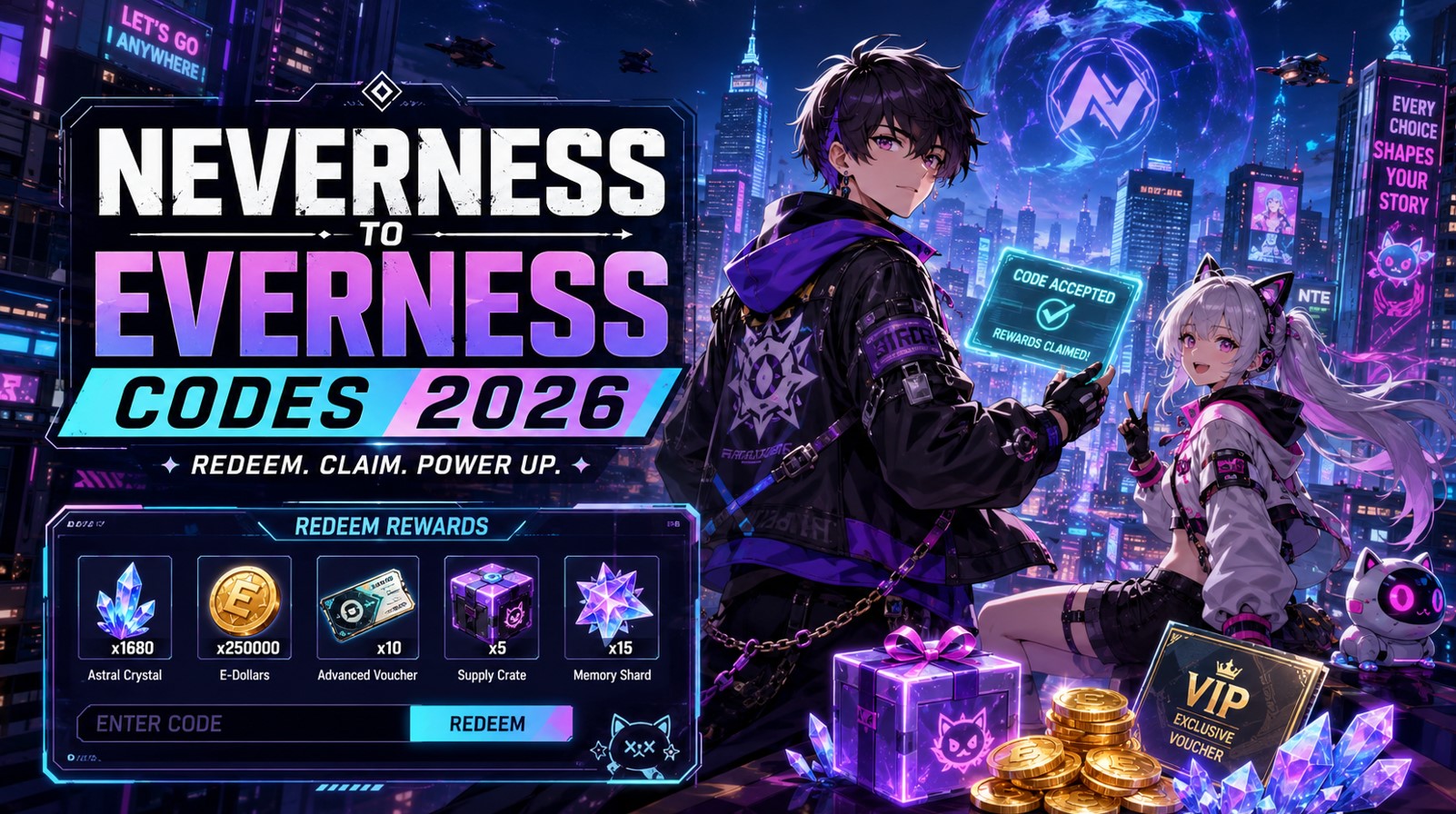
Neverness to Everness Codes (July 2026)
Active Latest Neverness to Everness Codes (July 2026) So you fired up Neverness to Everness, watched that neon skyline blur past your windshield, and now there’s a shiny character banner staring you down. You want to pull. Of course you do. And the cheapest way to fatten up your Annulith stash without spending a single real coin? Promo codes. That’s the whole trick. Hotta Studio has been pretty generous with these Neverness to Everness codes since launch, which makes sense – gacha games tend to shower you with premium currency early so you get hooked on that sweet pulling animation. The catch is that the good ones, especially the livestream drops, burn out fast. Like, gone-in-a-day fast. So if you spotted a fresh code on some stream and thought “I’ll grab it later,” well, later might already be too late. Neverness to Everness Codes That Actually Work Right Now Big news first. The Version 1.2 “999 Nights” Preview Special Program aired on June 27, 2026, and Hotta dropped three brand-new codes during the broadcast. These are the spicy ones – they hand out a full 100 Annulith each, which is a chunky head start toward your next ten-pull. But there’s a catch (there’s always a catch): they expire on June 29 at 23:59 UTC+8. If you’re reading this around the start of July, sprint to redeem them while there’s still a sliver of a chance they linger. Code What You Get Expires SHINKU0708 100 Annulith, 5 Rising Hunter Guides, 5 Light Dye, 4,000 Beetle Coins June 29, 2026 (UTC+8) 999NIGHTS 100 Annulith, 5 Senior Hunter Guides, 5 Colorless Dye, 6,000 Beetle Coins June 29, 2026 (UTC+8) IROI0729 100 Annulith, 2 Elite Hunter Guides, 2 Chaotic Dye, 12,000 Beetle Coins June 29, 2026 (UTC+8) Notice the names? SHINKU0708 and IROI0729 are little nods to the two new characters and their banner dates – Shinku lands July 8, Iroi follows on July 29. Cute touch. Anyway, those three are the headliners. Then there’s the older crowd. Several launch-era and evergreen codes have been floating around for weeks, and honestly, the trackers don’t fully agree on which ones are still breathing. Some blew past their stated expiry date and just… kept working. Gacha logic. So treat this next table as “very likely live, but try them quick and don’t be shocked if one or two have quietly died”: Code What You Get NTENOWTOENJOY 100 Annulith, 5 Rising Hunter Guides, 5 Light Dye, 4,000 Beetle Coins NTENANALLYGO 100 Annulith, 5 Senior Hunter Guides, 5 Colorless Dye, 6,000 Beetle Coins NTE0429 100 Annulith, 5 Elite Hunter Guides, 5 Chaotic Dye, 12,000 Beetle Coins NTEGIFT 50 Annulith, 5 Rising Hunter Guides, 5 Light Dye NTEHAVEFUN 3 Rising Hunter Guides, 3 Light Dye, 3 Manhole Thug (PC exclusive) LACRIMOSA0603 30 Annulith, 1 Tomato Basil Macaroni, 20,000 Fons NTENENE 10,000 Fons, 10 DynamiK Zero, 10 Clicky Fries My honest advice? Punch in every single gaming code for NTE. Worst case, the game shrugs and says “expired,” and you’ve lost ten seconds. Best case, free Annulith. The math there is pretty friendly. Wondering what half these reward names even mean? Quick glossary, because the game throws a lot of nouns at you: Annulith – the premium currency you spend on banner pulls. The stuff you actually care about. Beetle Coins – a secondary currency for shop purchases and upgrades. Useful, less precious. Fons – the everyday currency you’ll earn buckets of just by playing. Hunter Guides (Rising, Senior, Elite) – character EXP materials, with Elite being the juicy high-tier ones. Dyes (Light, Colorless, Chaotic) – cosmetic items for recoloring outfits, because looking good is half the game. Right, that’s the loot sorted. Now let’s make sure you can actually claim it. How to Redeem Neverness to Everness Codes? First thing – you can’t redeem anything the second you boot up. There’s no website portal either, so don’t go hunting for one. It’s all in-game, and you’ve got to play a chunk of the opening before the option even shows its face. You’ll need to push through the prologue until the in-game mail feature switches on, which happens roughly when you hit Bridge Crossings and get full control of your inputs. Takes about twenty minutes, give or take. Once you’re past that gate, the actual redemption is dead simple: Log into Neverness to Everness on whatever device you’re rolling with. Open the phone menu – tap the icon in the top-right corner, or pull it up from the dial. Hit the three-dot button (that’s the […] icon). On PS5, press the Options button instead. Pick the Redeem Code option. Type or paste your code in, then confirm. Pop open your in-game mailbox to collect the rewards. That last step trips people up a lot. The rewards don’t drop straight into your inventory – they land in your mail, and you’ve got to open the message to actually grab them. So if you redeemed five codes and saw nothing happen, breathe, check your mailbox, and there’ll be a tidy little pile waiting. One more tip: copy and paste whenever you can. These NTE codes are case-sensitive, and one wrong capital letter or a sneaky trailing space will get you a rejection. More on that headache in a sec. Why Do Your Neverness to Everness Codes Keep Failing? Few things sting like watching a code bounce when you’re sure you typed it right. The good news? It’s almost never a mystery. The reasons a redemption fails fall into a handful of predictable buckets, and most are easy to dodge once you know them: The code expired. This is the big one, especially for livestream drops that can die within a day. If a code’s past its window, no amount of retyping saves it. You typed it wrong. Case sensitivity is brutal here. A lowercase letter where there should be a capital, or an extra space pasted at the end, breaks the whole thing. You already redeemed it. Each code is one-and-done
Slay the Spire 2 Roadmap: Everything Coming in 2026
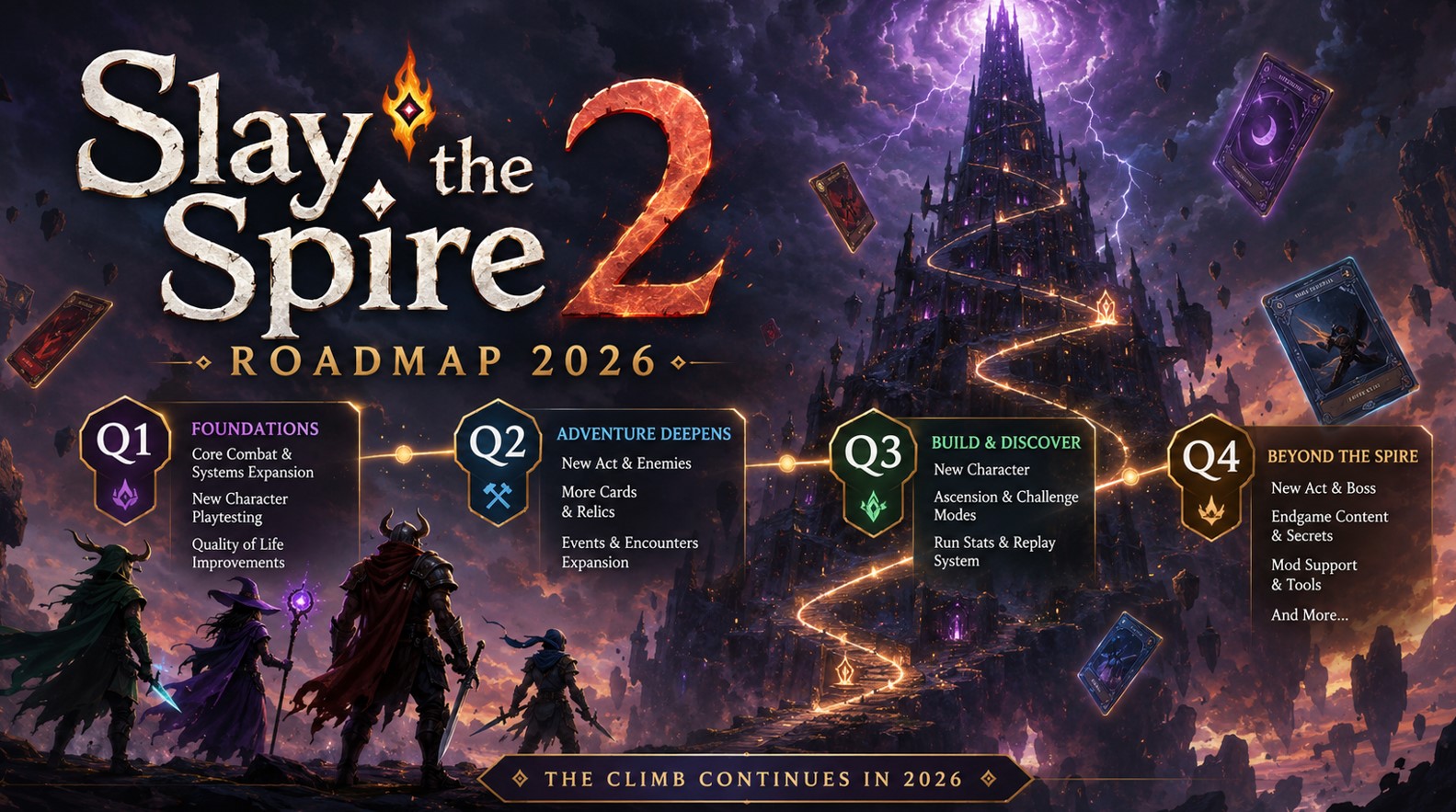
Slay the Spire 2 Roadmap: What Mega Crit Actually Promised So Mega Crit finally put some cards on the table. A few months after the sequel hit Steam Early Access, the studio dropped a real development plan – 17 items deep into the Slay the Spire 2 roadmap – and the community has been picking it apart ever since. Here’s the catch, though. Not a single date attached to any of it. None. Co-founder Casey Yano basically said deadlines make for sloppy games, and he’s not budging on that. So what’s actually coming? Let me walk you through the whole thing, sort the confirmed stuff from the wishful thinking, and figure out what’s worth waiting for. If you’re trying to plan your runs around what’s next, this is the lay of the land. Where Does the Game Sit Right Now? Quick recap before we get into the future stuff. Slay the Spire 2 launched into Steam Early Access on March 5, 2026 at $24.99, after that animated trailer in February teased 4-player online co-op as the headline feature. And people showed up. The game reportedly sold around 5 million copies inside its first month, which is wild for a deckbuilder. The current build is no slouch either. You’ve got five playable characters, three full acts, ten Ascension levels, and somewhere north of 575 cards plus a stack of relics to mess around with. The original game shipped its Early Access debut with way less than that, so the foundation here is already fat. Here’s everything that’s live in the game today: Five characters – Ironclad, Silent, and Defect return from the first game; Regent and Necrobinder are brand new. Three acts with the new Alternate Acts system layering in map and encounter variety. Up to 4-player online co-op with independent decks but a shared map. New systems like Enchantments, Afflictions, Quest Cards, and the Ancients blessing nodes. Ten Ascension levels – half of what the first game eventually offered at 20. One thing worth flagging: the Watcher didn’t make the cut. She’s not in the Early Access roster, and Mega Crit hasn’t said whether she’s coming back at all. More on that later, because it matters for the roadmap. The 17 Points, Sorted Out The plan landed through The Neowsletter – that’s Mega Crit’s Steam community update series, and yeah, the name is a pun on Neow. The studio split its 17 items into four buckets: features and systems, ongoing tasks, content, and the further-out stuff. Category What’s Coming Features and systems Steam Workshop support, more language options, the Bestiary, experimental game modes Ongoing tasks Bug fixes and compatibility, balance and quality-of-life passes, audio and visual polish Content (spoiler-free) Alternate Act 2, a new playable character, Alternate Act 3, more cards, events, relics, and potions Further out Console, mobile, and platform ports, Steam Achievements and Trading Cards, “True Victory” and everything tied to it That last row is where things get spicy. “True Victory” is doing a lot of heavy lifting in that sentence, and the community has theories. We’ll circle back. The thing is, this list reads less like a calendar and more like a mood board. It tells you the direction without promising the destination. And honestly? After watching other studios over-promise and miss every date, that’s a refreshing kind of honest, even if it stings the planners among us. Reading the Slay the Spire 2 Roadmap Without the Dates Okay, so no dates. How do you actually plan around that? You look at the cadence. Since launch, Mega Crit has shipped a steady drip of patches – hotfixes, beta cycles, and bigger balance passes. The pattern that’s emerged looks like roughly monthly balance patches with bigger content drops spaced 3 to 4 months apart. That mirrors how the first game ran during its Early Access stretch, which spent about 14 months cooking before its 1.0 launch. The Steam page itself estimates Early Access will run one to two years. Do the math from a March 2026 start and you land somewhere around 2027 to 2028 for the full release. Nothing’s locked, but that’s the honest window. Here’s how the beta branch fits in, because this trips people up. Mega Crit pushes experimental changes to a separate beta branch first – you opt in through Steam’s branch settings – and the stable main branch gets the polished version later. If you want to see what the team’s tinkering with before anyone else, that’s where the action is. Just know it’s rougher around the edges. Patch Roughly When What It Did v0.99.1 March 2026 First update pushed to the live main branch v0.100.0 (beta) March 2026 Big balance pass aimed at killing easy infinite combos v0.101.0 (beta) Late March 2026 Larger balance work continuing the infinite cleanup v0.102.0 (beta) April 10, 2026 Ironclad gains Not Yet, loses Grapple; Silent’s Acrobatics bumped to rare; Act 2 beetle-double fight cut; Living Fog nerfed June beta patch June 19, 2026 Bestiary added to the compendium, three new badges, fresh relics including Kaleidoscope and Fishing Rod See the shape of it? Small tweaks land fast and often. The big swings – characters, acts, modes – take their sweet time. That’s the heartbeat of the whole Slay the Spire 2 roadmap, and it’s the single most useful thing to internalize. New Characters and That “Stranger” Sixth Slot Let’s talk about the part everyone actually cares about. New characters. The roadmap confirms at least one more playable character is coming. And in an interview with Kotaku, Yano gave a juicy hint about the design philosophy. He said the next addition will probably be “a slightly stranger character than the originals.” His framing is that the launch cast was built on a complexity gradient – Regent’s dual-resource Stars-and-Forge setup is fairly readable, while Necrobinder’s Doom-plus-Souls-plus-Osty-companion juggling act pushes way further into fiddly territory. The next one likely sits even deeper into weird. That tracks with the unlock chain, which ramps mechanical demand on purpose. You