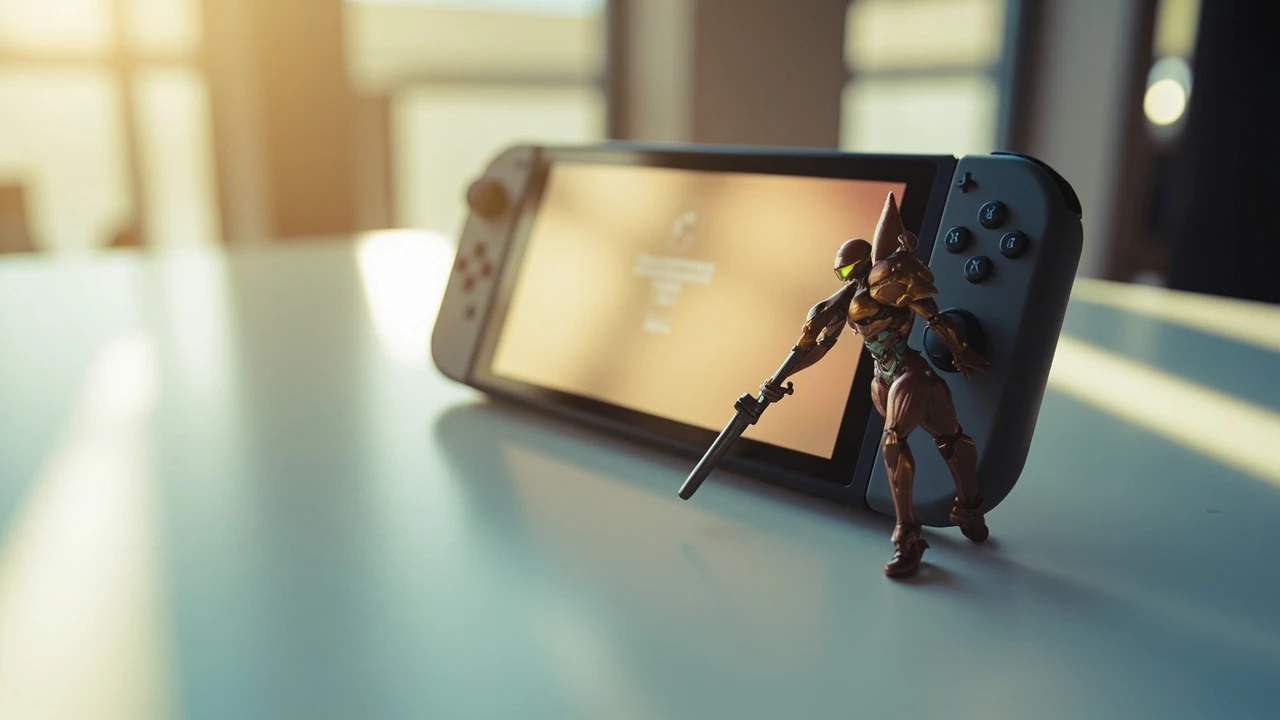
Metroid Dread amiibo: what the figures actually do in the game
Scanning a figure in Metroid Dread on Nintendo Switch is a small interaction with a surprisingly layered backend. The game reads a unique identifier from the figure, looks it up in a short, hard-coded list of supported amiibo, and then runs the resulting action through the same reward pipeline that handles most one-time bonus content. That pipeline is why a tap can feel instantaneous on screen while still depending on the Switch’s NFC hardware, the figure’s own flash memory, and a handful of internal save flags. For a player, the visible result is a reward; for a developer studying the title, the same interaction is a compact example of how Nintendo’s first-party games integrate the amiibo service without treating it as core progression. The release context, the Switch’s hardware changes since the 3DS era, and the way Metroid Dread was positioned as a flagship 2D entry also shaped the design of the reward table, which is why the supported list stayed narrow even after several system updates. The metroid dread amiibo integration is a useful case study because it is intentionally small, well documented through player observation, and stable across firmware versions.
This guide covers the practical side of the metroid dread amiibo experience. It explains which figures are supported, what each supported figure unlocks, how the data is stored, and the common questions players hit when the scan does not seem to register. It also steps through the implementation pattern visible in the game’s behavior, so designers, technical artists, and producers can compare the design against their own bonus-content systems without needing to dig through the binary. The intent is to give a single document that handles both the player’s first-scan question and the developer’s reward-pipeline question without forcing either reader to skip past the other.
Supported amiibo figures for Metroid Dread
Metroid Dread ships with a deliberately short compatibility list. Only figures that share the Samus Aran character identity are recognized at the reward layer, and the game treats them differently based on whether the figure is a “Samus” series design or a “Metroid” series design. The compatibility list has not expanded through patches the way some other Switch titles have, so the table below reflects the figures the game recognizes on a current, up-to-date install. The list also reflects what players have confirmed through repeated testing across multiple firmware versions; the reward table is small enough that community testing has effectively mapped the entire set.
| Figure | Series | Release family | Recognized in Metroid Dread |
|---|---|---|---|
| Samus (Super Smash Bros.) | Super Smash Bros. | 2014 wave | Yes |
| Samus (Super Smash Bros. for Wii U / 3DS) | Super Smash Bros. | 2014–2015 wave | Yes |
| Samus (Metroid Dread) two-pack figure | Metroid Dread | 2021 launch two-pack | Yes |
| Samus (Super Smash Bros. Ultimate) | Super Smash Bros. Ultimate | 2018+ waves | Yes |
| Zero Suit Samus (Super Smash Bros.) | Super Smash Bros. | 2014 wave | No (amiibo service supports the ID, game does not reward) |
| Metroid (figure from any series) | Super Smash Bros. / Metroid | Various | No |
| Ridley, Dark Samus, or other franchise figures | Various | Various | No |
The list is intentionally narrow. Most amiibo functionality in Switch-era Nintendo titles is split between the system-level amiibo service, which simply returns an identifier, and the per-game reward table, which decides what to do with that identifier. Metroid Dread rewards a small set of Samus IDs and treats every other ID as a no-op. That keeps the on-disk reward table small and avoids the kind of regional confusion seen in titles that accept a wide range of figures with overlapping unlocks. It also means that a player who owns the two-pack figure and a couple of older Samus figures has effectively hit the ceiling of the integration; there is no further figure to chase, and no hidden reward slot to fill by buying additional merchandise. The narrow list is the design, not a limitation.
What each figure unlocks in-game
The reward set is small, and the rewards are cosmetic or convenience-oriented rather than progression-related. A single scan does not change the difficulty curve, gate any boss, or hand out an Energy Tank on a save that has already been scanned many times. The following list is the full set of in-game effects that the supported figures trigger when scanned in Metroid Dread:
- Missile Tank (extra missile capacity): one of the most common rewards, given by the Super Smash Bros. series Samus figures and the Super Smash Bros. Ultimate Samus figure. A Missile Tank adds 5 missiles to the current maximum, which is meaningful on a fresh save and largely symbolic late in a run.
- Energy Tank: occasionally awarded on a fresh save from the Metroid Dread two-pack figure, particularly on first-time scans. Energy Tanks are the only reward that meaningfully changes survivability on a first playthrough, and the two-pack figure is weighted toward them on the first scan for that reason.
- Missile+ (increases missile damage for the rest of the run): a temporary combat buff that lasts until death or end of save, useful as a confidence boost on early fights. The buff is invisible in the UI; the only confirmation is the higher damage number on the next missile hit.
- Speed Booster upgrade token: a graphical reward marker that the game tracks in the save file but does not change loadout. It exists as a “you scanned this” tracker rather than as a permanent upgrade, and the player can see the marker in the pause menu’s amiibo panel.
- Gallery tokens: image and sound entries in the in-game Gallery, populated progressively across multiple scans, so repeated use of the same figure does not collapse into a single one-shot unlock. The Gallery is the longest reward path in the integration and the only one that requires dozens of scans to fully populate.
The same figure can rotate between rewards across scans. Metroid Dread uses a small random table for most rewards, with weighting that biases toward Missile Tanks and Missile+ on early scans and shifts toward Energy Tanks once the player already holds a generous supply. The randomness is per-scan, not per-session, so players who want a specific reward can reload the most recent save and rescan the figure to reroll the result. This is a deliberate design choice: the amiibo is a low-stakes bonus channel, and the save-rescan trick is part of the expected interaction pattern rather than an exploit. The reroll works because the game stores the reward flag in the save file rather than on the figure, so a save reload clears the flag and gives the next scan a fresh roll against the random table.
How the scan actually works on Switch
The technical path for any amiibo interaction in a Switch title follows the same shape. Understanding it helps explain why some scans appear to do nothing, why a second tap on the same figure seems to fail, and why region-locked or counterfeit figures are quietly ignored. The path also explains why the in-game behavior is consistent across Switch, Switch Lite, and the OLED model: the NFC reader is in the right Joy-Con in every case, and the system-level amiibo service behaves the same regardless of the console form factor.
- The game reaches a state where amiibo interaction is legal, usually a menu that explicitly calls the system amiibo overlay. Outside that state, the right Joy-Con NFC reader is inactive at the game level, even though the system remains listening for amiibo on the home menu.
- The player taps the figure on the right Joy-Con. The NFC reader passes the encrypted tag payload to the Switch OS, which validates the figure against the global amiibo key set. The validation step is the only place a counterfeit can be filtered out.
- The OS returns a normalized identifier and a small metadata blob to the game. The blob typically includes character ID, series ID, figure ID, and the most recent write counter, but never any game-specific reward table. The game cannot tell from the blob which title produced the figure, only which character and series the figure represents.
- The game looks the identifier up in its own reward table. If the identifier is not present, the game shows a “this amiibo cannot be used here” message; if it is present, the game runs the reward through its own logic. The lookup is a simple dictionary hit, not a fuzzy match, so even a single bit flip in the identifier sends the scan to the “cannot be used here” branch.
- On success, the game writes a one-time flag into the active save slot, performs the reward action, and returns control to the player. The write is synchronous; if the player closes the game during the reward animation, the save file is left in an inconsistent state and the next launch will repair it on load.
The interesting design point for developers is the division of responsibility. The For additional context, Switch OS owns validation, anti-counterfeit checks, and identifier normalization. The game owns the reward table, the random reward rotation, and the persistence write. That separation is what makes it safe to add new figures to Metroid Dread in a patch without ever touching the system-level amiibo service. It also means that a developer who wants to add a new figure only has to update the per-game table; the OS, the Joy-Con firmware, and the figure’s own flash memory do not need any change at all.
Save data, write counters, and why the second scan can feel empty
Every amiibo figure has a small writable counter. Metroid Dread uses that counter indirectly, but it also keeps its own write counter per save file to decide when to hand out a “new” reward versus a duplicate. Players notice the effect: the first scan after a fresh save almost always produces a meaningful unlock, while the second or third scan of the same figure can look like nothing changed. The reason is that the game has already credited the relevant save flag and is waiting on a cooldown to roll before it can reward again. The write counter on the figure is independent of the cooldown; the figure just keeps track of how many times it has been tapped, which the game can read but does not always act on.
The relevant cooldown model looks roughly like this:
| Scan number on a save | Likely outcome | Reward volatility | Time before next scan can reward |
|---|---|---|---|
| 1 (first scan on save) | Energy Tank or Missile Tank | Low | 0–3 seconds of real time |
| 2 (immediate reroll) | Missile+ or Gallery token | Medium | 0–3 seconds of real time |
| 3 (continued same-session reroll) | Gallery token or duplicate Tank | High | 3–10 seconds of real time |
| 4+ | Mostly Gallery tokens, occasional Tank | High | 10–30 seconds of real time |
Volatility is a function of two variables: how many distinct reward slots the player has already filled, and the game’s internal timer since the last successful scan. Reloading the most recent save resets the per-save cooldown but not the figure’s own write counter, which is why save-rescan rerolls work for a short window after a fresh reload but stop producing Tank-level rewards after the save has been scanned many times in a single sitting. Players who want to chain Tank rewards across multiple sessions should reload between sessions rather than within a single long session, because the per-save cooldown resets cleanly on a fresh load while the figure’s own write counter only increments. The interaction between the two counters is the single most common source of “my amiibo stopped working” reports, and it is almost always explained by a high same-session scan count rather than a hardware problem.
Regional compatibility and counterfeits
Metroid Dread reads the global amiibo identifier set and does not restrict by region. A Japanese, North American, or European Samus figure will all be recognized by the game as long as the figure passes the OS-level validation. That is different from some earlier 3DS-era titles, which did treat region-locked figures as incompatible, and it reflects a deliberate change in how the Switch amiibo service operates. The change was introduced alongside the Switch’s launch firmware and has held through every subsequent system update, with no reported regression in regional compatibility for Metroid Dread specifically.
Counterfeit figures are a separate problem. The OS-level validation is the only line of defense, and it relies on a per-figure cryptographic key. Genuine figures carry the correct key; counterfeits typically do not, and the Switch will refuse to surface their identifier to the game. The player-visible result is the same as scanning an unsupported figure: a short failure animation, no reward, and the message indicating the figure cannot be used. Metroid Dread itself does not know or care whether a figure is counterfeit, because the game never sees the raw tag; it only sees the validated identifier the OS hands back. This is also why a counterfeit that happens to spoof a supported Samus identifier can sometimes produce a reward: the OS validation passes, the game sees a valid Samus ID, and the reward fires. Nintendo has tightened the cryptographic checks over time, so older counterfeits are more likely to slip through than newer ones, but the game itself has no way to filter on top of what the OS hands it.
Comparing Metroid Dread to other amiibo-integrated Switch titles
Looking at how Metroid Dread handles amiibo against other Switch releases is a useful way to read its design decisions. The table below compares the title to three other first-party Switch games that ship with named-figure reward tables. The comparison focuses on the structural choices a developer would care about, not on the cosmetic appeal of any individual reward. The four titles were chosen because they all share the same hardware generation, the same system-level amiibo service, and a similar launch-era design philosophy, which makes the comparison roughly apples-to-apples rather than a stretch across radically different reward systems.
| Title | Reward type | Per-save cooldown | Random reroll supported | Progression gate behind amiibo |
|---|---|---|---|---|
| Metroid Dread | Bonus items and Gallery entries | Short, scales with scan count | Yes, via save reload | No |
| The Legend of Zelda: Breath of the Wild | Headgear, materials, food | Daily timer for some rewards, none for others | Yes, via daily rollover | No |
| Super Smash Bros. Ultimate | Spirits, Mii costumes, music | Per-day timer, longer cooldown | Limited; mostly fixed | No |
| Animal Crossing: New Horizons | Recruitment, exclusive items, villagers | Daily cap per figure | Yes, via island visit swaps | No |
Across these titles, the only constant is that amiibo is never the sole path to progression. The reward tables are deliberately lateral: a Tank or a headpiece is convenient, not required. That choice protects the game’s design from the support cost of a figure that ships with a hardware defect, and it keeps the difficulty curve honest for players who do not own any figures. For a studio weighing the same decision, the rule of thumb is that amiibo rewards should be additive, not substitutive. If a player who cannot scan an amiibo is still able to complete the game without an unfair time penalty, the integration has been designed correctly. Metroid Dread clears that bar with room to spare: a no-amiibo run loses a handful of Tanks and a stack of Gallery entries, neither of which affects the route through the game or the time required to clear it on a standard difficulty setting.
Practical setup checklist for new players
If you have just picked up Metroid Dread and a supported Samus figure, the following short checklist will get you from sealed package to first reward without the typical trial-and-error. Each step addresses a specific failure mode that players hit on a first scan, and the steps are ordered from “fix the most common cause first” to “fix the rare cause last.”
- Confirm the Switch firmware is at the latest stable release. The OS-level amiibo service is firmware-version sensitive, and older firmware can quietly reject newer figure batches. A Switch that has not been online in months is the most common cause of a figure that used to work.
- Use a right Joy-Con for the scan. The left Joy-Con does not contain an NFC reader in the standard model, and the Pro Controller does not contain one either. On Switch Lite, the NFC reader is in the right side of the built-in controller, and the same “right side” rule applies.
- Open the pause menu in-game, then select the amiibo option. Scanning a figure on the home menu will not trigger Metroid Dread‘s reward logic; it will only open the system overlay. The home-menu scan is a useful diagnostic, but it does not count as a game scan.
- Hold the figure flat against the right Joy-Con rail for one to two seconds. A short vibration confirms a successful read; if no vibration occurs, lift the figure and re-center it on the rail. The antenna is at the lower edge of the right Joy-Con, and a figure held at the top of the rail can miss it entirely.
- Wait for the in-game reward animation to finish before tapping again. The save flag is written only after the animation completes, and tapping too early can result in a perceived “no reward” outcome. The animation is short, usually under two seconds, but it is not skippable.
- Reload the most recent save if the rolled reward is not what you wanted. This is the expected way to reroll, and it is faster than waiting for a real-time cooldown. A save reload also clears the per-save scan counter, which resets the cooldown model to its first-scan state.
Common problems and what they actually mean
Most failed scans in Metroid Dread are caused by one of a small set of issues, and the game’s error messaging is consistent enough that the visible message is usually enough to diagnose the cause. The list below pairs each error message with the most likely cause and the fastest fix, ordered by how often each cause shows up in community reports.
- “This amiibo cannot be used here.” The figure is recognized by the OS but not in the game’s reward table. The fix is to use a Samus figure from the supported list rather than a Metroid, Ridley, or Zero Suit figure. The error message is the same one shown for a counterfeit, so a second scan on the home menu is a useful diagnostic to confirm the figure is at least OS-valid.
- No response at all when tapping the figure. The Joy-Con is not recognizing the figure. Re-center the figure on the rail, confirm the Joy-Con is the right-hand one, and try the figure on the Joy-Con’s lower edge where the antenna is most sensitive. A figure that has been physically damaged at the base can also produce this symptom, because the antenna coupling drops sharply when the figure’s coil is bent out of plane.
- Reward animation plays but nothing appears to change. The reward was a Gallery token or a hidden counter increment rather than a Tank. Check the in-game Gallery for the new entry, and check the missile counter to confirm the Tank was applied. The Missile+ buff is invisible in the UI, so the only way to confirm it landed is to fire a missile and read the damage number.
- Scan works on the home menu but not in the pause menu. The home menu is reading the figure through the OS overlay; the game has not been told the figure is present. Open the pause menu and select the amiibo option manually before tapping. The pause menu has to actively request the scan; the home-menu scan does not feed into the game state.
- Same figure used to give a Tank, now gives only tokens. The save’s scan counter is high. Reload the most recent save to reset the per-save cooldown and try again. If the figure is the two-pack Samus, the first scan on a freshly loaded save is the most likely moment for another Tank roll.
What the design teaches GameDev teams
For developers reading Metroid Dread as a case study rather than as a player, the title’s amiibo handling is a compact example of three patterns that show up in many first-party Nintendo games and translate well to other reward systems. Each pattern is small on its own, but together they explain why the integration feels tight rather than bolted on, and why a player who has never scanned a figure can still finish the game without ever feeling like they missed a critical reward.
First, the reward table is short and visible. Players can read about every supported figure and every reward on a single screen of text, and the developer does not need to maintain a hidden table. That transparency reduces support load and keeps QA focused on a small number of edge cases. It also makes the integration easy to document, which matters for a title that ships in multiple regions and multiple language tracks: a short, stable reward list is much easier to localize than a long, shifting one.
Second, the cooldown is per-save, not per-figure. The game does not try to globally rate-limit a specific figure across multiple save files, and that decision matters: it lets players reroll without fighting the system, and it isolates reward behavior to a single session, which is easier to debug. A per-figure global cooldown would have been simpler to implement, but it would have made the reroll trick impossible and would have punished players who legitimately want to experiment with the random reward table. The per-save choice trades a small amount of implementation complexity for a much better player experience.
Third, the random reward rotation is intentionally biased toward “useful but not required” outcomes. Tanks and Missile+ are convenience, not progression, so the worst-case experience for a player who cannot scan any amiibo is a small resource difference, not a locked door. The same rule generalizes: any reward that exists only through an external channel should be additive in the truest sense. If removing the reward would force the player to grind, the reward is no longer a bonus; it is a paywall. Metroid Dread holds that line, and it is one reason the integration has aged well across multiple system updates without needing to be redesigned.
For a studio building a similar system on a different platform, the practical takeaway is to keep the reward table under a dozen entries, keep the per-save cooldown short enough that the worst case is a one-minute wait, and bias the random table toward consumables rather than permanent unlocks. Those three constraints together produce an integration that feels generous without being required, which is the goal that the Switch-era amiibo design has consistently aimed for.
Frequently asked questions
Which amiibo figures does Metroid Dread support?
The game supports Samus figures from the Super Smash Bros., Super Smash Bros. for Wii U / 3DS, and Super Smash Bros. Ultimate lines, plus the Samus figure from the Metroid Dread two-pack. Zero Suit Samus, Metroid, Ridley, and other franchise figures are not in the reward table and will produce a “cannot be used here” message. The list has not expanded through patches, so the supported set has remained the same since the 2021 launch. Players who own figures from other franchises can still scan them on the home menu for the OS-level reading, but the game itself will not respond with a reward.
Does the Metroid Dread amiibo give progression items?
No. The rewards are Missile Tanks, Energy Tanks, a temporary Missile+ combat buff, and Gallery tokens. None of those rewards are required to complete the game, and none of them gate story content or boss fights. The amiibo is a convenience channel, not a progression path. A player who never scans a single figure will still be able to clear the game on the standard difficulty setting, and the only difference is a smaller missile pool and an empty Gallery.
Can I reroll the amiibo reward in Metroid Dread?
Yes. The game uses a per-save cooldown rather than a real-time one, so reloading the most recent save and scanning the same figure will reroll the reward. The reroll works for a short window after the reload, and the window shrinks as the per-save scan count increases. Players who want to chain Tank rolls should reload between scans rather than scanning repeatedly in a single session, because the per-save cooldown resets cleanly on each load.
Why does my amiibo not work in the pause menu?
Most failed scans in the pause menu are caused by tapping the figure on the wrong Joy-Con, tapping it too quickly after the last scan, or scanning a figure that is not in the game’s reward table. The right Joy-Con contains the NFC reader, the figure must be a supported Samus figure, and the in-game reward animation must finish before the next scan registers. A second scan attempted before the first animation completes is silently dropped, which is the most common cause of “I scanned twice and got one reward” reports.
Are Metroid Dread amiibo region-locked?
No. The Switch amiibo service normalizes identifiers globally, and Metroid Dread accepts figures from any region as long as the OS-level validation passes. A Japanese, North American, or European figure will produce the same rewards on the same save. The regional normalization happens at the OS level, so the game itself does not need to maintain separate reward tables per region, which is part of why the supported list is so short.
Do counterfeit amiibo work with Metroid Dread?
Generally no. The Switch amiibo service validates figures cryptographically, and counterfeits typically fail that validation. The visible result is the same as scanning an unsupported figure: no reward, and a message indicating the figure cannot be used. Metroid Dread does not see the raw tag, so the game itself cannot distinguish a counterfeit from an unsupported figure. A counterfeit that happens to spoof a supported Samus identifier can sometimes slip through, but the cryptographic checks have tightened over time, so the failure rate for counterfeits has gone up with each system update.
How many times can I scan the same amiibo?
There is no global limit, but the per-save cooldown grows with each scan. The first scan on a save almost always produces a Tank, and the rewards skew toward Gallery tokens and duplicate Tanks as the scan count rises. Reloading the most recent save resets the cooldown and brings Tank-level rewards back into the pool. The figure’s own write counter also increments on every scan, but the game does not use that counter to gate rewards, so a figure that has been scanned hundreds of times on other Switch titles will still produce a fresh Tank on the first scan of a new Metroid Dread save.
Is the Metroid Dread amiibo worth buying if I already own the game?
For most players, the answer is no. The rewards are convenience items that can be earned through normal play, and the figure is more useful as a collectible than as a gameplay upgrade. For completionists who want every Gallery entry or for collectors who want the two-pack figure for display, the value is more about the figure than about the in-game reward. The two-pack figure is the only one with a noticeable first-scan bias toward Energy Tanks, which is the single strongest argument for buying it as a player rather than as a collector.
Does the amiibo save data persist across Switch consoles?
The per-save cooldown and reward flags are stored in the game’s save file, not on the figure, so they transfer with the save when the user moves the save between consoles through standard Nintendo Switch save transfer or the cloud backup tier of Nintendo Switch Online. The figure itself only carries the OS-level identifier and a write counter; it does not carry any game-specific data. Moving a save from one Switch to another does not reset the cooldown, and moving a figure between consoles does not reset the write counter, so a transfer followed by a new scan will see the cooldown in whatever state the save left it.
Can I use more than one supported amiibo on the same save?
Yes. Each supported figure runs through the same reward pipeline, and the game tracks which figures have been scanned on the current save for the purpose of Gallery entries. Mixing figures does not produce a stacking bonus; each scan is a single, independent reward roll, and the per-save cooldown applies to each scan individually. Players who want to populate the Gallery as fast as possible can alternate between two supported Samus figures, which keeps each figure’s per-save counter low and gives the random table more room to land on a Tank rather than a duplicate token.